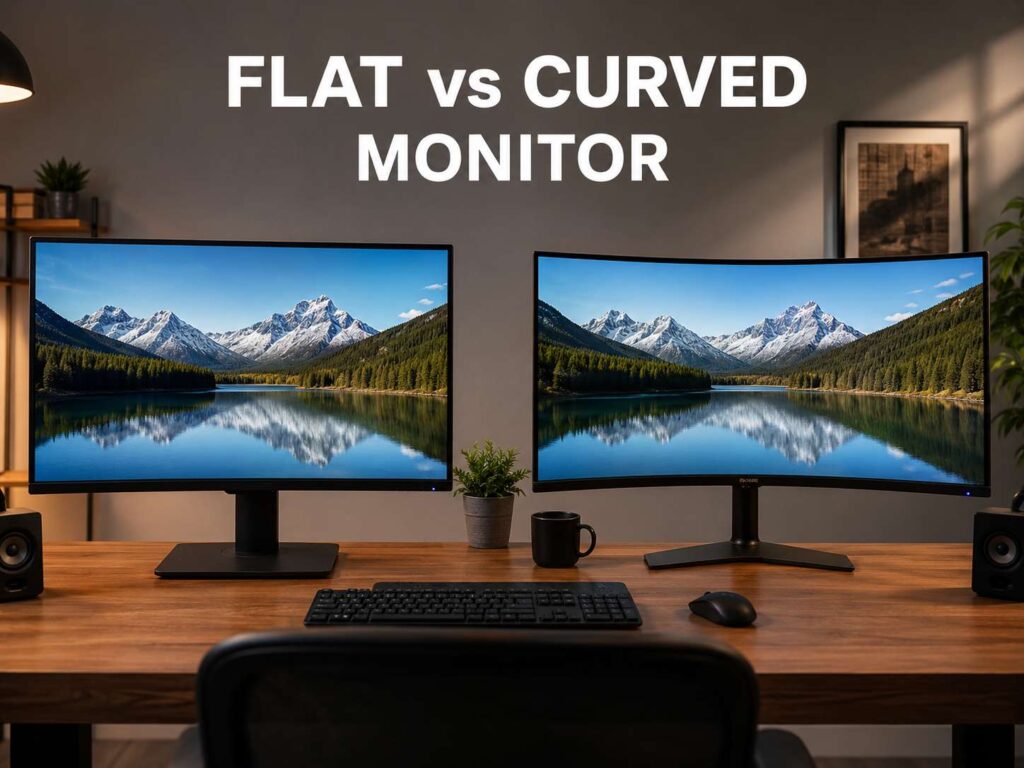
Flat vs curved monitor: what really changes?
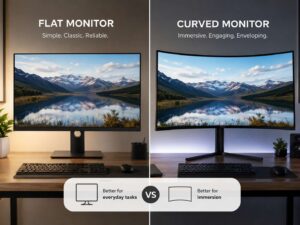
The flat vs curved monitor choice looks simple at first. One screen stays straight. The other bends inward. Yet that small shape change can affect comfort, desk fit, gaming feel, line accuracy, reflections, and price.
A curved monitor uses a radius rating such as 1000R, 1500R, or 1800R. The “R” stands for radius in millimeters. A lower number means a stronger curve. A 1000R screen bends more than a 1800R screen.
A flat monitor gives you a clean, familiar view. It works well for most desk setups, office rooms, school work, design tasks, and dual-monitor layouts. It also fits monitor arms and wall mounts with less fuss.
Curved monitors make more sense on larger screens. They work best on 32-inch, 34-inch ultrawide, 38-inch ultrawide, 45-inch OLED, and 49-inch super ultrawide displays. The wider the screen gets, the more useful the curve becomes.
So, which one should you buy? The best answer starts with screen size. Then it depends on your main use.
Choose a flat monitor for clean lines and simple setups
A flat monitor gives you a neutral view. Straight lines look straight. Windows line up cleanly. The screen sits well on a basic desk, a monitor arm, or a dual-screen mount.
This matters for daily work. A flat screen feels natural for Google Docs, Excel, WordPress, Figma, Canva, email, and browser tabs. It also works well for coding, spreadsheets, writing, research, photo edits, and light video work.
Flat screens make the most sense under 32 inches. A 24-inch or 27-inch monitor does not need a curve for most desks. The edges already sit close enough to your eyes. You can buy a strong flat 27-inch 1440p monitor or a flat 27-inch 4K monitor and get sharp text, good color, and plenty of stand choices.
A flat monitor is also better for shared viewing. Two people can look at the same screen with fewer angle issues. A curved display works best from the center seat. From the side, the image can look less natural, mainly on stronger curves and wider panels.
Choose a curved monitor for immersion and wide screens
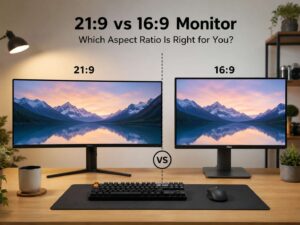
A curved monitor feels more natural on a wide desk. The curve pulls the left and right edges toward you. This helps most on ultrawide displays with 21:9 or 32:9 aspect ratios.
Gamers often prefer curved screens for racing games, flight sims, open-world games, RPGs, and story games. The image can feel larger and more focused. A curved screen also helps on large VA panels, since the sides sit closer to your direct view.
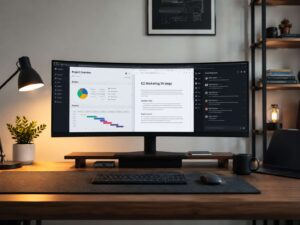
For work, curved ultrawide monitors can replace two smaller screens. You can keep a browser on the left, a document in the center, and email or Slack on the right. This guide on whether an ultrawide monitor is worth it for work gives more detail for office users.
A 34-inch 3440 x 1440 curved monitor gives a wide workspace without a bezel in the middle. A 49-inch super ultrawide gives even more room, but it needs a deep desk and a strong stand.
1000R, 1500R, and 1800R explained
Curved monitor specs can look odd at first. The simple rule is clear: lower R means a deeper curve.
Here is the easy version:
- 1000R: strong curve, best for close viewing and immersive gaming.
- 1500R: balanced curve, good for mixed work and gaming.
- 1800R: gentle curve, easy to adjust to, common on ultrawide screens.
- 2300R or 2500R: mild curve, common on large productivity displays.
For a first curved monitor, 1500R or 1800R is usually the safer pick. A deep 1000R curve can feel great in games, but it can make spreadsheets, web pages, and straight design lines feel strange at first.
Flat vs curved monitor for gaming
For gaming, curved monitors win on feel, mainly at 32 inches and above. The screen wraps around your view and pulls more of the game into your sight line. Racing games, cockpit games, flight games, and cinematic single-player games gain the most.
Competitive players often stick with flat monitors. Many esports players use 24-inch or 27-inch flat displays. These screens keep the whole image in a tighter area, so your eyes move less. They also come with high refresh rates such as 144Hz, 165Hz, 240Hz, 360Hz, and higher.
The curve does not make a monitor faster. Speed still comes from refresh rate, response time, input lag, and motion clarity. A curved 144Hz monitor will not beat a flat 240Hz monitor just by being curved.
For gaming, check these specs first:
- Refresh rate: 144Hz or higher for smoother motion.
- Response time: lower is better, but real-world testing matters.
- Input lag: important for fast games.
- Resolution: 1440p gives a strong balance for most gamers.
- Adaptive sync: FreeSync or G-Sync can reduce screen tearing.
- Panel type: IPS, VA, OLED, and mini-LED all have different strengths.
A curved screen can make games feel better. A faster panel can make games play better. The best gaming monitor needs both.
Flat vs curved monitor for work
For office work, the right answer depends on screen width.
A 27-inch flat monitor is one of the safest picks for most people. It fits small desks. It pairs well with a laptop. It works well for writing, admin work, WordPress editing, research, and video calls.
A 32-inch flat 4K monitor gives you more room and sharper text. It works well for people who want one large screen without the ultrawide shape.
A 34-inch curved ultrawide is better for multitasking. You can run several windows side by side without a second screen. This setup works well for content work, project tracking, coding, analytics, and trading dashboards.
A 49-inch curved super ultrawide gives the most room. It can replace two 27-inch monitors in many setups. It still needs desk depth, good scaling settings, and more head movement. Some users love that extra space. Others find it too much for normal work.
People often compare wide monitors with dual-screen desks before buying. This ultrawide vs dual monitors guide is useful if you are trying to pick between one wide display and two separate screens.
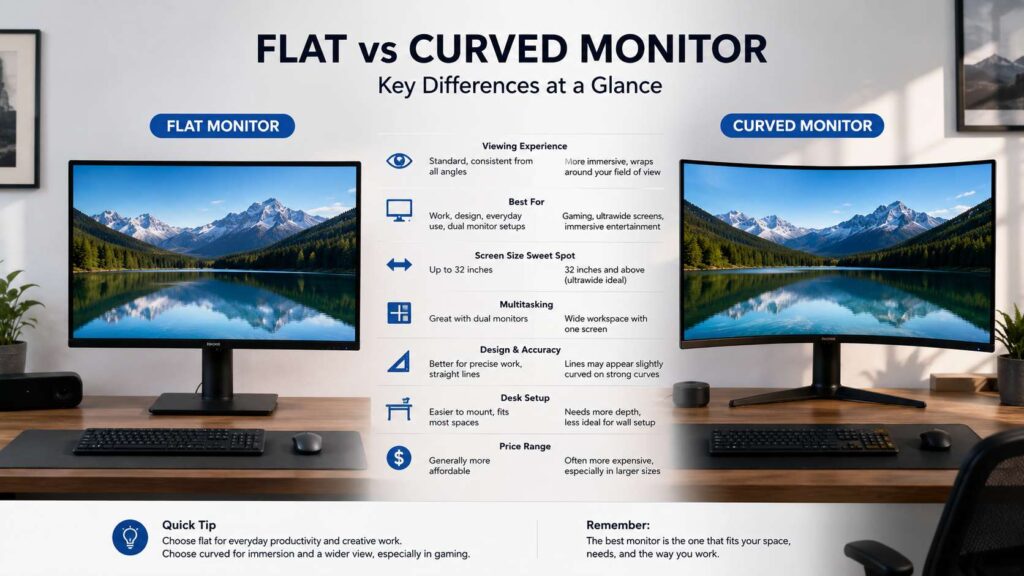
Flat vs curved monitor for design and editing
Flat monitors suit design work better in many cases. Graphic designers, CAD users, architects, photographers, and video editors often need clean geometry. A flat panel makes straight lines look more predictable.
Curved monitors can make long horizontal lines appear slightly bent. That can bother people who work with layouts, grids, product photos, UI screens, or architecture plans.
This does not mean creators should avoid curved monitors completely. Many video editors enjoy a curved ultrawide timeline. It gives more room for tracks, panels, and preview windows. The safer pick for color checks and layout work is still a high-quality flat IPS or OLED display with strong color coverage.
For design work, look for:
- 4K resolution on 27-inch or 32-inch screens.
- Good factory calibration.
- Wide color coverage, such as sRGB, DCI-P3, or Adobe RGB.
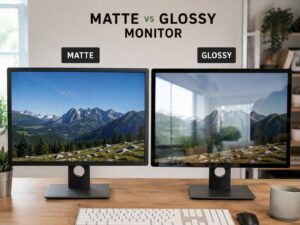
- Matte coating, especially in bright rooms.
- Height, tilt, and swivel adjustment.
- USB-C with power delivery, if you use a laptop.
A curved monitor can help with space. A flat monitor helps more with visual accuracy.
Eye comfort and viewing distance
A curved monitor can feel easier on the eyes on a large screen. The edges sit closer to a similar viewing distance from your eyes. Your gaze can move across the display with less effort, mainly on ultrawide screens.
Still, screen shape alone will not fix eye strain. Brightness, glare, text size, desk depth, room lighting, refresh rate, and posture all matter.
Use these basic comfort checks:
- Keep the top of the screen near eye level.
- Sit far enough back to see the full screen without turning your head too much.
- Lower brightness in dark rooms.
- Raise text scaling instead of leaning forward.
- Keep bright windows away from direct reflections.
- Take short breaks during long work sessions.
For a 27-inch screen, an arm’s length often feels right. For a 34-inch ultrawide or 49-inch super ultrawide, give yourself more desk depth. A screen that sits too close can feel tiring after a few hours.
Desk space, mounts, and room setup
Flat monitors are easier to mount. They sit closer to the wall, fit basic monitor arms, and line up neatly in dual-screen layouts. They also work better in portrait mode.
Curved monitors need more planning. Large ultrawides can be heavy. Some stands take up a lot of desk space. Deep curves can feel awkward on shallow desks.
Before buying a curved monitor, check:
- Desk depth.
- Monitor weight.
- Stand footprint.
- VESA mount support.
- Monitor arm weight limit.
- Viewing distance.
- Cable space behind the screen.
Glare can act differently too. A flat screen reflects light in a more predictable way. A curved screen can stretch reflections across the panel. If your desk faces a bright window, fix the room setup first. Curtains, side lighting, and a better desk angle can improve both flat and curved screens.
Best size and resolution picks
The best monitor shape depends heavily on size. These pairings make sense for most buyers:
- 24-inch flat, 1080p: best for budget desks, school work, basic office use, and compact gaming.
- 27-inch flat, 1440p: best all-round choice for gaming, work, and clear text at a fair price.
- 27-inch flat, 4K: best for sharper text, writing, photo work, and mixed productivity.
- 32-inch flat, 4K: best for a large single-screen setup without ultrawide width.
- 32-inch curved, 1440p or 4K: best for immersive gaming from a centered seat.
- 34-inch curved ultrawide, 3440 x 1440: best balance for gaming and multitasking.
- 38-inch curved ultrawide: better for productivity than 34-inch, with more vertical room.
- 49-inch curved super ultrawide: best for power users who want one huge screen instead of two monitors.
A small curved monitor rarely changes the experience in a big way. A large flat monitor can still work well, but a curve starts to make more sense as width increases.
Buying checklist before you choose
A flat monitor is the better pick if you want:
- A simple setup.
- Lower price.
- Better mounting options.
- Cleaner straight lines.
- Better shared viewing.
- Easier dual-monitor use.
- Stronger value under 32 inches.
A curved monitor is the better pick if you want:
- A wider screen.
- More immersive gaming.
- A cleaner ultrawide desk setup.
- One screen instead of two.
- A centered viewing position.
- Better edge comfort on very wide panels.
Check these specs before checkout:
- Screen size.
- Resolution.
- Refresh rate.
- Panel type.
- Brightness.
- HDR rating.
- USB-C power delivery.
- Height adjustment.
- VESA mount support.
- Warranty.
- Return policy.
For gaming, look for at least 144Hz. For office work, value text clarity and stand comfort. For creative work, check color coverage, calibration, and panel quality. For long workdays, do not ignore the stand. A great panel with a poor stand can still feel bad on the desk.
Final verdict: should you buy flat or curved?
Buy a flat monitor if you want the safest choice. It works for most desks, most tasks, and most budgets. It handles writing, spreadsheets, design work, web browsing, school work, and dual-screen setups with less fuss.
Buy a curved monitor if you want a wider and more immersive screen. The curve makes the most sense on 32-inch, 34-inch ultrawide, 38-inch ultrawide, and 49-inch super ultrawide displays. It works best from the center seat and needs the right viewing distance.
The best flat vs curved monitor choice comes down to screen size, desk space, and daily use. Small and standard screens favor flat. Wide and immersive screens favor curved. Match the shape to your work, games, and room, and the right pick becomes much easier.