Programmers do not need a high refresh rate monitor to write good code. A 60Hz screen still works for coding, debugging, terminal work, documentation, web testing, and email.
A 120Hz or 144Hz monitor changes the feel of the workday. Scrolling looks smoother. The mouse pointer feels easier to follow. Window movement feels cleaner. Long sessions can feel less tiring, mainly for people who move between many tools.
So the real question is simple: will a high refresh rate monitor make coding more comfortable? For many developers, yes. It will not make code better by itself, but it can make the desk feel faster and calmer.
What Refresh Rate Means for Programmers
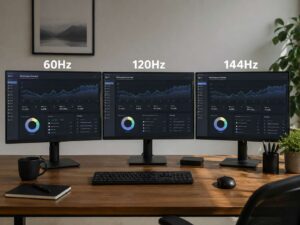
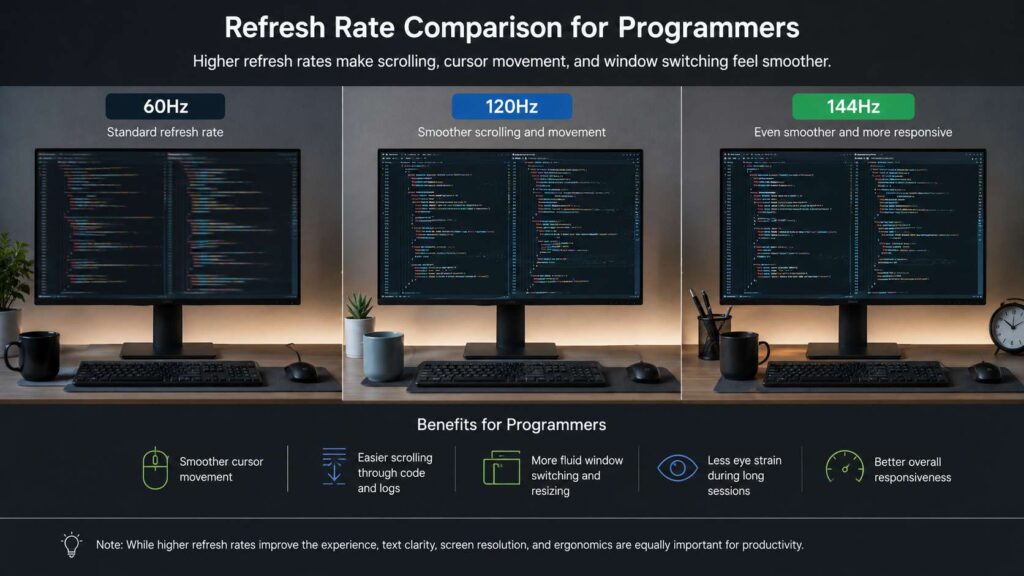
Refresh rate tells you how many times the screen updates each second. A 60Hz monitor refreshes 60 times per second. A 120Hz monitor refreshes 120 times per second. A 144Hz monitor refreshes 144 times per second.
People often connect refresh rate with gaming. That makes sense, but the same spec affects normal computer work too. You see the difference when you scroll through long files, move the mouse across a large display, drag windows, or switch between apps.
For programmers, this matters more than it first seems. Code editors, terminals, browser tabs, documentation pages, pull requests, dashboards, and chat apps all involve motion. A higher refresh rate makes those small movements look cleaner.
60Hz vs 120Hz vs 144Hz for Coding
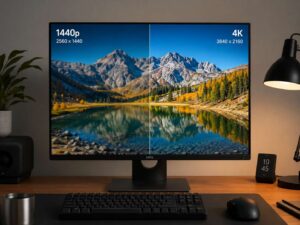
A 60Hz monitor is still fine for programming. Many developers use 60Hz screens every day. Text can look sharp on a good 60Hz display, mainly with 1440p or 4K resolution.
A 120Hz monitor gives a clear comfort jump. Scrolling feels smoother. Cursor movement feels less jumpy. Desktop animations look cleaner. For most programmers, 120Hz is the first refresh rate that feels like a real upgrade.
A 144Hz monitor feels a little smoother than 120Hz. The difference is real, but it is smaller than the jump from 60Hz to 120Hz. For coding alone, 144Hz is a nice comfort feature. For coding plus gaming, it makes even more sense.
Higher rates such as 165Hz, 240Hz, or 360Hz serve gamers better than coders. They can still feel great, but they are rarely the best use of money for programming work.
Where High Refresh Rate Helps Developers
A high refresh rate helps most during movement. Coding has more movement than people expect.
You scroll through large code files. You scan logs. You move between IDE panels. You test browser layouts. You jump through search results. You drag windows between monitors. A smoother screen makes each action easier to follow.
A 120Hz or 144Hz monitor helps with:
- Scrolling through long files
- Reading fast-moving logs
- Moving the mouse across large screens
- Switching between editor panes
- Reviewing pull requests
- Reading long documentation pages
- Testing front-end motion
- Using browser developer tools
- Moving windows between workspaces
- Working across two or three apps at once
This does not change build times. It does not speed up tests. Still, it makes the interface feel more direct.
Where High Refresh Rate Matters Less
High refresh rate does less for static text. If you spend 20 minutes reading one function, 144Hz will not change the sharpness of that text.
Panel quality still matters. A weak 144Hz screen can look worse than a good 60Hz screen. Poor contrast, bad viewing angles, harsh glare, low brightness, and fuzzy text will hurt daily comfort.
Backend developers may get more value from a sharper 4K screen than from a faster 1080p screen. Data analysts, writers, and DevOps engineers often benefit from more screen space and better text clarity first.
For coding, do not pick refresh rate alone. Look at the full monitor:
- Size
- Resolution
- Text sharpness
- Panel type
- Brightness
- Contrast
- Stand adjustment
- Port selection
- Glare control
- Scaling support
Text Clarity Comes First
Programmers read text for hours. That makes text clarity more important than refresh rate.
A 27-inch 1440p monitor gives a strong balance. Text looks clear, and the screen has enough room for split views. A 27-inch 4K monitor gives sharper text, but you will likely need scaling. A 32-inch 4K monitor gives more space, but it needs a deeper desk.
For most desks, 27 inches works well. It gives enough room for code, docs, and a terminal without forcing too much head movement. If you want a detailed screen-size guide, read this related article on whether a 27-inch 4K monitor is worth it.
Avoid large 1080p screens for coding when possible. A 27-inch 1080p monitor can make text look coarse. A 24-inch 1080p display is better, but it still lacks the workspace of 1440p or 4K.
Eye Comfort Needs More Than Hz
A smoother screen can make scrolling feel calmer, but eye comfort needs more than refresh rate.
Screen height matters. Viewing distance matters. Brightness matters. Glare matters. Room lighting matters too.
A good coding setup should include:
- Sharp text
- Comfortable brightness
- Low glare
- Proper screen height
- Enough distance from your eyes
- Regular breaks
- A chair and desk height that fit your body
- A monitor arm or adjustable stand
A 144Hz screen placed too high or too close can still cause strain. A bright window behind the monitor can create glare. Poor posture can hurt your neck long before refresh rate becomes a problem.
Input Lag and Desktop Feel
Input lag matters more in games, but it still affects everyday computer use. Lower lag makes mouse movement and cursor placement feel more direct.
You can notice this on large monitors. The pointer crosses more space, and a smoother screen makes that motion easier to track. Typing can feel more connected too, mainly in fast editors and terminals.
This is one reason a high refresh rate monitor feels pleasant for coding. It is not only about frames. It is about the whole desktop feeling closer to your hands.
Front-End Developers Benefit More
Front-end developers gain more from high refresh rate screens than many other programmers.
They test menus, page scrolling, transitions, charts, sliders, modals, dashboards, and animation timing. A 120Hz or 144Hz monitor makes stutter easier to spot. It can reveal rough scrolling, layout jumps, and motion problems that a 60Hz screen hides.
This matters more now. Many phones, tablets, laptops, and premium monitors use higher refresh rates. Users notice rough motion on those screens. Front-end developers need to see those problems during testing.
For UI work, a 120Hz or 144Hz monitor is a smart upgrade. It helps with comfort and gives a better view of the user experience.
Backend, DevOps, and Data Work
Backend developers do not need 144Hz in the same way. Many backend tasks stay text-heavy and static. A sharper 4K display can offer more value than a faster low-resolution panel.
DevOps work is different. Logs, dashboards, terminals, remote sessions, and incident tools can involve a lot of motion. A smoother screen can help during heavy monitoring work.
Data engineers and analysts can benefit from high refresh rate too, mainly when scrolling through large tables or dashboards. Still, resolution and screen size often matter more.
For these roles, a 27-inch 1440p 144Hz monitor or a 32-inch 4K 120Hz monitor makes the most sense.
Laptop Developers and External Monitors
Many developers use a laptop with one external display. This setup can feel strange when the laptop screen runs at 120Hz and the external monitor runs at 60Hz.
The cursor can feel smooth on one screen and rough on the other. Window movement can feel uneven. A 120Hz external monitor fixes that mismatch and makes the full setup feel more consistent.
Before buying, check three things:
- The laptop supports the monitor’s resolution and refresh rate.
- The cable supports the same output.
- The dock supports the same output.
A 4K 144Hz monitor needs more bandwidth than a 1440p 144Hz monitor. Cheap docks often limit refresh rate, even when the monitor supports more.
Best Refresh Rate for Programming
For most programmers, 120Hz is the best comfort target. It gives a clear gain over 60Hz and avoids the higher cost of extreme gaming monitors.
A 144Hz monitor is a great pick too. Many 1440p monitors now include 144Hz or higher by default. That makes 144Hz easy to recommend when the price is close.
Here is a simple guide:
- 60Hz: fine for budget coding and office work
- 75Hz: small comfort gain
- 100Hz: good for basic productivity screens
- 120Hz: best comfort target for many developers
- 144Hz: strong choice for coding and gaming
- 165Hz: good if priced close to 144Hz
- 240Hz and above: mainly for gaming or motion-heavy visual work
Do not pay a large premium for 240Hz if you only code. Put that money toward resolution, panel quality, better ergonomics, or a larger screen.
Best Monitor Specs for Programmers
The best coding monitor balances sharpness, comfort, space, and smoothness.
A strong target for most developers looks like this:
- Size: 27 inches
- Resolution: 2560 x 1440 or 3840 x 2160
- Refresh rate: 120Hz to 144Hz
- Panel type: IPS, OLED, or quality VA
- Stand: height and tilt adjustment
- Ports: USB-C for laptop users
- Surface: matte or low-glare
- Brightness: comfortable for your room
- Text: clean at your chosen scaling
For a larger desk, a 32-inch 4K 120Hz monitor gives more space. It works well for split editors, browser docs, terminals, and preview windows.
For a compact desk, a 27-inch 1440p 144Hz monitor gives the best mix of price, clarity, smoothness, and size.
Desk setup matters too. Programmers often focus on the monitor and forget the keyboard. A compact keyboard can create more mouse room and reduce shoulder strain. This guide on 65% vs 75% keyboards helps explain which layout fits a smaller desk better.
Is 144Hz Worth It for Programming?
Yes, 144Hz is worth it when the price gap is small. It makes scrolling, cursor movement, app switching, and window dragging feel smoother.
Do not sacrifice text clarity for refresh rate. A 27-inch 1080p 144Hz monitor is not the best coding choice for most people. A 27-inch 1440p 144Hz monitor is much better. A 4K 120Hz monitor can be better still for people who care most about sharp text.
A simple rule works well: choose resolution first, then refresh rate. Smooth motion feels nice, but fuzzy text gets annoying fast.
Who Should Buy a High Refresh Rate Coding Monitor?
A high refresh rate monitor makes sense if you:
- Spend 6 or more hours per day at your desk
- Scroll through long files often
- Use a laptop with a 120Hz screen
- Build front-end interfaces
- Test UI motion
- Use many windows at once
- Work on a large display
- Game after work
- Notice choppy scrolling on 60Hz screens
A 60Hz monitor still makes sense if you:
- Need the lowest price
- Work mostly with static text
- Prefer 4K sharpness over motion
- Already own a good office monitor
- Use remote machines with limited display output
- Need color accuracy more than smooth motion
What to Avoid
Avoid buying a monitor only for refresh rate. A bad screen remains bad at 144Hz.
Avoid glossy panels in bright rooms. Reflections can bother your eyes more than 60Hz motion.
Avoid weak stands. A monitor that sits too low or too high can hurt posture.
Avoid cheap 4K monitors with poor brightness, weak contrast, or bad text rendering.
Avoid old cables and weak docks. It is easy to run a 144Hz monitor at 60Hz by mistake. Check the active refresh rate in system settings after setup.
Final Verdict: Do Programmers Need a High Refresh Rate Monitor?
Programmers do not need a high refresh rate monitor, but many will enjoy one. A 120Hz or 144Hz screen makes the desktop feel smoother. It helps with scrolling, cursor movement, app switching, UI testing, and long work sessions.
Text clarity still comes first. Pick a sharp monitor before chasing extreme refresh rates. A 27-inch 1440p 144Hz monitor is the best value choice for many programmers. A 32-inch 4K 120Hz monitor is better for those who want more space and sharper text.
Backend developers can still work well on a good 60Hz 4K screen. Front-end developers, UI engineers, and programmers who use many windows get more value from 120Hz or 144Hz.
A high refresh rate monitor will not make you a better programmer. It can make your desk feel smoother, faster, and more comfortable every day.