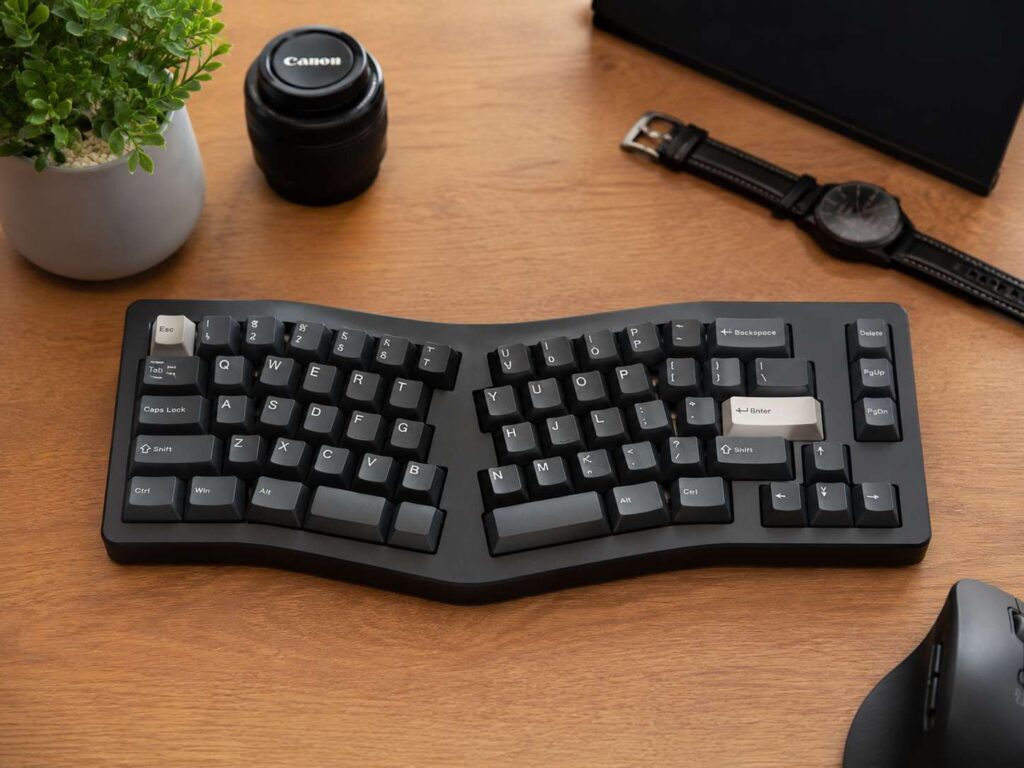
An Alice keyboard is a mechanical keyboard with a split, angled layout inside one single case. It keeps the familiar QWERTY key order, but it shifts the left and right key groups into a more natural hand position.
That is the main appeal. The keyboard feels different, but it does not feel completely new. Your fingers still reach for the same letters. Your hands just sit at a softer angle.
This layout has become popular with writers, programmers, office workers, and mechanical keyboard fans. It looks clean on a desk, and it can make long typing sessions feel less cramped. At the same time, it keeps the tidy shape of a normal keyboard.
What Makes an Alice Keyboard Different?
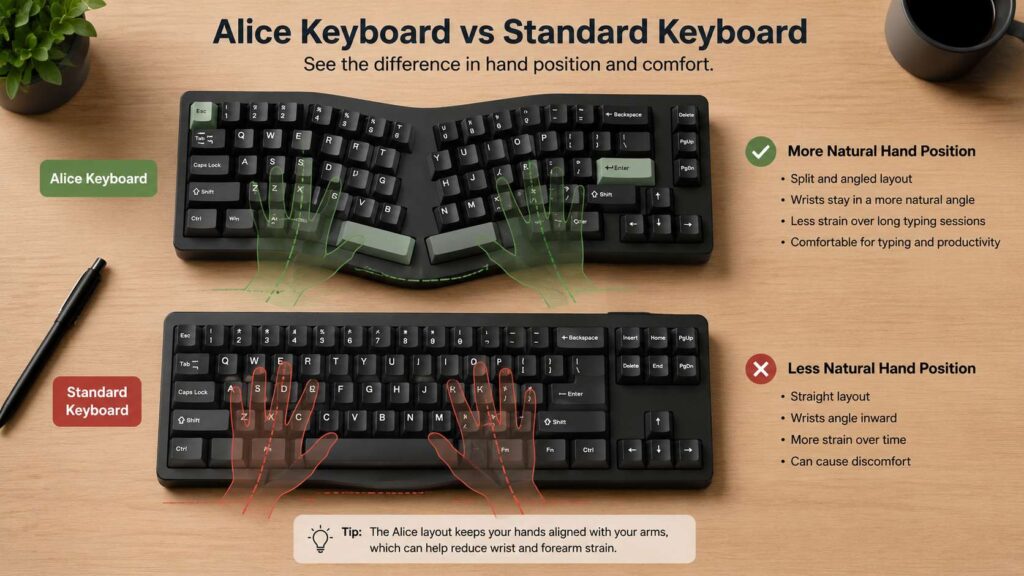
A standard keyboard places all keys in straight rows. Your hands move inward to reach the home row. After long sessions, that position can strain your wrists or make your forearms feel tight.
An Alice keyboard changes that shape. The left key cluster angles slightly left. The right key cluster angles slightly right. Then the center area splits around the spacebar and thumb keys.
That angled layout gives each hand its own typing zone. For this reason, the Alice layout can feel more relaxed than a standard keyboard.
Most Alice keyboards share a few clear features:
- Angled left and right key groups
- Split spacebar or smaller thumb keys
- One-piece keyboard body
- Mechanical switches
- Compact 65%, 75%, or TKL-style layout
- Optional hot-swappable sockets
- Optional knob, screen, or macro keys
- Support for Mac, Windows, or both
Some models use a soft curve. Others use a stronger angle. So the typing feel can change a lot from one board to another.
Why Is It Called an Alice Keyboard?
The name comes from the original Alice-style custom keyboard that gained attention in the mechanical keyboard hobby. Over time, the name became a broad label for angled split-style keyboards in one case.
Today, many brands sell Alice-style keyboards. Some use the word “Alice” in the product name. Others use terms like ergonomic mechanical keyboard, split layout keyboard, curved keyboard, or Arisu layout.
Still, the idea stays the same. An Alice keyboard gives you a more natural hand angle without forcing you to use two separate keyboard halves.
Is an Alice Keyboard Ergonomic?
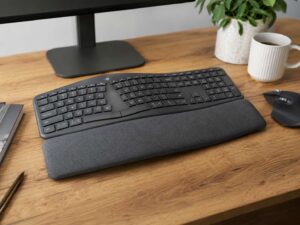
An Alice keyboard can feel more comfortable than a regular keyboard. It helps your wrists sit at a more open angle. It can also reduce that pinched feeling you get from typing with both hands close together.
At the same time, it is not the same as a full split ergonomic keyboard. A full split keyboard lets you move each half to match your shoulder width. Some split models also support tenting, which raises the inner edges of the keyboard.
An Alice keyboard gives you less control, but it feels easier to use. It keeps your desk neater. It also looks closer to a normal mechanical keyboard.
For a broader comparison, this guide on ergonomic keyboard vs regular keyboard explains how comfort-focused layouts differ from traditional designs.
Alice Keyboard vs Standard Keyboard
The biggest difference sits in the hand angle.
A standard keyboard feels familiar from the first minute. It works well for shared desks, offices, schools, and simple home setups. You can sit down and type without thinking about the layout.
An Alice keyboard asks for a short adjustment period. The keys remain familiar, but the angles change how your fingers land. After a few days, the softer hand position can start to feel natural.
Here is the simple comparison:
- Standard keyboard: easier to use at first
- Alice keyboard: more natural wrist angle
- Standard keyboard: better for shared computers
- Alice keyboard: better for personal typing comfort
- Standard keyboard: more budget options
- Alice keyboard: more common in mechanical keyboard setups
- Standard keyboard: simpler keycap shopping
- Alice keyboard: more stylish and more specialized
For a direct side-by-side breakdown, read this guide on Alice layout vs standard keyboard.
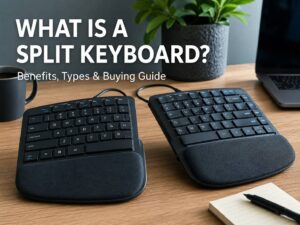
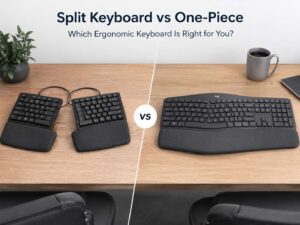
Alice Keyboard vs Split Keyboard
Alice keyboards and split keyboards solve a similar problem, but they do it in different ways.
A split keyboard has two separate halves. You can place each half where your hands naturally rest. That gives you more freedom, mainly for shoulder width and wrist angle.
An Alice keyboard keeps both halves in one case. That makes it easier to move, easier to set up, and cleaner on the desk. It also keeps the feel closer to a normal keyboard.
So the choice is clear. Pick a split keyboard for maximum adjustment. Pick an Alice keyboard for comfort with less change.
Who Should Use an Alice Keyboard?
An Alice keyboard fits people who type a lot and want better comfort without learning a radical layout.
It works well for:
- Writers
- Bloggers
- Programmers
- Students
- Office workers
- Keyboard hobbyists
- Remote workers
- Mac and Windows users
- People with compact desk setups
For example, writers often like the relaxed hand position during long drafts. Programmers often like the extra thumb keys and remapping options. Office workers often like the cleaner desk space and softer wrist angle.
Gamers can use Alice keyboards too. Still, fast FPS players should test the left-side angle first. The WASD keys can feel strange on some models.
What Sizes Do Alice Keyboards Come In?
Alice keyboards come in several sizes. The right size depends on your desk space, typing habits, and shortcut needs.
A 65% Alice keyboard keeps the letters, number row, arrows, and a small set of extra keys. It saves space and leaves more room for a mouse.
A 75% Alice keyboard adds the function row. This size works well for office tasks, coding, and daily typing.
A TKL-style Alice keyboard gives you more keys but removes the number pad. It suits users who want a larger layout without a full-size board.
Some Alice keyboards include a knob, small display, or macro keys. These extras can help with volume, media control, brightness, and app shortcuts. Still, they can raise the price fast.
How Hard Is It to Learn an Alice Keyboard?
Expect a few days to adjust. The layout keeps QWERTY, so you do not start from zero. The angle feels different at first, and your fingers need time to learn the new reach.
The center keys cause the most mistakes. The B key, Y key, and split spacebars often feel odd during the first week. Some Alice keyboards place the B key on both sides. Others place it on one side only.
For this reason, touch typists should check the exact layout before buying. A small layout detail can affect comfort more than expected.
Start with easy tasks. Type emails, search terms, notes, and short messages. Then move to longer writing sessions. After that, your hands will start to settle into the new shape.
Key Features to Check Before Buying
A good Alice keyboard should fit your hands, desk, and work style. Looks matter, but the layout details matter more.
Check these features before buying:
- Layout size: 65%, 75%, TKL, or custom
- Connection type: USB-C, Bluetooth, 2.4 GHz wireless, or tri-mode
- Switch type: linear, tactile, clicky, or silent
- Hot-swap support: lets you change switches without soldering
- Key remapping: VIA, QMK, or brand software
- Spacebar layout: split spacebar or special thumb keys
- Keycap support: standard or non-standard bottom row
- Case material: plastic, aluminum, acrylic, or wood
- Mount style: gasket mount, tray mount, or top mount
- System support: Mac, Windows, Linux, or mixed use
Next, check the height of the case. Some mechanical Alice keyboards sit tall. A wrist rest can make the typing angle feel better.
Switches and Keycaps Matter
The Alice layout changes your hand position. The switches change the feel of every key press.
Linear switches feel smooth from top to bottom. They suit quiet typing and gaming. Tactile switches give a small bump during each press. They suit typing, coding, and office work. Clicky switches make a sharper sound. They feel fun, but they can bother people nearby.
Keycaps matter too. Many Alice keyboards use split spacebars and special bottom-row keys. That means a basic keycap set may not fit.
Before buying keycaps, check for these extras:
- Small spacebars
- Extra Shift keys
- Extra Alt, Ctrl, and Fn keys
- Alice or Arisu kit support
- Correct keycap profile
For example, a standard 104-key set often misses the smaller spacebars needed for an Alice board. A proper compatibility kit solves that problem.
Are Alice Keyboards Good for Work?
Yes, Alice keyboards can work very well for daily work. They suit typing, emails, content writing, coding, research, and admin tasks.
For office use, choose quiet switches. Silent tactile or silent linear switches make the board easier to use around other people. A wireless model can also keep the desk cleaner.
For coding, look for VIA or QMK support. These tools let you remap keys, create layers, and place shortcuts near your thumbs. That can save time across long work sessions.
For spreadsheets, think about number entry. Most Alice keyboards do not include a number pad. A separate numpad works better for heavy Excel or finance tasks.
Are Alice Keyboards Good for Gaming?
Alice keyboards can work for gaming, but they are not the top pick for every player.
For single-player games, RPGs, strategy games, and casual play, the Alice layout feels fine after practice. For competitive FPS games, the angled left cluster can affect WASD control.
So gamers should check three things: key angle, latency, and connection type. Wired USB-C and 2.4 GHz wireless work better for fast play than Bluetooth. A mild Alice angle also feels easier for gaming than a deep curve.
If your muscle memory matters a lot, try an Alice layout before replacing your main gaming keyboard.
Common Downsides of Alice Keyboards
Alice keyboards bring comfort and style, but they also have trade-offs.
First, the learning curve can feel annoying for a few days. You will likely mistype center keys at the start.
Next, keycap shopping takes more care. Split spacebars and unusual modifier keys need the right kit.
Then there is price. Many Alice keyboards cost more than basic mechanical keyboards. Aluminum cases, gasket mounts, wireless support, and custom firmware can push the price higher.
Finally, shared use can be awkward. A coworker, guest, or family member may dislike the angled layout.
These downsides do not ruin the layout. They just matter before you buy.
How to Choose Your First Alice Keyboard
Start with a gentle Alice layout. A mild curve feels easier than a deep split shape. For most people, a 75% Alice keyboard gives the best balance. It keeps useful keys, but it still saves desk space.
Pick hot-swappable sockets if you are new to mechanical keyboards. Then you can try different switches later. Choose VIA or QMK support if you want custom shortcuts.
For work, choose quiet switches and a stable case. For gaming, choose low latency and a layout close to your current keyboard. For travel, choose a compact wireless model.
At the same time, do not ignore comfort extras. A wrist rest, lower typing angle, and softer switches can improve the whole setup.
Alice Keyboard Terms You Should Know
Shopping for an Alice keyboard gets easier once you know the common terms.
- Alice layout: angled split-style layout in one keyboard case
- Arisu layout: Alice-inspired layout, often with arrow keys
- Split spacebar: two or more small spacebars instead of one long bar
- Hot-swappable: switches can be changed without soldering
- QMK: open-source keyboard firmware
- VIA: visual key remapping software
- Gasket mount: softer internal mounting style
- Tenting: raised inner keyboard angle, common on split boards
- South-facing LEDs: LED position that helps with keycap fit
- Thumb keys: keys near the spacebar area used by your thumbs
For example, a hot-swappable Alice keyboard with VIA support gives beginners more freedom. You can change switches and remap keys without opening the board.
Is an Alice Keyboard Worth It?
An Alice keyboard is worth it for people who type often and want a more natural hand position. It gives you comfort gains without the full change of a two-piece split keyboard.
It is not perfect for every setup. Shared desks, strict gaming habits, and tight budgets can make a standard keyboard the better pick. Still, for a personal desk, the Alice layout can feel much better after a short adjustment period.
The best first Alice keyboard has a mild angle, hot-swappable switches, solid software support, and keycaps that fit the layout. It should match your work, your hands, and your desk.
Once the layout feels normal, a straight keyboard can start to feel cramped.