What this comparison really means
Split keyboard vs one-piece ergonomic keyboard sounds like a small choice at first. Then you sit down for a long workday, and the difference starts to show.
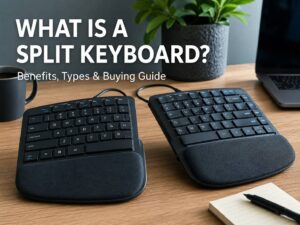
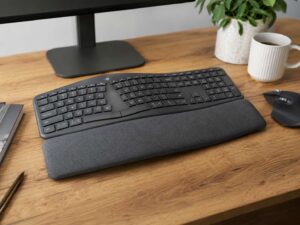
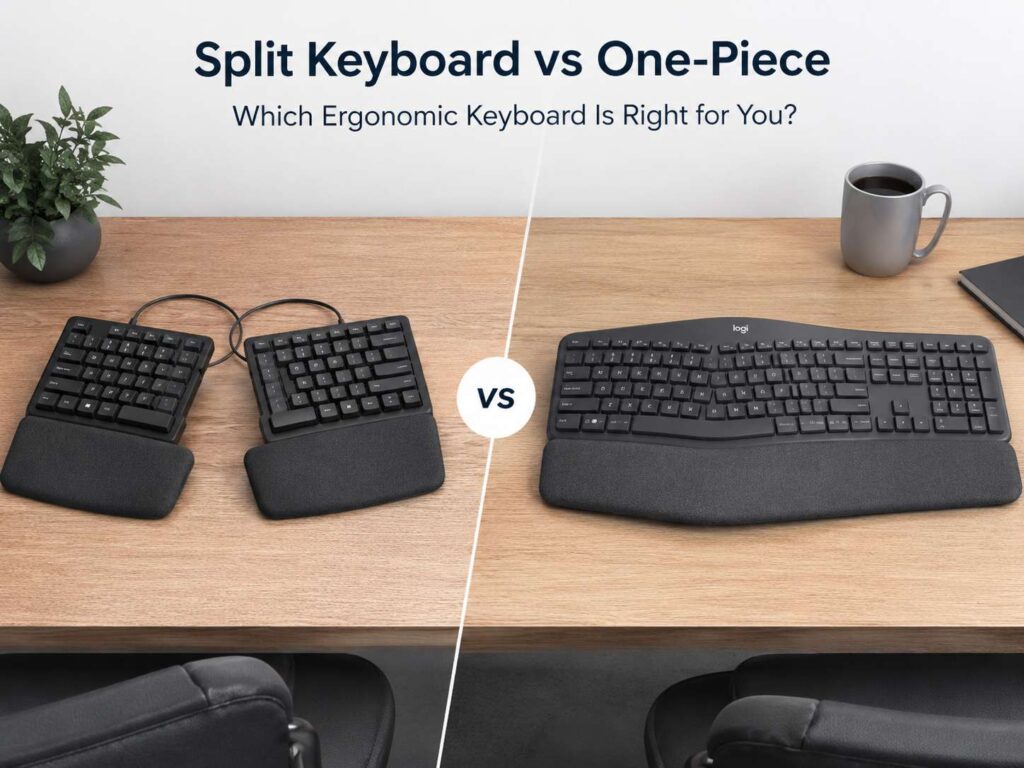
A split keyboard separates the left and right typing areas. Some models come in two separate halves. Others keep one solid frame but divide the keys down the middle. A one-piece ergonomic keyboard keeps everything in one body. It often has a curved shape, a raised center, and a built-in palm rest.
Both designs try to fix the same basic problem. A flat standard keyboard can pull your hands close together. It can push your wrists inward too. That position may feel normal, but it can become tiring during writing, coding, editing, or long office work.
The goal is simple: keep your wrists straighter, keep your shoulders relaxed, and reduce awkward reach. A better keyboard will not fix a poor desk setup by itself, but it can make your daily typing feel much easier.
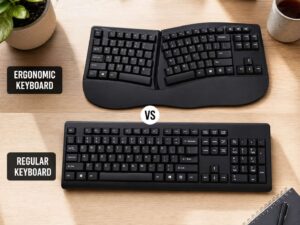
For a broader starting point, this guide on ergonomic keyboard vs regular keyboard explains why keyboard shape matters before you compare split and one-piece designs.
What a split keyboard does better
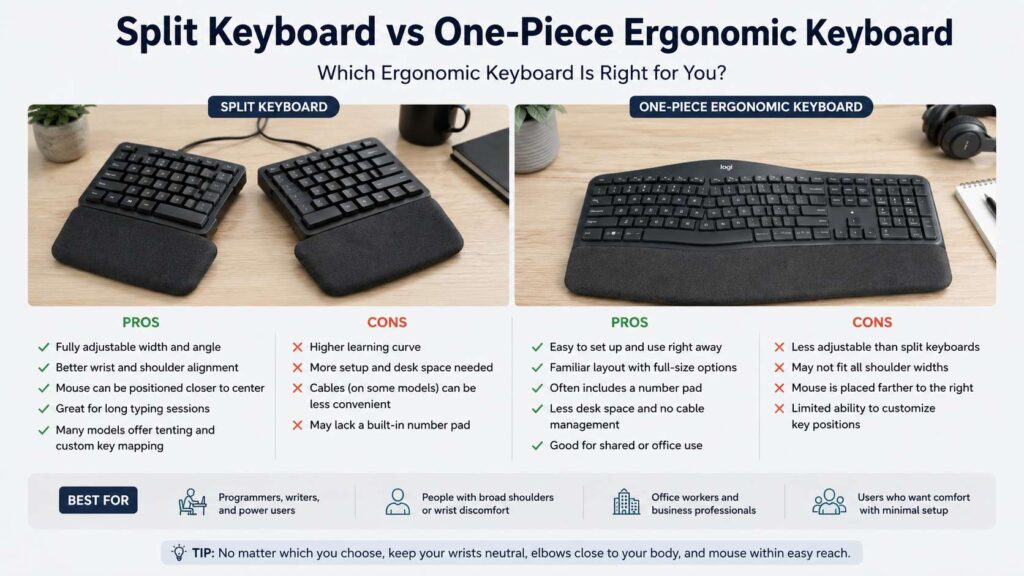
A fully split keyboard gives you the most control. You can place each half at shoulder width. Then you can rotate each side until your wrists sit in a more natural line.
This helps people with broad shoulders, tight forearms, or a desk that forces the hands too close together. It can also help users who feel cramped on a normal keyboard.
Many split keyboards support tenting too. Tenting raises the inner edge of each half. Your palms face each other a little more, instead of lying flat on the desk. That small change can reduce the twisted forearm position of a flat keyboard.
The biggest win is adjustability. You can widen the halves. You can angle them. You can place a trackball or mouse between them. For long typing days, that freedom can make the setup feel more personal.
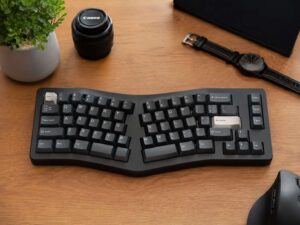
Still, a split keyboard takes more work. You need to set the spacing. You need to test the angle. Some compact models move arrow keys, symbols, or function keys into layers. That saves space, but it can slow you down at first.
What a one-piece ergonomic keyboard does better
A one-piece ergonomic keyboard feels easier on day one. It keeps a familiar shape. It stays in one place. Many models include a full number pad, media keys, and a soft palm rest.
This style suits people who want more comfort without a major learning curve. You place it on the desk, center it, and start typing. The curved layout guides the hands into a more open position, but it still feels close to a standard keyboard.
One-piece designs work well on shared desks too. A family member, coworker, or guest can use the keyboard without learning a new layout. That matters in offices and home workspaces where several people use the same computer.
The trade-off is fit. A fixed keyboard shape cannot match every shoulder width or arm angle. One person may love the curve. Another person may feel locked into the wrong position.
So the one-piece model wins on ease. The split model wins on personal fit.
Wrist angle and shoulder comfort
Good keyboard comfort starts with wrist position. Your wrists should stay straight and relaxed. They should not bend hard left, right, up, or down.
A split keyboard helps most with side-to-side wrist bend. You can move each half outward and rotate it, so your hands no longer crowd the middle of the desk. This can feel better for people who type for hours.
A one-piece ergonomic keyboard can help too. Its curved layout often reduces inward wrist bend compared with a straight keyboard. Yet the shape stays fixed, so you get only the angle the manufacturer chose.
Shoulder comfort matters just as much. A narrow typing position can pull your shoulders forward. A wide keyboard with a number pad can push your mouse far away. Both problems can create tension.
The best setup keeps your elbows close to your body. It keeps your shoulders calm. It lets your wrists line up with your forearms. The keyboard should support that posture, not fight it.
Mouse reach can make or break the setup
Do not focus on the keyboard and forget the mouse.
A full-size keyboard with a number pad pushes the mouse farther to the right. Your shoulder then reaches outward again and again. Over a full workday, that reach can feel worse than the typing itself.
This is one reason split keyboards appeal to heavy computer users. You can place the mouse between the two halves. You can keep a trackball near the center. You can reduce the long side reach that comes with a full-size board.
A one-piece ergonomic keyboard can still work well. Choose a compact or tenkeyless model if you do not need a number pad every hour. A separate numpad on the left side can help data-entry users too.
For mouse comfort, the same idea applies: keep the device close. This comparison of ergonomic mouse vs gaming mouse can help if your wrist or shoulder pain comes more from pointing than typing.
Typing speed and learning curve
A one-piece ergonomic keyboard usually feels faster during the first few days. The layout stays close to normal. Shortcuts feel familiar. You can keep working with little slowdown.
A fully split keyboard often takes more patience. The setup feels strange at first. Your hands may drift toward the middle. Some keys may sit in new places. Compact split boards can feel even harder, since they often use layers for symbols and navigation.
That learning period is not always bad. Touch typists often adapt well. Writers and coders may even enjoy the change after a few weeks. Thumb keys, custom layers, and shorter finger movement can feel natural once muscle memory catches up.
Still, not every user wants that process. Office workers with busy schedules may prefer a one-piece ergonomic keyboard. Keyboard hobbyists, programmers, and long-form writers may accept the learning curve for better control.
Desk space, cables, and daily use
Desk space should guide your choice. A fully split keyboard needs room for two halves. Some models use a cable between the halves. Others use wireless connections, but they still need careful placement.
Small desks can make split keyboards feel fussy. You need space for the halves, the mouse, a wrist rest, and maybe a notebook or tablet. A deep desk helps a lot.
A one-piece ergonomic keyboard keeps things tidy. It stays centered. It slides into place fast. It works better on narrow desks, keyboard trays, and shared home setups.
Portability is mixed. Some small split keyboards travel well. Larger tented models do not. A one-piece keyboard is usually easier to move from room to room, but many models are too wide for a laptop bag.
Daily use matters more than product photos. A keyboard that feels amazing for ten minutes may annoy you after a week if it clutters your desk or slows your work.
Best choice for office work
For office work, the one-piece ergonomic keyboard is often the safer choice. It suits email, documents, meetings, browsing, spreadsheets, and admin tasks. It gives comfort gains without making the layout feel strange.
People who work in finance, sales, support, or admin roles may need a number pad. A one-piece full-size ergonomic keyboard can suit that need better than a compact split model.
A split keyboard still makes sense for office users with long typing sessions. It works especially well for a fixed desk that no one else uses. Once the halves are placed correctly, the setup can feel calm and natural.
The best office choice comes down to routine. Shared workspace? Pick one-piece. Private desk and long typing blocks? Split deserves a serious look.
Best choice for coding and writing
Coders and writers often get the most from a split keyboard. They type for long stretches and repeat many shortcuts. A programmable split board can place common keys under the thumbs and reduce finger stretch.
Coding brings a catch. Symbols, brackets, arrows, and function keys matter. Compact split keyboards may hide these keys under layers. That can feel slow at first. It gets easier with practice, but the first week can feel rough.
Writers may have an easier time. Long text work uses letters, space, backspace, enter, and basic shortcuts. A split keyboard can support that rhythm well.
A one-piece ergonomic keyboard still works for writing. It gives comfort without changing much. For bloggers, students, and office writers, that may be the better balance.
Best choice for gaming
Gamers need a different answer. A one-piece ergonomic keyboard works better for most casual and mixed-use players. It keeps the standard layout. Games recognize the keys without much setup. Shortcuts feel familiar.
A split keyboard can work for gaming, mainly as a left-hand control pad. You can angle the left half and keep the mouse closer. That can feel comfortable for long sessions.
The issue is remapping. Many games expect a normal keyboard. A compact split layout may require custom key binds. That control can be fun, but it is extra work if you just want to play.
For gaming first and work second, choose a familiar layout. For work first and gaming on the side, a split keyboard can still fit.
What to check before you buy
Start with width. A huge keyboard can push the mouse too far away. A compact keyboard can help your shoulder more than a big palm rest.
Next, check tilt. A low front edge often feels better than a tall one. Negative tilt can help keep the wrists flatter. Tenting can help too, but only if the keyboard stays stable.
Look at the key layout. Some split keyboards remove dedicated arrow keys. Others use thumb clusters or layers. That may be fine for experienced typists, but it can frustrate users who need a familiar layout.
Noise matters too. Quiet switches suit shared rooms and offices. Mechanical switches can feel great, but loud switches can annoy everyone nearby.
Software matters for programmable boards. Simple remapping tools make the keyboard easier to live with. Confusing software can turn a good board into a chore.
Final verdict
A split keyboard is the better choice for users who want a custom fit. It gives more control over spacing, angle, tenting, and mouse placement. It works best for private desks, long typing sessions, coding, writing, and users who like to fine-tune their setup.
A one-piece ergonomic keyboard is the better choice for users who want easy comfort. It feels familiar, sets up fast, and works well for office tasks. It suits shared desks, full-size layouts, and users who do not want to relearn key positions.
Pick the split keyboard for maximum adjustability. Pick the one-piece ergonomic keyboard for a smoother switch and a cleaner desk setup.