Choosing the right keyboard size sounds simple, yet it changes far more than most people expect. Your keyboard affects your desk space, your mouse position, your comfort, and the way you work every day. A board that feels perfect for one person can feel frustrating for another. So the best pick is not the smallest keyboard, and it is not the biggest one either. It is the size that fits your habits.
Many buyers start with looks. They see a clean compact board on a desk and decide they want that same setup. Then real life starts. They miss the numpad. They miss the function row. They get tired of layer shortcuts. Other buyers do the opposite. They buy a full-size keyboard out of habit, then leave half of it untouched for years. That extra width takes space, and it pushes the mouse farther away than it needs to be.
This guide makes the choice easier. You will see what each keyboard size gives you, what it removes, and who it suits best. Then you can buy with a clear reason, not a guess.
Why keyboard size matters more than people think
Keyboard size is not just about width. It shapes the whole feel of your setup. A wider board gives you more keys, but it takes more desk room. A smaller board frees space, but it asks you to give up some direct key access. So every size involves a trade.
That trade matters most over long sessions. If you type for work, edit documents, use spreadsheets, play games, or move between apps all day, the layout starts to matter fast. A numpad helps some jobs a lot. Arrow keys matter more than people admit. Function keys feel optional until you need them ten times in one hour.
Comfort plays a role too. A narrower keyboard can bring your mouse closer to your body. That makes the setup feel more natural for many people. Yet an ultra-compact layout can slow you down if it removes keys you use all the time. So comfort and speed need to work together.
The main keyboard sizes you will see
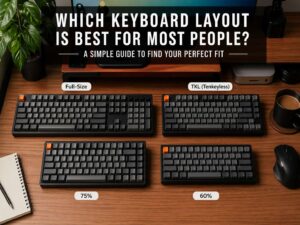
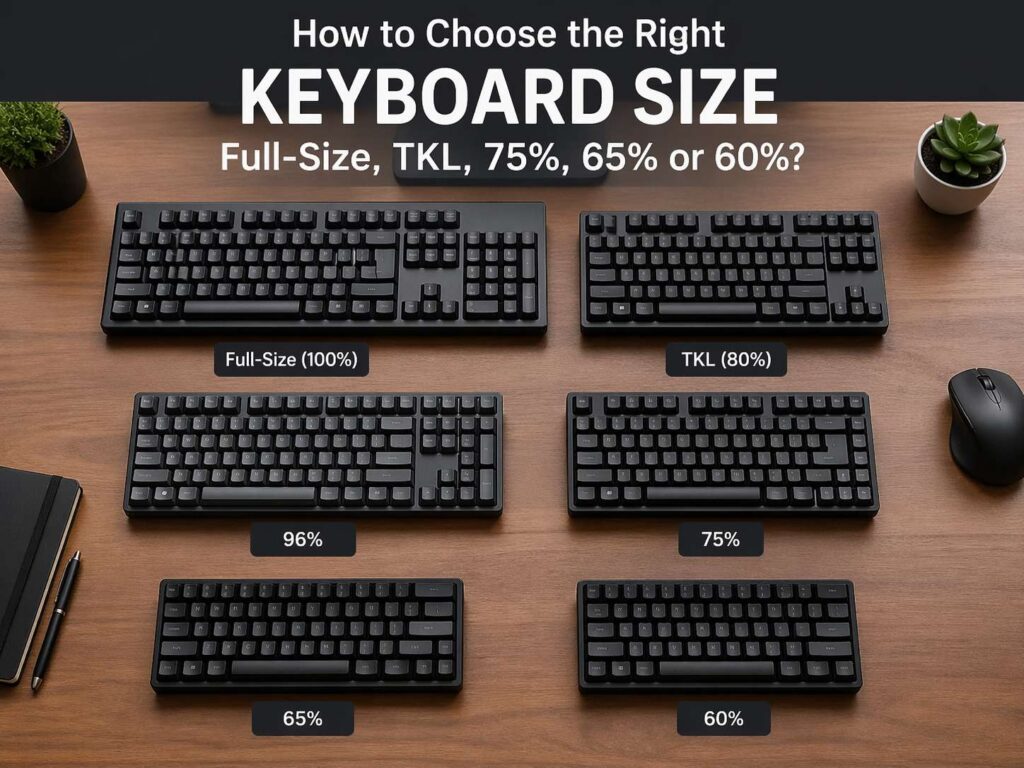
Most buyers will run into six main sizes.
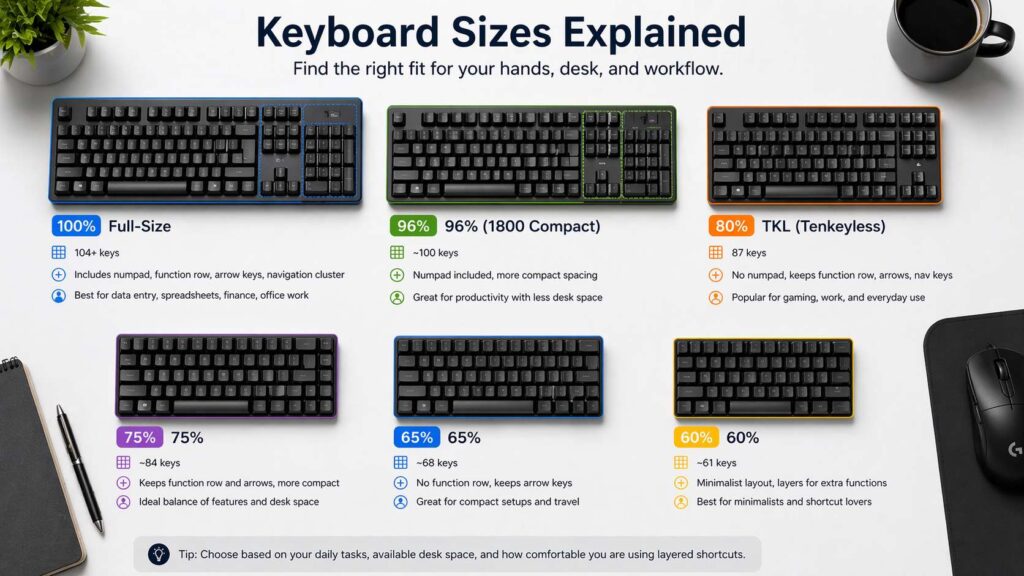
A full-size keyboard gives you the complete standard layout. That means the main typing area, the function row, the arrow keys, the navigation cluster, and the numpad.
A 96% keyboard keeps almost all of that, yet it packs the keys tighter together. You still get the numpad, but the board takes less room on the desk. If that layout sounds close to what you need, this guide on what is a 75% keyboard can help you compare a tighter compact style with a more feature-rich one.
A TKL keyboard, which means tenkeyless, removes the numpad and keeps the rest of the familiar layout.
A 75% keyboard trims the layout further, but it still keeps the function row and arrow keys in a compact frame.
A 65% keyboard removes the function row, yet it usually keeps arrow keys. That makes it a practical compact choice for many people.
A 60% keyboard strips things down even more. It removes the function row, the navigation cluster, and dedicated arrow keys on many models. You gain desk space, but you rely far more on Fn layers and shortcuts.
In most cases, full-size boards use about 104 keys. TKL boards usually use 87. A 75% layout often lands near 84. A 65% layout often sits near 68. A 60% board usually has about 61. The exact count can vary by brand, but the basic structure stays the same.
Full-size keyboards make sense for number-heavy work
A full-size keyboard is the easiest layout to understand. It gives you every standard key in the place most people expect. That means there is very little adjustment period. You sit down and use it.
This size works best for people who deal with numbers all day. That includes finance, accounting, admin work, inventory systems, and large spreadsheets. The numpad speeds up number entry, and that speed adds up over a long week.
Still, full-size is not the best fit for everyone. If you rarely touch the numpad, the extra width may feel wasteful. Your keyboard takes more desk space, and your mouse ends up farther to the right. Some people do not mind that. Others notice it every day.
So ask a simple question. Do you use the numpad often enough to justify the size? If the answer is yes, full-size stays a strong choice. If the answer is no, a smaller layout may fit better.
96% keyboards keep the numpad without wasting as much space
The 96% layout has become popular for a good reason. It keeps almost everything people like about full-size keyboards, but it compresses the layout into a smaller footprint. That makes it a smart middle ground.
You still get the numpad. You still get the function row. You still get arrow keys. Yet the board feels tighter and more efficient on the desk. For many home office setups, that balance works really well.
This size fits people who want serious productivity without the full width of a standard board. It works well for office users, mixed work and gaming setups, and small desks that still need number input. So if you want a compact board but refuse to give up the numpad, a 96% layout deserves a close look. For a deeper breakdown, read this 96 keyboard size guide.
There is one catch. A 96% board can feel a little denser at first. The spacing between sections changes, and that can take a few days to feel normal. Most users adapt fast, but the layout does not feel as instantly familiar as a full-size or TKL board.
TKL is the safest choice for most people
If one size wins the title of safest pick, it is TKL. You keep the function row, arrow keys, and navigation keys. You lose only the numpad. So the layout still feels familiar, but the board takes less room.
That is why TKL works for such a wide range of people. It suits office work, writing, browsing, coding, and gaming. It gives you more mouse space than a full-size board, and it does not force you to relearn basic habits.
Many people buy TKL after years on full-size boards and feel comfortable on day one. That easy transition matters. You do not need to memorize new layers or hunt for arrow keys. You just gain a cleaner desk and more movement space.
For buyers who want one keyboard for almost everything, TKL remains one of the smartest sizes on the market.
75% keyboards hit a sweet spot for compact daily use
A 75% keyboard takes the TKL idea and tightens it. You still get the function row. You still get arrow keys. Yet the layout packs everything closer together, so the board feels smaller and neater.
That is why so many people search for terms like keyboard sizes explained, best keyboard size for work, or 75 keyboard vs TKL. The 75% layout sits in a very attractive middle ground. It saves space, but it does not strip away the keys most people use every day.
This size works especially well for small desks, shared workspaces, and clean setups that still need strong day-to-day function. Writers like it. Office users like it. Many gamers like it too. The layout feels modern without turning into a compromise-heavy board.
There is still an adjustment period. A 75% board feels more compact, so the key clusters sit closer together. Yet most people settle into it fast. If you want a compact keyboard that still feels complete, 75% often lands in the sweet spot.
65% keyboards give you compact size without the pain of 60%
A 65% keyboard is where things start to feel truly compact. You lose the function row, and you lose more dedicated keys. Yet many 65% boards keep arrow keys, and that small detail makes a big difference in daily use.
Arrow keys matter for editing, browsing, coding, and moving through documents. So a 65% board stays practical in a way that a 60% board may not for many users. You still need Fn shortcuts for some commands, but the layout does not feel too extreme.
This size suits people who want a minimal desk, more mouse room, and a smaller board for travel or flexible setups. It is a strong fit for users who like compact gear but still want the keyboard to feel usable right away.
So if you want something smaller than a 75% board, but you do not want to jump straight into a stripped-down layout, 65% is a very smart place to start.
60% keyboards look clean, but they are not for everyone
A 60% keyboard has strong appeal. It looks tidy. It saves space. It works well in minimalist setups. It is easy to move. That is the good side.
The harder side shows up in daily use. You lose dedicated arrow keys on many models. You lose the function row. You lose the navigation block. So you rely on layers and combinations far more often. That can feel natural for experienced users, but it can annoy new buyers fast.
This size works best for people who already know they like compact layouts. It fits shortcut-heavy users, custom keyboard fans, and people who care deeply about desk space or portability. Yet it is not the best first compact keyboard for most buyers.
A lot of people think they want 60%, then discover they really wanted 65% or 75%. That happens all the time. So buy 60% for the right reason, not just for the look.
How to choose the right keyboard size for your setup
Start with your real tasks, not your ideal desk photo.
If you use spreadsheets, enter numbers all day, or work in finance, admin, or stock systems, pick full-size or 96%.
If you want one keyboard for work, general use, and gaming, start with TKL or 75%.
If your desk is small, or you want more mouse room, look closely at 75% and 65%.
If you travel often, move your setup a lot, or want a light compact board, 65% makes strong sense.
If you love shortcuts, want a very small board, and already know you can live with layers, 60% can work well.
Then ask a second question. Which keys do you touch every day without thinking about it? Pay attention to the numpad, function row, arrow keys, Delete, Home, End, and Page Up or Page Down. Those keys reveal far more about your ideal size than marketing ever will.
Common mistakes that lead to the wrong keyboard
The first mistake is buying based on trend. Small keyboards look great online, but daily use decides whether they feel good in real life.
The second mistake is sticking with full-size out of habit. Many people do not need the extra keys anymore, but they never question the layout.
Another mistake is ignoring mouse space. Keyboard width changes your whole desk feel. A smaller board often gives your mouse more breathing room, and that can make the setup feel better right away.
One more mistake is skipping the adjustment factor. TKL feels familiar fast. A 75% board still feels easy for most users. A 65% board asks for more adaptation. A 60% board asks for much more. Be honest about how much change you want.
The best keyboard size for most buyers
Most people do best with TKL or 75%. That is the practical answer. Those sizes keep the keys people use most, save useful desk space, and avoid the steep learning curve of smaller layouts.
Full-size stays best for heavy number work. A 96% board is excellent for users who want the numpad in a tighter frame. A 65% board is great for compact setups that still need arrow keys. A 60% board fits a smaller group, yet it can feel excellent in the right hands.
So the right keyboard size depends on what you do every day. Pick the layout that fits your real work, your desk, and your habits. That choice will feel better for years than any trend ever will.