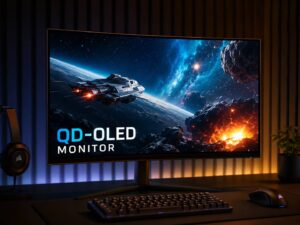
OLED monitors have moved from dream setup territory into real buying range for more people in 2026. Prices are still higher than many IPS and VA monitors, but the gap has started to feel less painful. More brands now sell 27-inch, 32-inch, ultrawide, and high-refresh OLED screens, so buyers have far more choice than they had a few years ago.
The real question is simple: does OLED make sense for your desk?
For gaming, movies, HDR content, and creative work, OLED can look fantastic. Blacks look deep. Motion looks clean. Colors feel rich without looking washed out. For long office days with static windows, spreadsheets, dashboards, or browser tabs, OLED still needs care. That does not make it a bad monitor type. It means you need to buy it for the right use.
Why OLED Looks So Different
An OLED monitor does not use a normal backlight. Each pixel lights itself. A black pixel can switch off completely, so dark scenes look deeper than they do on most LCD monitors.
This gives OLED its biggest strength: contrast. A bright object on a dark background looks clean and sharp. Space scenes, night levels in games, movie shadows, and HDR highlights gain more depth.
A regular IPS or VA monitor uses a backlight behind the panel. Mini LED monitors improve that design with many dimming zones, but they still light groups of pixels. OLED controls light at pixel level. That is why it often looks cleaner in dark scenes.
OLED response time is very fast too. Many OLED gaming monitors list near-instant pixel response. Fast camera movement looks smoother. Ghosting stays low. This matters a lot in shooters, racing games, sports games, and fast action titles.
Why OLED Monitors Make More Sense in 2026
OLED monitors used to feel risky and expensive. In 2026, the story looks better. More models include panel care tools, heat control, pixel refresh, screen shift, and logo dimming. Some brands now give longer coverage for burn-in on select OLED monitors too.
That extra peace of mind matters. Burn-in was the main weakness of OLED for years. The risk has not disappeared, but newer panels manage it better. A careful user can reduce the risk a lot with simple habits.
The market has changed too. You can now choose between 1440p OLED, 4K OLED, ultrawide OLED, and super ultrawide OLED models. Some focus on esports speed. Others focus on image quality, HDR, and console gaming.
This means OLED no longer fits only one type of buyer. It can suit a competitive gamer, a single-player gamer, a photo editor, a movie fan, or someone who wants one premium screen for work and play.
OLED for Gaming
Gaming is still the best reason to buy an OLED monitor. The picture has more punch, and the motion feels sharper. Dark areas look clear, so horror games, shooters, RPGs, and open-world games benefit right away.
A 27-inch 1440p OLED monitor is a great pick for fast gaming. It gives strong sharpness, high refresh rates, and lower GPU demand than 4K. If you play competitive games, this size and resolution still make a lot of sense.
A 32-inch 4K OLED monitor feels more premium. It gives more detail and better text clarity, and it works well with high-end gaming PCs. It also pairs well with modern consoles that support 4K and high refresh rates.
Ultrawide OLED monitors feel more immersive. Racing games, flight sims, and open-world games look great on a wider screen. The downside is desk space. Some games still handle ultrawide support better than others, so check your favorite titles before buying.
OLED for Work and Everyday Use
OLED can work well for daily tasks, but it is not the safest pick for every office setup. Static content is the main concern. A taskbar, browser tabs, app menus, side panels, and spreadsheet headers can stay in the same place for hours.
That pattern raises burn-in risk over time. You can lower the risk with good habits. Use dark mode. Hide the taskbar. Set the screen to sleep after a short break. Lower brightness during office work. Let the monitor run its panel refresh cycle.
Text clarity matters too. Some older OLED monitors showed color fringing around letters. Newer 4K OLED panels look better, mainly on 27-inch and 32-inch screens. A 32-inch 4K OLED monitor feels much nicer for reading than many 27-inch 1440p OLED models.
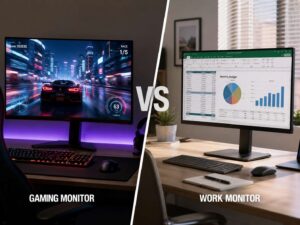
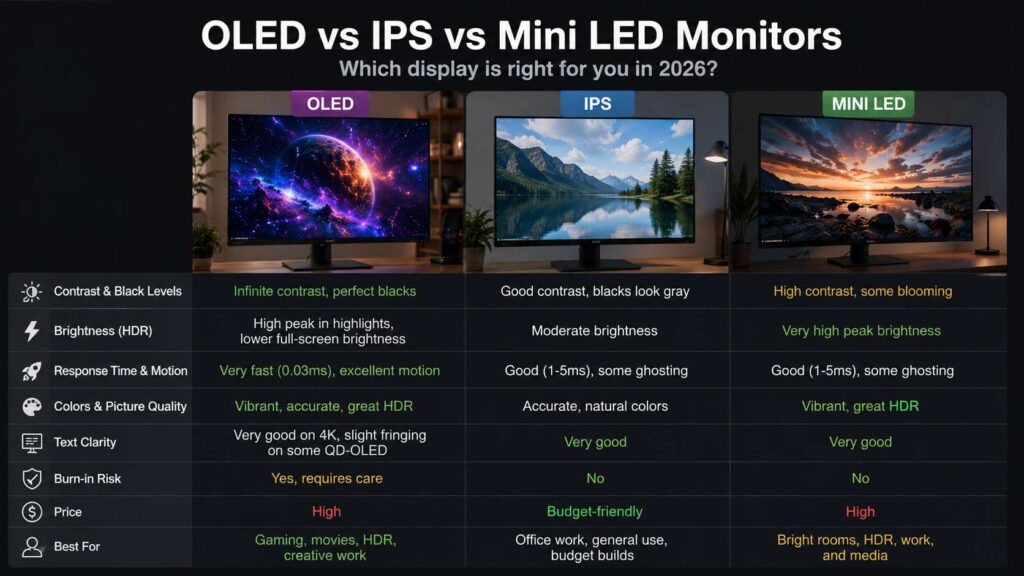
For mixed work and play, OLED makes sense. For pure office work, IPS or Mini LED often feels safer. If your day includes eight hours of spreadsheets or static dashboards, OLED is harder to recommend.
OLED vs IPS Monitor
IPS monitors still have a strong place in 2026. They cost less, handle static content better, and work well for office use. They are easy to recommend for school, writing, coding, browsing, and long workdays.
OLED wins for contrast, black levels, HDR feel, motion clarity, and gaming. IPS wins for price, text comfort on budget models, and low-maintenance office use.
If you are comparing the two, this detailed OLED vs IPS monitor guide can help you decide which panel type fits your desk better.
The simple answer is clear. Choose OLED for image quality and gaming. Choose IPS for work-heavy use and better value.
OLED vs Mini LED Monitor
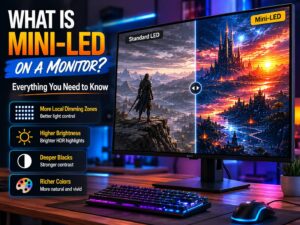
Mini LED monitors are a strong alternative. They can get very bright, which helps in sunny rooms and bright HDR scenes. They also avoid OLED burn-in risk, so they suit workstations better.
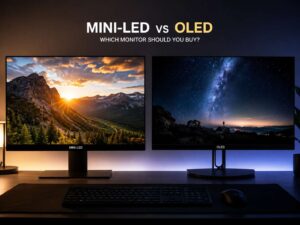
OLED still wins in black levels. It turns pixels off completely, so dark scenes look cleaner. Mini LED can show blooming around bright objects on dark backgrounds. Better Mini LED monitors reduce this, but they do not remove it fully.
Mini LED makes sense for bright rooms, HDR work, and long desktop sessions. OLED makes sense for dark rooms, gaming, movies, and deep contrast. For a closer comparison, read this Mini LED vs OLED monitor guide.
The Burn-In Risk
Burn-in means parts of the screen wear unevenly. A logo, taskbar, health bar, news ticker, or app panel can leave a faint mark after long repeated use. It usually happens over time, not overnight.
Modern OLED monitors include tools that help reduce this risk. Pixel shift moves the image slightly. Pixel refresh runs a maintenance cycle. Logo dimming lowers the brightness of static elements. Some monitors use better cooling to protect the panel.
Still, OLED needs better habits than IPS. Do not leave the same bright desktop on screen all day. Do not run the monitor at full brightness for every task. Do not ignore panel refresh prompts.
A few small changes help a lot. Use a blank screen saver. Hide desktop icons. Set sleep mode to start after a short break. Move windows around during the day. These habits take little effort, and they help keep the panel cleaner for longer.
Matte vs Glossy OLED
Screen coating changes the OLED experience more than you might expect. Glossy OLED screens look richer in a controlled room. Blacks look deeper, and the image feels cleaner. The problem is reflection. A window, lamp, or bright wall can show up clearly on the screen.
Matte OLED screens handle glare better. They suit rooms with daylight, overhead lights, or shared workspaces. The trade-off is a slightly softer image. Blacks can look a bit raised in bright rooms too.
For a dark gaming room, glossy OLED looks better. For a normal office, matte OLED feels easier to live with. Pick based on your room first, then compare specs.
Best OLED Monitor Size in 2026
A 27-inch 1440p OLED monitor suits competitive gaming. It feels fast, sharp enough, and easier to drive than 4K. It also fits smaller desks.
A 27-inch 4K OLED monitor gives much sharper text. It suits mixed work, gaming, and creative tasks. It costs more, but the added clarity helps every day.
A 32-inch 4K OLED monitor gives the best premium balance for many buyers. It has enough space for work, enough detail for text, and a large image for games and movies. It does need more desk depth.
A 34-inch ultrawide OLED monitor suits multitasking and immersive games. It gives more horizontal room, but text clarity varies by resolution. A 49-inch OLED super ultrawide is more of a special setup. It can replace two monitors, but it needs a large desk and careful window layout.
Brightness and HDR
OLED brightness has improved, but Mini LED still wins for full-screen brightness. This matters in bright rooms and large white screens, such as documents, spreadsheets, and web pages.
OLED shines in mixed scenes. A dark background with small bright highlights looks great. Movie scenes, HDR games, neon lights, fire, stars, and reflections can look stunning.
Some OLED monitors dim large bright areas to protect the panel and control power. This is normal. It can make large white windows look less bright than expected. If you work with documents all day, check reviews for desktop brightness and uniform brightness modes.
For HDR, OLED gives a rich look. It does not always need extreme brightness to feel impressive, since the black level is so deep. That contrast is the main reason HDR feels special on OLED.
Who Should Buy an OLED Monitor?
Buy an OLED monitor if you play games often and care about picture quality. It is also a strong choice if you watch movies, edit photos, edit video, or want a premium screen for mixed use.
OLED makes sense for people who want a monitor that feels exciting every time they sit down. It gives games and video a look that most LCD monitors cannot match.
Skip OLED if your workday is full of static screens. A developer with fixed panels, a finance user with dashboards, or an office worker with spreadsheets open all day will get better peace of mind from IPS or Mini LED.
Budget matters too. A good IPS monitor still gives great value. If the OLED price forces you to cut back on your GPU, chair, desk, or storage, the upgrade may not be the best use of your money.
What to Check Before Buying
Check the warranty first. Look for burn-in coverage in clear wording. Do not assume every OLED monitor includes it. Coverage can vary by brand, model, and country.
Check the resolution next. For gaming speed, 1440p OLED works well. For text and mixed use, 4K OLED feels better. The sharper image helps more than it seems on paper.
Check the ports. HDMI 2.1 is useful for consoles and 4K high-refresh gaming. DisplayPort matters for PC users. USB-C with power delivery is useful for laptops, but many gaming OLED monitors skip it.
Check the stand and desk fit. A great panel on a poor stand becomes annoying fast. Height adjustment, tilt, swivel, and desk depth all matter.
Check the coating too. Glossy looks richer in the right room. Matte works better with glare. Your room lighting should guide that choice.
Final Verdict: Is OLED Worth It for a Monitor in 2026?
Yes, OLED is worth it for many buyers in 2026. It gives the best contrast, deep blacks, fast motion, and a premium HDR feel. Games look better. Movies look better. Dark scenes look cleaner. A good 4K OLED monitor can also handle creative work and mixed desk use very well.
That said, OLED is not the right pick for every desk. Heavy office users still need to think about static content, burn-in risk, text clarity, brightness, and warranty terms.
The best choice is simple. Buy OLED for gaming, movies, HDR, and rich image quality. Buy IPS or Mini LED for long office days, static windows, and lower risk. If you want one monitor for work and play, choose a newer 4K OLED model with strong panel care tools, clear burn-in coverage, and the right coating for your room.