What Is an Ink Tank Printer?
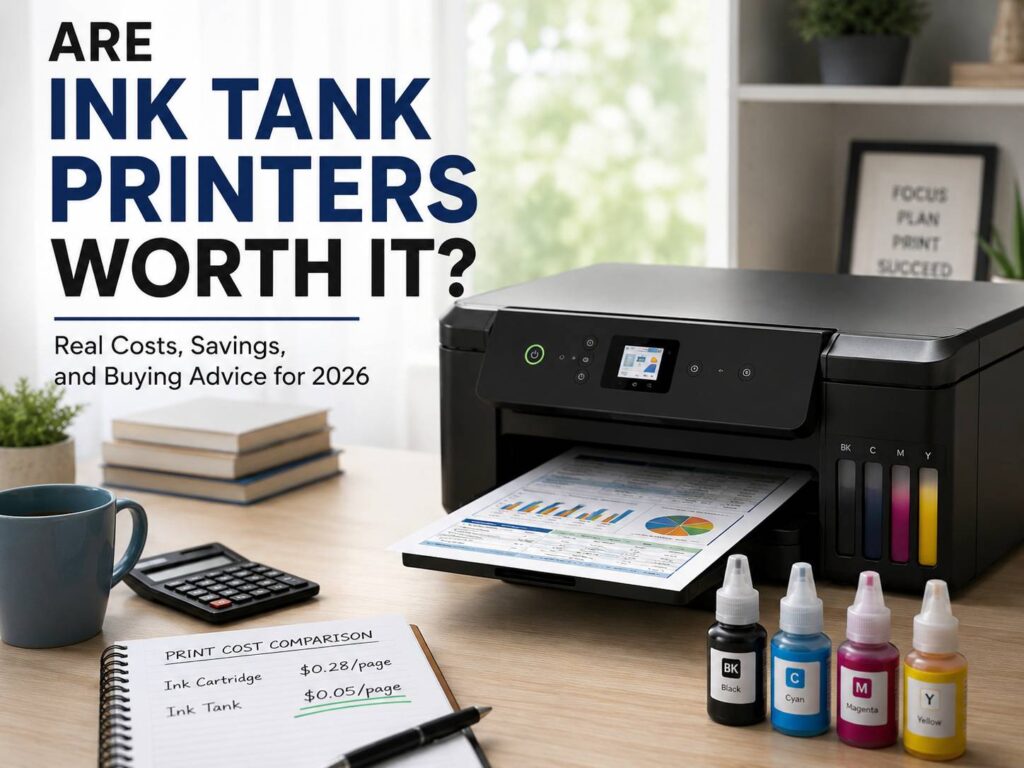
An ink tank printer is an inkjet printer with refillable ink tanks instead of small disposable cartridges. You pour bottled ink into built-in tanks, and the printer draws ink from those tanks during printing.
That simple change makes a big difference. A standard cartridge printer often uses small ink cartridges that run out fast. An ink tank printer starts with much more ink in the box, so it can print thousands of pages before the first refill.
You will see this type of printer sold under names like Epson EcoTank, Canon MegaTank, HP Smart Tank, and Brother INKvestment Tank. People search for them using terms like refillable ink printer, supertank printer, bottled ink printer, and cartridge-free printer.
So, are ink tank printers worth it? For many homes and small offices, yes. They cost more at first, but they can lower the cost per page by a large amount over time. Still, the value depends on how often you print.
Why Ink Tank Printers Became So Popular
Ink tank printers became popular for one clear reason: people got tired of expensive cartridges.
A cheap printer can look like a smart deal at first. Then the starter cartridges run out, and a full set of replacements costs almost as much as the printer. That gets annoying fast, mainly for families, students, and home workers who print often.
Tank printers fix that pain point in a more practical way. You pay more for the printer, but the ink lasts much longer. Plus, refill bottles usually cost less per page than regular cartridges.
For example, a family that prints school worksheets, recipes, forms, return labels, and the occasional photo can burn through cartridges quickly. With a tank printer, that same household gets more prints from one refill set. Then, the printer starts to feel less like a money trap.
Small offices see the same benefit. Invoices, shipping labels, meeting notes, contracts, and draft documents add up each month. So, a tank printer can reduce both ink costs and last-minute refill stress.
The Real Cost: Printer Price Versus Ink Price
The biggest catch is the upfront price. Ink tank printers usually cost more than basic cartridge printers. A cheap cartridge printer can sit under $100. A good ink tank model often starts around $180 to $300, and stronger office models cost more.
At first, that price gap feels hard to justify. Then ink cost changes the math.
A cartridge printer makes sense for very light printing. A tank printer makes more sense for regular printing. The more pages you print, the faster the tank printer earns back its higher price.
Think of it this way:
- Light printing: under 30 pages per month
- Regular printing: 50 to 200 pages per month
- Heavy home printing: 200 to 500 pages per month
- Small office printing: 500 pages per month or more
For light users, a cheaper cartridge printer still works. For regular users, an ink tank printer often becomes the better long-term buy. For heavy users, the savings can show up much faster.
The best way to judge your own case is simple. Look at your last 3 months of printing. Count school papers, return labels, work documents, forms, recipes, tickets, and photos. Then multiply that number by 4. That gives you a rough yearly print count.
Once you pass about 1,000 pages per year, an ink tank printer starts to make real sense. Past 2,000 pages per year, it becomes a much stronger choice.
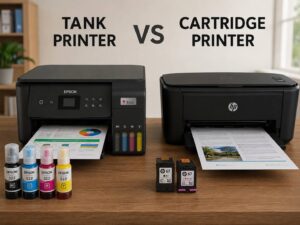
Ink Tank Printer Versus Cartridge Printer
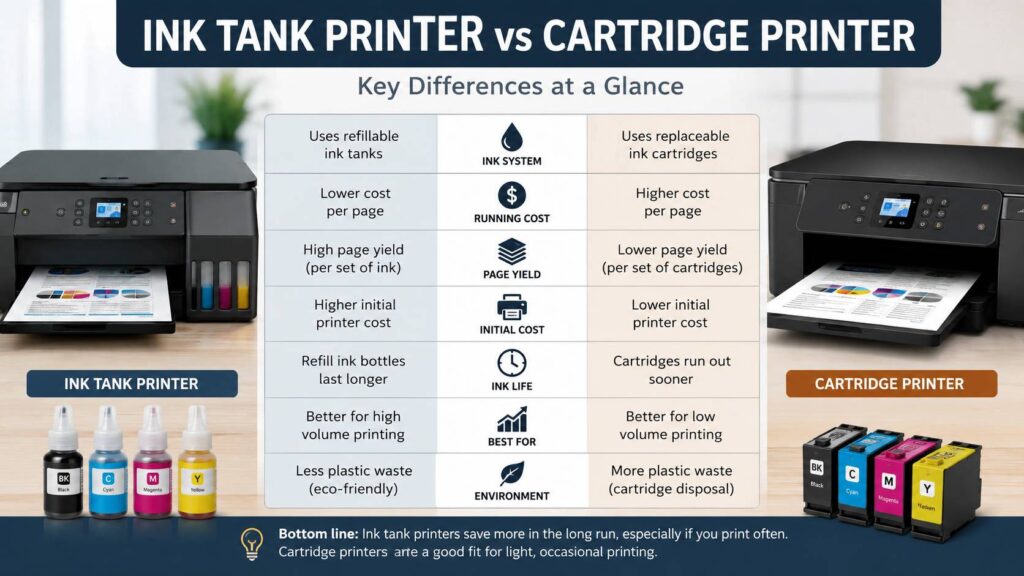
A cartridge printer wins on low starting price. It suits people who print a few pages each month and do not want to spend much on the printer itself.
An ink tank printer wins on running cost. It suits people who print often and want fewer ink replacements. It also creates less cartridge waste, which matters for users who dislike throwing away plastic cartridges every few weeks.
Still, tank printers are not perfect. Some entry-level models skip useful features like automatic double-sided printing, a proper paper tray, or an automatic document feeder. That can make a cheaper tank printer feel limited.
For a deeper comparison, this guide on tank printer vs cartridge printer explains the main differences in price, ink use, and daily printing comfort.
In real use, the right choice comes down to print volume. A cartridge printer is fine for rare use. A tank printer is better for steady use. That sounds basic, but it is the most honest rule.
Ink Tank Printer Versus Laser Printer
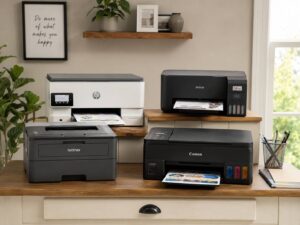
Ink tank printers and laser printers serve different needs.
A laser printer is great for sharp black text and fast document printing. It uses toner powder, not liquid ink, so it handles long idle periods better. For someone who prints only black invoices, forms, or shipping labels, a monochrome laser printer can be the smarter pick.
An ink tank printer works better for low-cost color printing. It handles school projects, charts, photos, coupons, recipes, and mixed home documents. It gives you color without the high cost of replacing color cartridges all the time.
So, a black laser printer is better for speed and text. A tank printer is better for color value and mixed family use.
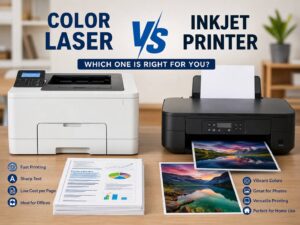
Color laser printers exist, but they often cost more to buy. Toner sets can cost a lot, too. They print clean charts and business pages, but most do not match inkjet photo quality on glossy paper.
Print Quality: What to Expect
Good ink tank printers print clean text, bright charts, and solid everyday photos. For most home and school tasks, the quality is more than good enough.
Text looks sharp on normal paper. A laser printer still wins for very small text and heavy black output, but on daily documents the difference is small.
Color pages depend on the printer and paper. Cheap paper can make colors look flat. Better paper gives charts, worksheets, flyers, and graphics a cleaner look. So, paper choice matters.
Photo quality varies more. Some tank printers use 4 ink colors. Photo-focused models use 5 or 6 inks, and they produce better skin tones, smoother shadows, and cleaner gradients.
My honest opinion: do not buy the cheapest ink tank printer for serious photo printing. It will print casual family photos, but it will not replace a dedicated photo printer. For school projects and everyday snapshots, though, a good tank printer does the job well.
Common Problems With Ink Tank Printers
Ink tank printers save money, but they still have flaws.
The most common issue is clogging. Inkjet printers use liquid ink, and the print head can dry out after long idle periods. This hits people who print once every few months. A cleaning cycle often fixes the issue, but it uses ink.
Speed can be another problem. Some home tank printers print slowly, mainly with color documents and photos. That may not matter for a few pages. For long reports, it can feel tedious.
Refilling is easier now than it used to be, but spills still happen. Modern bottles often use shaped nozzles that fit the correct tank. Even so, ink can stain hands, desks, clothes, and carpets. Refill slowly on a flat surface, and keep paper towels nearby.
Wi-Fi setup can be annoying on some models. Watch for clumsy printer apps, connection drops, or unclear screens. For that reason, it pays to read owner feedback for the exact model before buying.
Maintenance boxes matter, too. Some printers collect waste ink in a replaceable box. Others make this harder. A replaceable maintenance box is a small detail, but it can help the printer last longer.
Best Uses for an Ink Tank Printer
An ink tank printer works best for regular color printing. It fits homes and small offices that print every week.
Good matches include:
- Families with school-age children
- Students who print notes and assignments
- Teachers and tutors
- Home offices
- Small shops that print invoices and forms
- People who print return labels often
- Craft users
- Clubs and local groups
- Anyone who prints color documents often
A refillable ink printer gives the best value with mixed use. Text, color pages, labels, photos, and worksheets all fit the same machine.
For people who rarely print, the value drops. The printer costs more, and the ink system can sit unused for too long. A laser printer or cheap cartridge printer can be a calmer choice in that case.
Features Worth Paying For
Do not choose an ink tank printer by ink cost alone. The wrong feature set can make daily use annoying.
These features are worth checking:
- Automatic double-sided printing
- Automatic document feeder for scanning several pages
- Closed paper tray
- Mobile printing from phone and tablet
- AirPrint or Mopria support
- Easy Wi-Fi setup
- Borderless photo printing
- Clear ink level windows
- Separate refill bottles for each color
- Replaceable maintenance box
For home use, automatic double-sided printing is one of the most useful features. It saves paper and makes long documents easier to handle.
For office use, the automatic document feeder matters more. Scanning one page at a time gets old fast. A document feeder saves time with forms, contracts, school papers, and tax documents.
For families, simple phone printing matters. A printer that works well from iPhone, Android, laptop, and tablet will feel easier for everyone in the house.
Who Should Skip an Ink Tank Printer?
An ink tank printer is not the best choice for every buyer.
Skip one if you print fewer than 20 to 30 pages per month. You probably will not print enough to recover the higher printer price.
Skip one if you print only black text and want speed. A monochrome laser printer will feel faster and cleaner for that job.
Skip one if the printer will sit unused for months. Tank printers like regular use. Liquid ink needs movement, or the print head can clog.
Skip the cheapest tank model if you need office features. A low price can hide missing double-sided printing, weak paper handling, or a basic scanner.
Still, do not rule out the whole category after seeing one weak model. Some tank printers are basic, but better models are much easier to live with.
How to Pick the Right Ink Tank Printer
Start with your monthly print volume. Then match the printer to your real use.
For 50 to 100 pages per month, a basic all-in-one tank printer can work well. Look for Wi-Fi, scanning, and automatic double-sided printing.
For 100 to 300 pages per month, choose a stronger model with a better paper tray and faster print speed. A document feeder is worth the extra money here.
For 300 pages or more per month, look at office-focused tank printers. Check paper capacity, print speed, warranty, and maintenance details. A bigger paper tray saves time every week.
For photos, choose a photo-focused ink tank printer with more ink colors. A standard 4-color tank printer is fine for casual prints, but a 5-color or 6-color model gives better results.
For a broader buying list, this guide to the best printers for home use in 2026 can help compare printer types for different homes and budgets.
Before you buy, check the price of a full ink bottle set. Then check how many pages each bottle is rated to print. That gives you a clearer view of long-term cost.
Simple Maintenance Tips That Help
Ink tank printers work best with light, steady use.
Print a small color page every week or two. This keeps ink moving through the print head. Then run a nozzle check if colors look broken or faded.
Leave the printer plugged in. Many printers run small maintenance tasks on their own. Turn it off with the power button instead of pulling the plug.
Use the correct ink bottles for your exact model. Similar bottles can use different ink formulas. Wrong ink can hurt print quality or damage the printer.
Store paper in a dry place. Damp paper can cause jams, fuzzy text, and poor photo results.
Clean only as needed. Cleaning cycles use ink, so do not run them for no reason. Start with a nozzle check, then clean only the problem color if your printer offers that option.
Are Ink Tank Printers Worth It?
Yes, ink tank printers are worth it for people who print often, need color, and want lower ink costs over time. They are one of the best printer choices for busy homes, students, teachers, and small offices.
They are not worth it for very light printing. They are not the best choice for people who print only black text. They also need more regular use than laser printers.
The strongest reason to buy one is simple: low cost per page. The biggest reason to skip one is the higher starting price.
My real opinion is this: a good ink tank printer is a smart buy in 2026, but only with the right features. Do not chase the cheapest model. Pay for automatic double-sided printing, steady Wi-Fi, a useful scanner, and good paper handling. Those details matter more after the first month.
For most homes that print at least 1,000 pages per year, an ink tank printer deserves serious attention. For homes or offices near 2,000 pages per year or more, it often becomes the better long-term buy.
Final Buying Advice
Choose an ink tank printer for steady color printing, school work, home office documents, and lower ink costs. Choose a cartridge printer for rare use and a lower upfront price. Choose a monochrome laser printer for fast black text and long idle gaps.
The best printer is the one that matches your habits. Count your pages, check the refill price, then look at the features you will use every week.
A printer should not make simple tasks harder. Pick the model that saves money, prints clearly, and fits your real routine.