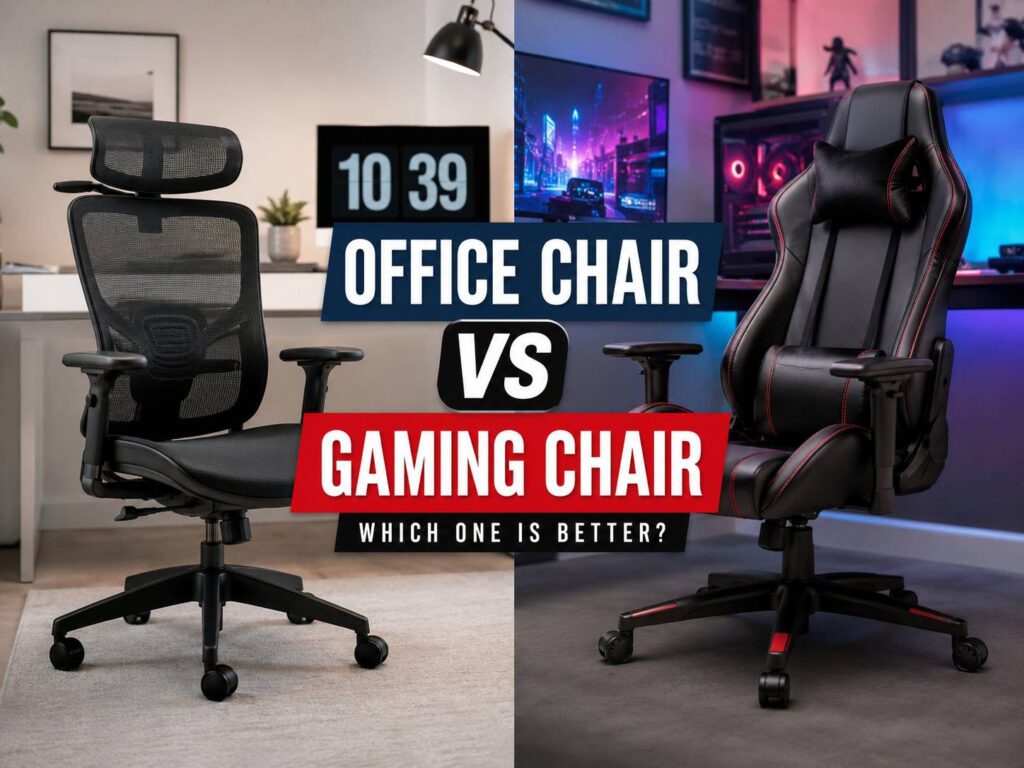
Choosing between an office chair and a gaming chair sounds simple at first. One looks made for work. The other looks made for play. After a few hours at a desk, though, the difference becomes much clearer.
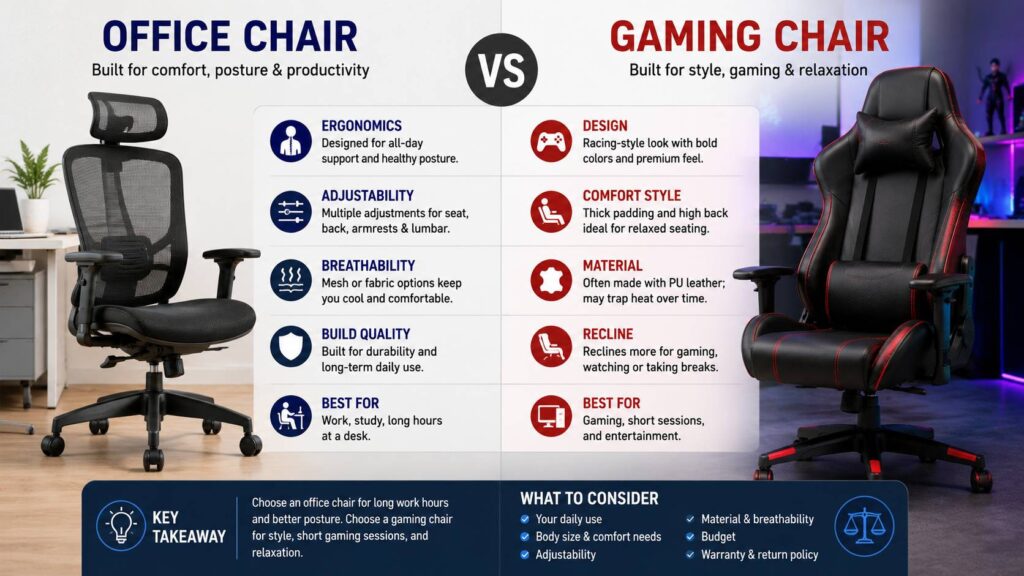
An office chair usually focuses on posture, movement, and long-hour support. A gaming chair often focuses on style, thick padding, a tall backrest, and a bold racing-seat design. That design can look great in a setup, but it does not always feel better during a full workday.
For most people, a good office chair is the better choice for remote work, studying, writing, browsing, and long sessions at a desk. Still, a gaming chair can make sense for casual gaming, short use, or a room where the look matters more than deep comfort.
So, which one should you buy? The honest answer is simple: choose the chair that fits your body, your desk, and the number of hours you sit each day. Looks matter, but comfort shows the truth fast.
What Is the Main Difference Between an Office Chair and a Gaming Chair?
The main difference is the purpose behind the design.
An office chair is built for desk work. It tries to support your back, arms, hips, and legs during long sitting sessions. Better models give you seat height control, lumbar support, recline tension, and adjustable armrests. These features sound basic, but they matter a lot after three or four hours.
A gaming chair usually takes its shape from a racing seat. Many models have a tall back, side wings, a head pillow, a removable lumbar cushion, and thick side bolsters. The design looks sporty. Still, the same shape can feel restrictive at a desk.
For example, side bolsters can press into your thighs. A large lumbar pillow can push your back too far forward. A deep seat can make smaller users sit away from the backrest. Then posture gets worse, even though the chair looks supportive.
That is the common problem with many gaming chairs. They look comfortable before you sit in them for long. After a full day, the weaker points start to show.
Comfort During Long Hours
Comfort changes over time. A chair can feel nice for 10 minutes and still feel wrong after half a day.
Office chairs usually do better here. A good one supports small posture changes. You can sit upright, lean back slightly, move your arms, shift your hips, and stay close to your desk. That kind of freedom helps during work calls, typing, editing, reading, and general computer use.
Gaming chairs often feel soft at first. The padding can feel cozy, and the tall backrest can feel supportive. Then the shape starts to matter more than the padding. Raised seat edges can limit leg movement. Fake leather can trap heat. A sliding lumbar pillow can become annoying. The chair may still look premium, but your body starts asking for breaks.
In daily use, comfort is not just softness. It is fit, support, space, and airflow. For that reason, a plain-looking office chair often beats a flashy gaming chair.
Back Support and Posture
Back support is one of the biggest reasons to choose an office chair.
A good office chair supports the natural curve of your lower back. Better models let you move the lumbar support up, down, in, or out. That helps the chair match your body instead of forcing your body into one fixed position.
Gaming chairs often use a separate lumbar pillow. This can help some people, but it often feels too bulky. It can move out of place when you sit down. It can also push your lower back forward in a way that feels odd after a few hours.
Good posture should feel relaxed, not forced. Your back should touch the backrest. Your shoulders should stay down. Your hips should sit back in the seat. Your feet should rest flat on the floor or on a footrest.
A chair will not fix a poor desk setup by itself. Still, the right chair makes better posture easier to keep. Pairing it with the right desk height matters too, especially if you are comparing setups like a standing desk vs standard desk.
Seat Shape and Leg Comfort
Seat shape is easy to ignore during online shopping. Yet it can decide whether the chair feels good or terrible.
Office chairs usually have a flatter seat. Many better models use a waterfall front edge, which means the front curves down slightly. This helps reduce pressure behind your knees. Some chairs also include seat depth adjustment, so you can move the seat forward or backward.
Gaming chairs often use a bucket seat shape. The raised sides can look nice, but they reduce the usable sitting area. Wider users may feel squeezed. People who sit cross-legged may feel blocked. Taller users may feel pressure under the thighs.
A good seat should support most of your thighs without pressing into the back of your knees. You should have a small gap between the seat edge and your legs. Your feet should reach the floor without effort.
This is where many budget gaming chairs fall short. They look large in photos, but the actual sitting space can feel narrow.
Armrests and Desk Fit
Armrests can help a lot, but only when they sit in the right position.
Good office chairs often include adjustable armrests. Some move up and down. Better ones also move forward, backward, inward, outward, or at an angle. This helps your elbows rest close to your body.
Gaming chairs often include basic armrests. Many move only up and down. Some feel loose after a few months. Others sit too wide for people with narrow shoulders.
Bad armrest placement can raise your shoulders and strain your neck. Low armrests can make your arms hang awkwardly. Wide armrests can push your elbows away from your body.
For work and PC gaming, your arms should feel relaxed. Your mouse and keyboard should stay close. Your wrists should sit in a natural position. Then your chair and desk work together instead of fighting your posture.
Materials and Heat
Material can make a chair feel very different.
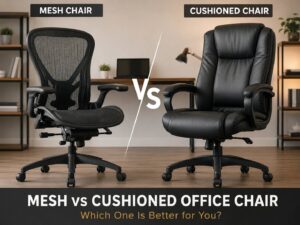
Mesh office chairs breathe well. They are a strong pick for warm rooms and long workdays. Fabric chairs feel softer and warmer, and they often fit better in a home office. Leather and fake leather look cleaner at first, but they can trap heat.
Many gaming chairs use PU leather or a similar synthetic cover. It looks smooth in photos. It wipes clean fast too. Still, cheaper versions can crack, peel, or feel sticky in warm weather. Wear often appears first on the seat edges, armrests, and lower back area.
Fabric gaming chairs are usually better for heat control. Even then, the shape still matters. A breathable chair with a poor seat design will not feel good for long.
For daily work, mesh or good fabric usually wins. For short gaming sessions in a cool room, synthetic leather can still work.
Recline and Relaxation
Gaming chairs often recline farther than office chairs. Some models lean back almost flat. That sounds useful, but it does not help much during normal desk work.
A work chair needs controlled recline. You should lean back a little without losing access to your keyboard and mouse. The chair should support gentle movement, not only rest breaks.
Office chairs often handle recline in a more natural way. Many models let you adjust the tilt tension, so the chair reacts better to your weight. This makes it easier to move between upright work and relaxed sitting.
Gaming chairs often use a simple backrest recline. It feels more like a car seat. That can feel nice for watching videos or taking a short break. During typing, though, it can feel less natural.
For long work sessions, controlled recline usually beats extreme recline.
Build Quality and Real-World Wear
A chair carries your body weight for hours every day. Build quality should matter more than color, stitching, or brand logos.
Check the weight rating, base material, gas lift, wheel quality, armrest strength, and warranty. A five-star base gives better stability. A strong metal base often lasts longer than thin plastic. Smooth wheels matter too, especially on hard floors.
Cheap chairs often start with small problems. The armrests wobble. The gas lift slowly sinks. The seat padding flattens. The wheels drag. The recline mechanism clicks. The chair starts leaning slightly to one side.
Gaming chairs can spend a lot of the budget on design details. Office chairs often put more of the budget into adjustment parts, back support, mesh tension, and seat mechanics. That is not true for every model, but it happens often in the budget and mid-range categories.
If you need a reliable chair for daily use, choose build quality before style.
Price and Value
At the same price, an office chair often gives better value for work.
Under $150, both chair types come with trade-offs. Cheap office chairs can feel basic. Cheap gaming chairs can look better, but comfort and durability often fall behind.
Between $200 and $400, office chairs start to become more attractive. You can find better lumbar support, nicer armrests, stronger mesh, and better seat shapes. Gaming chairs in this range can work too, but you need to check the seat width, material, and return policy with care.
Above $500, high-quality office chairs often make more sense for serious desk use. They usually offer better parts, longer warranties, and more comfortable adjustment. Premium gaming chairs exist, but many still use the same racing-style shape.
For buyers on a tighter budget, this best affordable office chair guide for 2026 can help narrow the search before spending money on the wrong model.
Which Chair Is Better for Working From Home?
For most remote workers, an ergonomic office chair is the better pick.
Remote work includes calls, typing, spreadsheets, research, writing, reading, and long focus blocks. That means the chair must support your body for hours, not just look good on camera.
An office chair usually fits better into a full desk setup. It works well with a monitor arm, footrest, external keyboard, laptop stand, or sit-stand desk. It gives your legs more freedom and lets your back move naturally.
A gaming chair can still work for remote work, but choose carefully. Look for a flat seat, breathable fabric, real lumbar support, solid armrests, and a stable base. Avoid narrow racing seats if you move a lot in your chair.
In most home offices, comfort should beat style. Your body will care more about support than color after a long Monday.
Which Chair Is Better for Gaming?
For gaming, the best choice depends on how you play.
A gaming chair can work well for casual sessions, console play, streaming setups, and rooms where the visual style matters. The tall backrest, head pillow, and recline can feel nice during relaxed play.
For PC gaming at a desk, an office chair still has a strong case. Mouse and keyboard gaming uses the same posture as desk work. Your arms need steady support. Your back needs proper contact. Your legs need room.
If you game for one or two hours, a gaming chair can feel fine. If you game for five hours after work, a good office chair will often feel better by the end of the night.
A chair made for gaming style is not always the best chair for actual gaming comfort.
Common Problems With Gaming Chairs
Many gaming chair complaints repeat across reviews.
The seat feels hard after a few days. The side bolsters press into the legs. The fake leather gets hot. The lumbar pillow moves too much. The armrests wobble. The chair looks too large in a small room. The padding flattens faster than expected.
These problems do not affect every gaming chair. Still, they appear often enough to take seriously.
The most common mistake is buying by looks alone. A chair can match your setup perfectly and still feel wrong for your body. Photos do not show pressure points, heat, wobble, or poor seat depth.
Try to check real measurements before you buy. Seat width, seat depth, height range, and weight rating matter more than the product name.
Common Problems With Office Chairs
Office chairs have flaws too.
Some look plain. Some cheap mesh seats feel rough. Budget lumbar support can feel weak. Assembly instructions can be frustrating. Low-cost models can use thin padding and basic armrests.
Still, office chair problems are often easier to avoid. The category gives you more practical designs to choose from. You can find chairs for tall users, short users, wide users, warm rooms, small desks, and long workdays.
The main risk is buying the cheapest chair that looks “ergonomic.” That word gets used too often in product titles. A real ergonomic chair should have useful adjustments, not just a curved backrest.
How to Choose the Right Chair
Start with your body and your desk.
Check the seat height range first. Your feet should rest flat. Then check the seat depth. Your back should touch the backrest without pressure behind your knees. After that, look at lumbar support, armrests, recline, material, base strength, and warranty.
A good chair should help you sit with relaxed shoulders, supported lower back, and steady feet. Your elbows should stay close to your body. Your screen should sit near eye level. Your mouse should stay within easy reach.
Do not ignore the return policy. A chair can look perfect online and still feel wrong after two days. A fair return window gives you room to test it properly.
Best Choice for Most People
For most people, the office chair wins.
It suits work, study, long browsing sessions, and serious PC gaming. It gives better support, more useful adjustments, and fewer comfort traps. It may not look as exciting, but it usually performs better where it counts.
Choose a gaming chair if you love the design, sit for shorter sessions, and find a model with a wide flat seat, breathable material, and proper lumbar support. Skip tight side bolsters, weak pillows, and cheap fake leather if comfort matters.
My honest opinion: buy the chair that disappears under you. The best chair is not the one you notice all day. It is the one that lets you work, play, and stand up later without feeling stiff.
Final Verdict: Office Chair vs Gaming Chair
The office chair is the better choice for long hours, posture support, adjustability, and daily work comfort. The gaming chair wins on style, deep recline, and a bold setup look.
If you work from home, study daily, or sit at a desk for more than four hours, choose an ergonomic office chair. Look for adjustable lumbar support, a flat seat, breathable material, strong armrests, and a stable base.
If you mainly play games for shorter sessions and want a more aggressive design, a gaming chair can still make sense. Just pick one with care. The wrong model can feel narrow, hot, and stiff faster than expected.
A good chair should support your body first. Style can come after that.