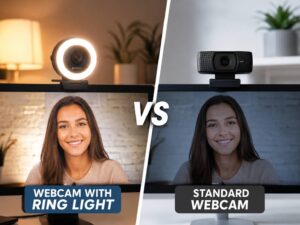
A webcam can make your setup look polished, or it can make a clean desk look worse than it really is. Most of the time, the problem is not the desk, the monitor, or even the person on camera. It is light.
A standard webcam can look good in a bright room with soft front lighting. Still, the same camera can struggle fast near a window, under a harsh ceiling bulb, or in a dark room lit by a monitor. Faces can look pale, shadows can look rough, and bright spots can lose all detail.
That is where an HDR webcam becomes useful.
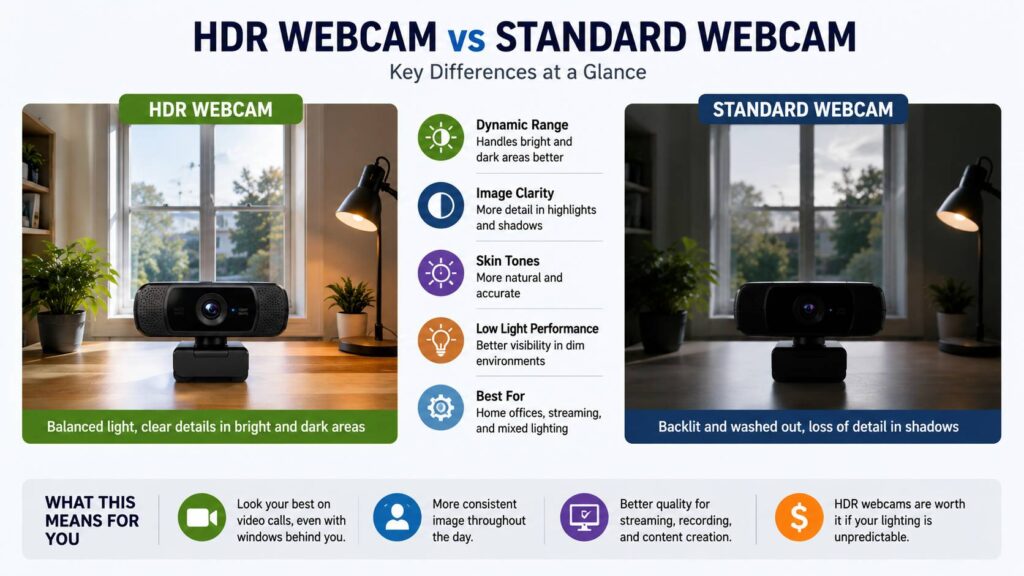
HDR means High Dynamic Range. In plain terms, an HDR webcam tries to keep bright areas from turning white and dark areas from turning black. A standard webcam records a narrower range between light and shadow, so it has less room to correct the image.
For remote work, online classes, Zoom calls, Teams meetings, Google Meet, webinars, and streaming, this difference matters a lot. You do not need a movie-style camera for daily calls. Still, you do need a clear face, natural skin tone, and a picture that does not fall apart every time the sun moves.
This guide explains the real difference between an HDR webcam and a standard webcam, where each one makes sense, and what to check before you buy.
What Is an HDR Webcam?
An HDR webcam uses extra image processing to handle bright and dark parts of the same scene. It helps the camera keep more detail in tricky lighting.
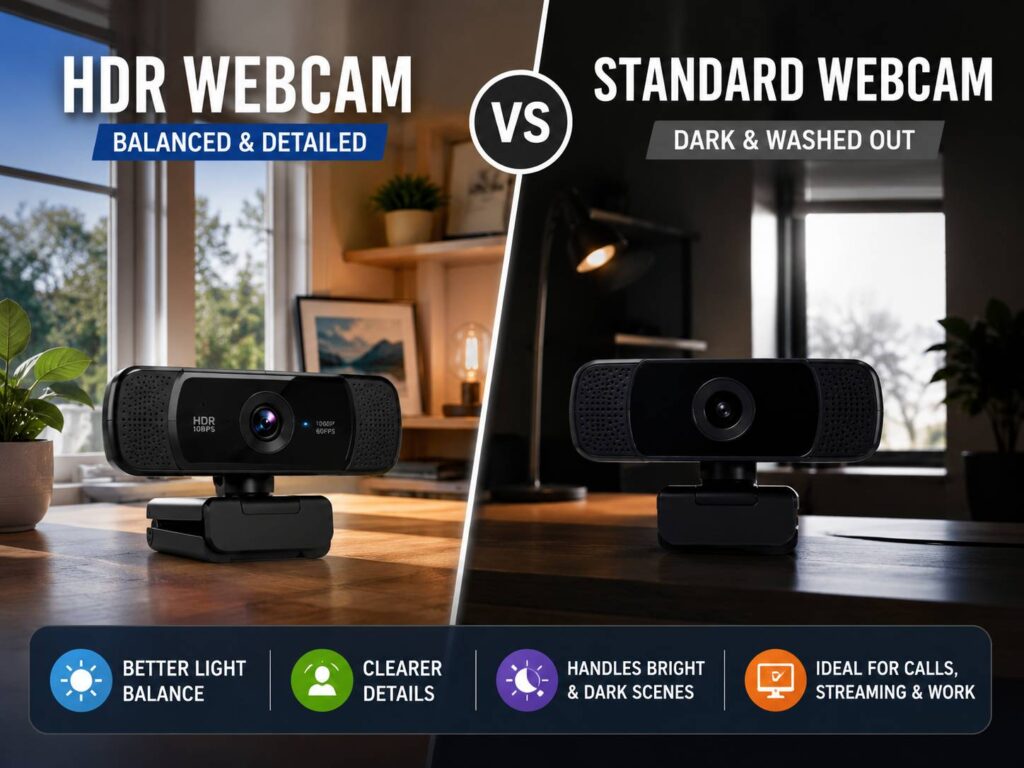
For example, picture a desk with a window behind it. A standard webcam often makes one bad choice out of two. It brightens your face, then the window turns pure white. Or it keeps the window under control, then your face becomes too dark.
An HDR webcam tries to balance both areas. So, your face stays clearer, and the background keeps more detail.
Of course, HDR does not fix every problem. It will not turn a small webcam sensor into a mirrorless camera. It will not replace a good desk light either. Still, it can make normal home office lighting much easier to handle.
Many HDR webcams combine auto exposure, tone mapping, face detection, and low-light correction. Some brands use the HDR label directly. Others use names like light correction, auto light balance, or right light. The goal stays the same: a more balanced image with fewer harsh highlights and fewer muddy shadows.
What Is a Standard Webcam?
A standard webcam records video without HDR capture or deeper light balancing. Most basic webcams focus on resolution, frame rate, autofocus, and built-in microphones.
That does not make them bad. In fact, a good standard 1080p webcam can look better than a cheap HDR webcam in the right room. Soft light from the front, a clean background, and a camera placed at eye level can make a big difference.
The trouble starts in hard lighting. Standard webcams often struggle with:
- Bright windows behind the user
- Desk lamps hitting one side of the face
- Dark rooms lit mostly by a monitor
- White walls or shiny furniture
- Mixed daylight and warm indoor bulbs
- Fast changes in natural light
A standard webcam works best in a controlled space. The light should come from the front, the background should not overpower the subject, and the camera should not need to guess too much.
For many people, a basic webcam still beats a built-in laptop camera. If you are comparing those two options, this guide on webcam vs laptop camera gives more detail on why an external camera can help with angle, sharpness, and framing.
HDR Webcam vs Standard Webcam: The Real Difference
The biggest difference is light control.
A standard webcam captures a simpler image. It can look crisp, but it often loses detail in very bright or very dark parts of the frame. An HDR webcam tries to save more of that detail. As a result, your face can stay visible near a bright window, and your background can look less harsh.
Here is the simple version:
- A standard webcam works well in steady, soft light.
- An HDR webcam works better in mixed or uneven light.
- A standard webcam usually costs less.
- An HDR webcam usually handles bright backgrounds better.
- A standard webcam can look more natural in perfect lighting.
- An HDR webcam can look processed on weaker models.
That last point matters. HDR is not always better. Some webcams push HDR too far. Skin can look flat, shadows can turn gray, and the full image can feel less natural. Good HDR looks balanced. Bad HDR looks like a filter.
So, do not buy a webcam only for the HDR label. Look at the full camera, the software, the frame rate, and how it behaves in real rooms.
Why Lighting Matters More Than Resolution
It is tempting to look at 4K first. That makes sense at first glance. More pixels sound better. Still, resolution does not fix bad exposure.
A sharp 4K image with a blown-out face still looks bad. A clean 1080p image with good lighting often looks better on a video call. Most meeting apps compress video too, so the person on the other end may not see the full detail from a 4K webcam.
Light affects the image before the app compresses it. A clearer face, better exposure, and cleaner shadows help more than raw pixel count in many calls.
That is why HDR can matter. It does not simply add detail. It helps the webcam manage the scene before Zoom, Teams, Google Meet, or OBS processes the video.
If you are trying to choose between resolution and better image handling, this deeper guide on is a 4K webcam worth it can help you decide where the extra money makes sense.
Where HDR Webcams Perform Better
An HDR webcam makes the most sense in rooms with uneven light. That includes many real home offices.
Maybe your desk sits near a window. Maybe your lamp sits off to one side. Perhaps your room looks fine to your eyes, but your webcam turns your face into a shadow. In these cases, HDR can help.
HDR can improve:
- Face visibility in backlit rooms
- Detail in white shirts and pale walls
- Skin tone under mixed lighting
- Background detail near windows
- Video stability during daylight changes
- Calls in rooms with bright screens or lamps
For remote workers, HDR can reduce the need to adjust blinds during the day. For students, it can keep video clearer from morning classes to evening calls. For streamers, it can help control bright overlays, RGB lights, and darker backgrounds.
Still, the best results come from pairing HDR with decent lighting. A small lamp in front of you can make an HDR webcam look much better.
Where Standard Webcams Still Make Sense
A standard webcam remains a smart buy for many setups.
If your desk faces a wall and a soft light shines toward your face, HDR may not change much. If you join only a few calls per week, a simple 1080p webcam can do the job. A standard external webcam can also give you a better angle than a laptop camera, even without HDR.
Standard webcams make sense for:
- Basic work calls
- Online school
- Family video chats
- Budget home offices
- Rooms with steady front light
- Simple plug-and-play setups
Some users even prefer a standard webcam in controlled lighting. The image can look cleaner and less processed. That is a fair opinion. A webcam does not need HDR to look good if the room already helps it.
A good standard webcam plus a small desk light can beat a weak HDR webcam in many daily calls.
HDR Webcam Pros
HDR webcams solve several common video problems.
Better exposure near windows
This is the main advantage. A good HDR webcam can keep your face brighter without turning the window into a white block.
More balanced skin tone
Mixed light often makes skin look too red, too pale, or too gray. HDR processing can help the camera hold a steadier look.
Fewer blown-out highlights
White shirts, pale walls, desk lamps, and sunlight can lose detail on standard webcams. HDR helps control those bright areas.
More stable video during the day
Natural light changes fast. Clouds pass, sunlight moves, and rooms shift from cool to warm. HDR can reduce sudden exposure jumps.
Better value for frequent calls
If you spend hours each week on video, small image problems become annoying. HDR can make your setup feel more reliable with less manual fixing.
HDR Webcam Cons
HDR has problems too. These issues show up often after a few real calls.
The image can look too processed
Some webcams flatten the picture. Skin can look smooth but odd. Shadows can lose depth. Fine detail can look soft.
Frame rate can drop
Some cameras only support HDR in certain modes. For example, HDR may work at 1080p 30 fps but not at 1080p 60 fps. Check this before buying.
The price is often higher
HDR webcams usually cost more than basic models. The price can make sense for frequent calls, but not everyone needs the upgrade.
Software matters a lot
A webcam with weak software can feel frustrating. You need useful controls for exposure, white balance, contrast, sharpness, zoom, and field of view.
Low light still looks rough
HDR helps with contrast. It does not remove every grainy shadow in a dark room. A small front light can still matter more than the camera spec.
Standard Webcam Pros
A standard webcam has clear advantages too.
Lower price
You can find good 1080p standard webcams at reasonable prices. For simple meetings, that may be enough.
Easy setup
Most standard webcams work right away. Plug in the USB cable, select the camera in your app, and start the call.
Less image processing
Some users like a simple image. In good light, it can look natural and clean.
Good enough for small meeting windows
During group calls, your video may appear in a small tile. In that case, lighting and sound often matter more than premium camera features.
Better value for fixed desks
If your lighting stays the same every day, a standard webcam can be a better buy. Spend the extra money on a better lamp or microphone.
Standard Webcam Cons
The weak spots appear fast in real homes.
Backlighting looks bad
A bright window behind you can ruin the image. Your face may turn dark, or the background may turn white.
Exposure changes can distract people
Some webcams brighten and darken the image during a call. That constant shift looks unpolished.
Bright areas lose detail
White walls, shiny desks, and sunlight can look harsh. Standard webcams have less room to recover those areas.
Dark rooms look noisy
Small sensors struggle in low light. The image can look grainy, soft, or washed out.
Controls can be limited
Cheap webcams often come with basic software. You may not get proper exposure lock, white balance control, or sharpness settings.
Which One Looks Better for Zoom, Teams, and Google Meet?
For most people, an HDR webcam looks better in Zoom, Teams, and Google Meet if the room has mixed light. It gives the camera more room to handle real-world lighting, and it usually keeps the face clearer.
Still, the meeting app plays a large role. Video platforms compress the feed. They may lower detail based on internet speed, device power, or meeting settings. They may also add background blur, portrait lighting, or noise reduction.
So, the webcam is only one part of the final image.
For daily meetings, focus on this order:
- Light on your face
- Camera height
- Exposure control
- HDR quality
- Microphone quality
- Resolution
A 1080p HDR webcam at eye level can look better than a 4K standard webcam placed low on a laptop stand.
Is HDR Better for Streaming?
HDR can help streamers, but it is not an automatic win.
For Twitch, YouTube, Kick, and OBS, control matters more than the HDR label. Streamers often use fixed exposure, manual white balance, and separate lights. In that setup, HDR can help with bright screens or RGB lighting, but camera controls matter more.
Before buying an HDR webcam for streaming, check these points:
- Does HDR work at 60 fps?
- Can you turn HDR off?
- Can you lock exposure?
- Can you save settings to the webcam?
- Does it work well in OBS?
- Does the image still look natural after compression?
Many streamers prefer 1080p 60 fps over 4K 30 fps. Motion looks smoother, and the face stays clearer during quick movement. If HDR only works at 30 fps, think about your content style first.
For talking-head videos, HDR at 30 fps can work well. For gaming streams with fast motion, 60 fps often feels better.
1080p HDR vs 4K Standard Webcam
This is one of the most common buying choices.
A 4K standard webcam gives more pixels, but it does not always give a better image. A 1080p HDR webcam can look better in a bright or uneven room. It can keep your face clearer, reduce blown-out areas, and make the call feel more stable.
Choose 1080p HDR if:
- Your room has a window nearby
- You join many work calls
- Your lighting changes during the day
- Your internet speed is average
- You care more about face clarity than crop detail
Choose 4K standard if:
- You record local video
- You crop the frame often
- Your lighting is controlled
- You film product demos
- You want sharper still frames
For most remote workers, 1080p HDR is the safer choice. For creators who record tutorials, 4K can help, but only with good lighting.
What Specs Should You Check Before Buying?
Do not buy based on “HDR” alone. Check the full webcam package.
Resolution
1080p is enough for most calls. 4K helps with recording, cropping, and premium setups.
Frame rate
30 fps works for meetings. 60 fps looks smoother for streaming and movement.
HDR modes
Check whether HDR works at your chosen resolution and frame rate. Some webcams limit HDR to fewer modes.
Sensor size
A larger sensor often handles low light better. This can matter more than HDR in darker rooms.
Field of view
A wider field of view shows more background. A narrower field of view keeps the frame focused on you.
Autofocus or fixed focus
Autofocus helps if you move closer or show objects. Fixed focus can feel steadier during long calls.
Software controls
Look for exposure, white balance, contrast, saturation, sharpness, zoom, and field-of-view controls.
Mounting
A stable monitor clip and tripod thread make setup easier.
Privacy cover
A built-in cover is useful for work setups.
Microphone
Webcam microphones are fine for basic calls. A USB microphone or headset usually sounds better.
Real Issues People Notice After Buying
Spec sheets rarely show the small annoyances. Real use does.
HDR can make the face look gray
This happens when the camera tries too hard to save background detail. Lower the exposure, adjust the light, or turn HDR off in controlled rooms.
Autofocus can hunt
Some webcams keep refocusing during calls. This pulls attention away from what you are saying. Fixed focus or focus lock can help.
White balance can shift
Daylight and warm bulbs can confuse the camera. Your skin tone may change during the call. Manual white balance gives steadier results.
Background blur can fight with camera processing
Video apps add their own effects. Webcam software may add another layer. Too much processing can make hair, glasses, and chair edges look strange.
Low light still creates grain
HDR does not make a dark room clean. Add a small lamp in front of you for a clearer picture.
4K can feel heavier than needed
Some webcams get warm during long 4K sessions. Plus, many calls do not show full 4K detail to other people. For long work calls, 1080p often feels more practical.
Setup Tips for Any Webcam
Good setup matters a lot.
Place the webcam at eye level. Put it on top of the monitor or on a small tripod behind the screen. A low angle rarely looks flattering.
Face a soft light. A desk lamp bounced off a wall can work better than a bare bulb. Avoid strong light behind you.
Keep the background simple. A clean wall, shelf, curtain, or plant looks better than a busy room.
Test auto settings one by one. Start with auto exposure. Then test white balance. Manual settings often give a steadier image.
Clean the lens. Dust and fingerprints can make a good webcam look soft.
Use a separate microphone if calls matter. People forgive average video faster than bad audio.
Test the webcam in the app you use most. A camera can look great in its own software and worse in Zoom, Teams, Google Meet, or OBS.
Who Should Buy an HDR Webcam?
Buy an HDR webcam if you join calls often and your lighting changes during the day. It fits remote workers, teachers, students, streamers, coaches, tutors, and anyone who sits near a window.
It is a strong upgrade if your current webcam makes your face look dark, flat, or washed out. It also helps if people often say your video looks too bright or hard to see.
An HDR webcam is not the best first fix for a very dark room. Buy a small light first. Then move to HDR if your room still has bright and dark areas in the same frame.
Who Should Buy a Standard Webcam?
Buy a standard webcam if your lighting is already good and you want a simple upgrade from a laptop camera. It works well for basic meetings, school calls, family chats, and occasional video use.
A standard 1080p webcam can still look sharp and natural. It can be the better value if you do not sit near a window and do not need advanced camera controls.
Put the money you save into a desk light, a headset, or a USB microphone. Those upgrades can improve the full call experience more than HDR alone.
Final Buying Advice
An HDR webcam is better for difficult lighting. A standard webcam is better for simple needs, steady lighting, and lower budgets.
For most home offices, HDR is worth paying for if the price gap feels reasonable. It makes video calls more stable, and it reduces one of the most common webcam problems: a face that looks too dark next to a bright background.
Still, the HDR label alone does not make a webcam good. Look for useful software, reliable exposure control, a decent sensor, and the frame rate you need. A balanced 1080p HDR webcam can beat a weak 4K model in real calls.
The best choice comes from your room. Pick HDR if your lighting changes often. Choose a standard webcam if your lighting is steady and your needs are simple.