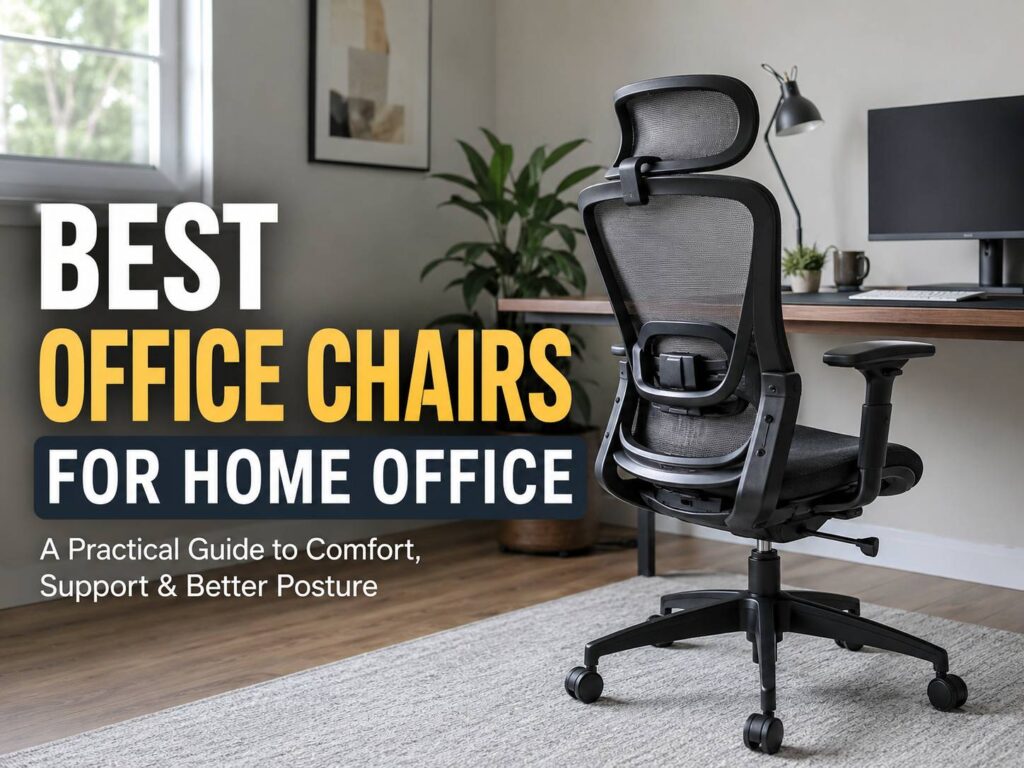
A good home office chair changes how your workday feels. It supports your back, keeps your arms at a better height, and helps you stay comfortable through calls, typing, reading, and focused work. The best office chairs for home office use do not need to look fancy. They need to fit your body, match your desk, and stay comfortable after several hours of use.
It is easy to buy a chair after looking only at the price, color, and product photos. Then the real problems show up later. The seat feels too deep. The armrests hit the desk. The cushion goes flat. The back support sits too high or too low. So, the chair looks fine in the room, but it does not help during a full workday.
This guide focuses on practical buying advice. It covers chair types, comfort features, budget ranges, setup tips, common issues, and one Amazon.com suggestion for shoppers who need a simple starting point.
Why a Home Office Chair Matters
A home office chair affects your body every day. A dining chair can work for a quick email session, but it rarely works for 6 to 8 hours of desk work. After a few days, poor support can lead to tight shoulders, a sore lower back, tired legs, and stiff hips.
A better chair helps you sit with your feet flat, thighs level, lower back supported, and shoulders relaxed. Still, the goal is not to sit perfectly still. A good chair lets you shift, recline, lean forward for short tasks, and reset your posture throughout the day.
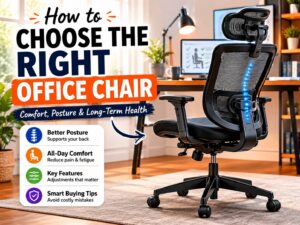
For most home offices, the safest choice is an ergonomic office chair with adjustable seat height, lumbar support, armrests, recline tension, and a stable five-wheel base. These features matter more than thick padding or a luxury look.
What Makes an Office Chair Good for Home Work?
The best office chairs for home office setups have one clear strength: they adjust to your body. Fixed chairs force you to adapt. Adjustable chairs give you more control, so you can set the chair around your height, desk, and sitting habits.
Look for these features first:
- Adjustable seat height
- Support for the lower back
- Recline with tension control
- Armrests that move up and down
- A seat that does not press behind your knees
- Breathable back support
- A strong five-point base
- Smooth wheels for your floor type
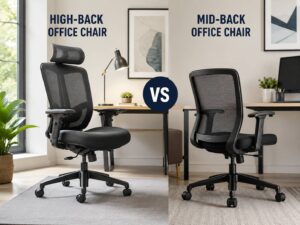
Next, check the size. A chair can have many features and still feel wrong. Shorter users often struggle with deep seats and tall backrests. Taller users often need a higher seat range, more seat depth, and stronger back support.
For a better fit, check the product dimensions before buying. Your feet should rest flat on the floor. Your knees should sit close to a 90-degree angle. Your elbows should rest near desk height. Then, your lower back should touch the lumbar area without feeling pushed forward.
Mesh, Fabric, or Leather: Which Material Feels Best?
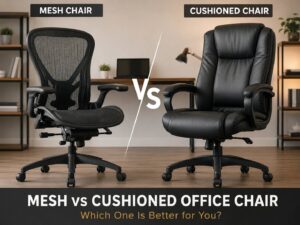
Mesh chairs work well in warm rooms and during long workdays. They let air pass through the backrest, so your back feels cooler. Good mesh gives firm support without a bulky cushion. Cheap mesh can sag, though, and it can feel rough against bare skin.
Fabric chairs feel softer and warmer. They suit people who prefer a padded seat and a more relaxed feel. Still, fabric collects dust, pet hair, and crumbs faster than mesh. For homes with pets, fabric can show wear sooner.
PU leather and bonded leather chairs look polished in photos. They feel smooth at first, but many budget models peel over time. Plus, they can feel hot during summer. A leather-style chair can work in a low-use office, but it is not the safest pick for long daily sessions.
For most people, a mesh back with a padded fabric seat gives the best balance. It feels cooler than leather, softer than full mesh, and easier to live with than a thick executive chair.
The Adjustments That Matter Most
Seat height comes first. Your chair should match your desk height and leg length. A chair that sits too high can leave your feet hanging or pressing into the floor at an awkward angle. A chair that sits too low can raise your knees and make your hips feel cramped.
Next, check lumbar support. The support should meet the natural curve of your lower back. A fixed plastic bump does not work for every person. Adjustable lumbar support gives better control, especially for people who sit for long blocks.
Armrests matter more than they seem. Poor armrests push your shoulders up or force your elbows outward. Good armrests let your shoulders drop and keep your forearms supported. Height-adjustable arms should be the minimum. 3D or 4D armrests add width, depth, and angle control.
Recline matters, too. A chair that lets you lean back with tension control helps you change position during the day. A locked upright chair can feel strict and tiring after lunch. So, pick a chair that supports small posture changes instead of forcing one fixed sitting position.
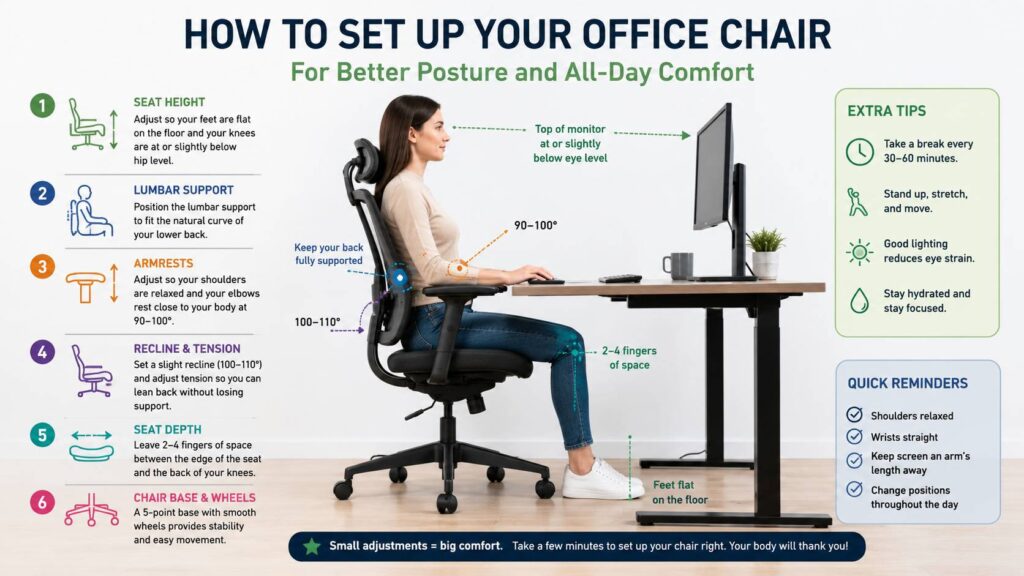
Seat depth can make or break the chair. You should sit back against the backrest and still leave a small gap between the seat edge and the back of your knees. If the seat pan is too deep, you slide forward. Then the lumbar support stops doing its job.
Best Chair Types for Home Office Setups
A mesh ergonomic chair suits full-time work from home. It gives strong back support, good airflow, and enough adjustment for daily use. This is the safest category for long workdays.
A compact task chair works better for small rooms, guest desks, and part-time work. It takes less space and often costs less. Still, many compact chairs lack strong lumbar support and wide seat adjustment, so check the details before buying.
An executive chair suits users who prefer a softer, padded feel. It can look better in a formal office, too. Yet many executive chairs focus too much on appearance. Some have fixed armrests, limited recline, and thick cushions that flatten with daily use.
A gaming chair can work for some setups, but it is not always the best choice for office work. The racing shape can restrict movement, and the side bolsters can press against your legs. Some models offer deep recline and a head pillow, but many lack proper seat depth and adjustable lumbar support. For a deeper comparison, see this guide on office chair vs gaming chair.
A kneeling chair or active sitting chair works best as a secondary seat. It can help you change posture for short periods. Still, it should not replace a proper ergonomic chair for a full workday.
How Much Should You Spend?
A good office chair does not need to cost a fortune. Still, very cheap chairs often cut corners on adjustment, foam quality, wheels, and frame strength.
Budget chairs under $150 can work for short daily use. Look for adjustable height, a mesh back, and basic lower-back support. Avoid chairs with vague product details, no size chart, and weak reviews about wobble or squeaking.
Mid-range chairs from $150 to $400 usually offer the best value for most home workers. This range often includes better recline, stronger frames, improved armrests, and more useful back support.
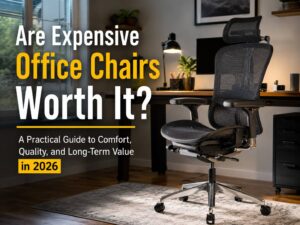
Premium chairs above $400 make sense for full-time remote workers, heavier use, or buyers who want a longer warranty. Premium does not mean perfect, but it often brings smoother controls, stronger materials, and more size options.
A practical rule works well here: spend more on adjustment, not just padding. A thick cushion feels good in the first hour. A chair that fits your body feels better after six months.
For lower-cost picks, this best affordable office chair guide for 2026 can help you compare budget-friendly options without getting lost in random product listings.
Common Problems People Notice After Buying
The first problem is seat depth. Check seat height, but also check how deep the seat is. A seat that is too deep presses behind the knees or forces you to sit away from the backrest.
The second problem is armrest height. Fixed arms can block the chair from sliding under the desk. They can also push your shoulders up during typing. After a few hours, that small issue can turn into neck and shoulder pain.
Another common issue is weak lumbar support. Some chairs use the word ergonomic, but the lower-back support barely adjusts. A small plastic curve does not suit every back shape.
Heat can become a problem, too. Padded leather-style chairs often feel warm after one or two hours. This gets worse in small rooms, upstairs offices, and homes without strong airflow.
Noise deserves attention as well. Cheap chairs can squeak, wobble, or click after a few weeks. Before buying, read recent reviews and look for words like creak, wobble, gas lift, loose armrest, hard seat, and bad wheels.
Our Suggestion
For shoppers, a smart starting point is a mesh ergonomic office chair with adjustable lumbar support, 3D or 4D armrests, recline tension, and a clear weight rating. A model such as the SIHOO B100, or a similar ergonomic mesh office chair, gives you a useful benchmark for features and price.

Do not buy from the product photo alone. Open the size chart. Check the lowest and highest seat height. Read the return policy. Then scan the one-star and three-star reviews. These reviews often reveal the real problems, such as hard seat foam, poor instructions, weak armrests, noisy wheels, or a backrest that does not fit shorter users.
A chair becomes a safer buy when it has adjustable lumbar support, a breathable back, a wide enough seat, and a return window that gives you time to test it.
How to Set Up Your Chair After Delivery
Start with seat height. Sit fully back in the chair and place your feet flat on the floor. Raise or lower the chair until your thighs sit close to level.
Next, adjust the lumbar support. Place it against the curve of your lower back. It should support you without pushing you forward.
Then set the armrests. Keep your shoulders relaxed and your elbows near your sides. If the armrests force your shoulders upward, lower them. If they hit the desk, lower them or remove them, if the chair allows it.
After that, adjust recline tension. You should lean back without feeling like the chair throws you backward. You should also return upright without effort.
Finally, test the chair during one full work session. Do not judge it after five minutes. Sit, type, take a call, lean back, and move around. A good chair feels natural after a few small changes.
Extra Tips for Better Home Office Comfort
A good chair works best with a proper desk setup. Keep your monitor at eye level. Place your keyboard and mouse close enough so your elbows stay near your body. Keep your feet supported, too. Use a footrest if your desk is too high and your feet do not sit flat.
Movement matters as much as the chair. Stand up during the day. Stretch your hips and shoulders. Take a short break every 30 to 60 minutes. Even the best chair cannot fix a full day of sitting still.
A chair mat can help on carpet. Better wheels can help on hard floors. These small upgrades reduce drag and make the chair easier to move.
Shared chairs need simple controls. If two people use the same chair, pick one with clear levers and quick adjustment. Complicated controls often get ignored, and then nobody gets a proper fit.
Final Buying Advice
The best office chairs for home office use are not always the biggest, softest, or most expensive. The best chair fits your body, supports your lower back, lets your arms rest naturally, and allows small movements during long work sessions.
For most people, the safest choice is a mid-range ergonomic mesh chair with adjustable lumbar support, adjustable armrests, recline tension, and a stable five-point base. If you sit less than 2 hours per day, a simple task chair can work. If you work full time from home, spend more for stronger adjustment and better build quality.
A chair should not fight your body. It should support your work, stay comfortable after lunch, and feel easy to adjust. That is the real test.