What Is a Hall Effect Switch on a Keyboard?
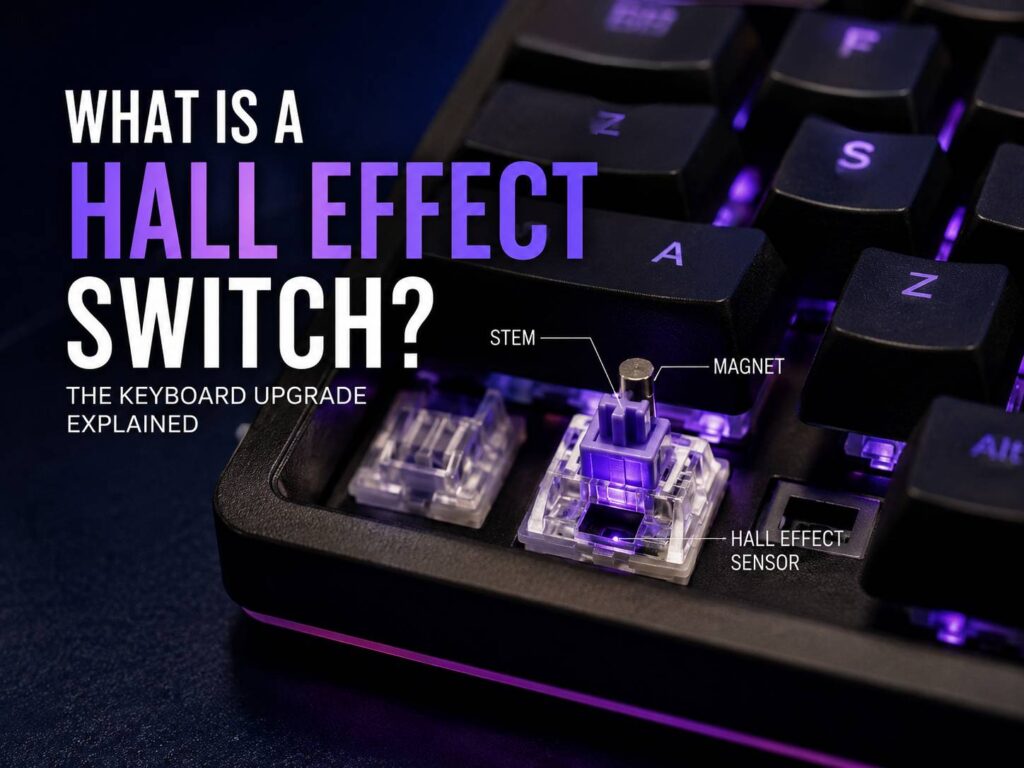
A Hall effect switch is a keyboard switch that uses a magnet and a sensor to detect key movement. It does not work like a normal mechanical switch, where two metal contacts meet after you press the key.
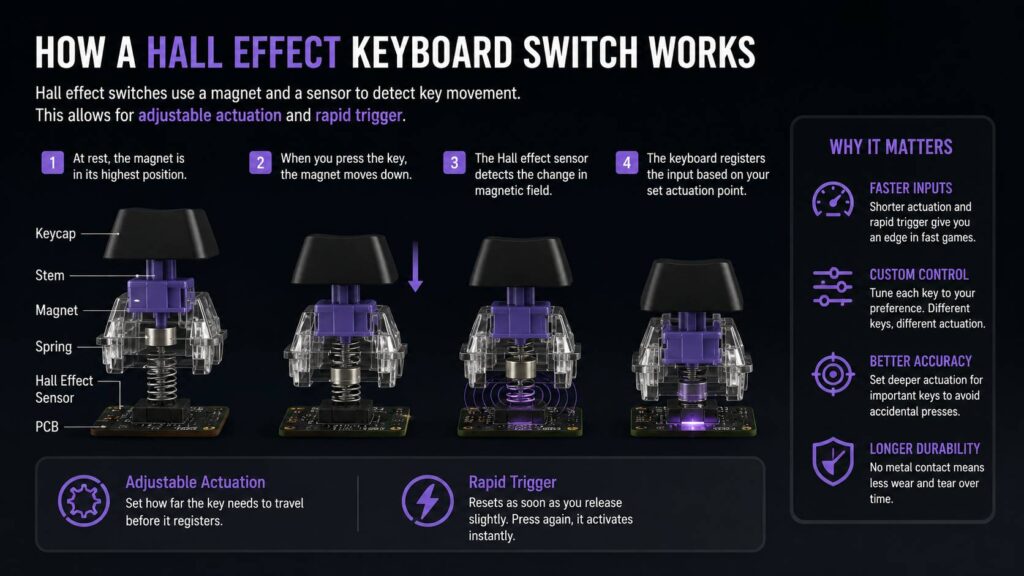
Instead, the switch tracks the position of a small magnet inside the key mechanism. As the key moves down, the sensor reads the change in the magnetic field. Then the keyboard knows how far you pressed the key and when it should register the input.
That small difference changes a lot. A Hall effect keyboard can let you adjust how sensitive each key feels. It can also reset keys faster, which matters in fast games where every movement input counts.
You may see these switches called magnetic switches, Hall effect keyboard switches, analog switches, or rapid trigger switches. The names vary by brand, but the core idea stays the same: the keyboard reads key movement through magnet-based sensing instead of fixed metal contact.
Why Hall Effect Switches Matter
Hall effect switches matter because they give the user more control. A regular mechanical switch has a fixed actuation point. That means the key activates at a set depth. You press the key, it reaches that point, and the input registers.
A Hall effect switch can work differently. Since the keyboard tracks the full key travel, you can often choose the actuation point through software. That means you can make a key activate early, later, or somewhere in the middle.
For gaming, that can make movement feel faster. For typing, it can reduce accidental presses if you set the keys deeper. So, one keyboard can feel sharp for games and calmer for daily work.
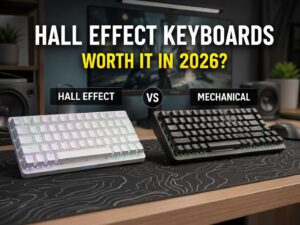
This is the main reason people compare Hall effect vs mechanical keyboard designs so often. Mechanical keyboards still feel great, but Hall effect keyboards add a layer of control that older switch designs do not offer.
How a Hall Effect Keyboard Switch Works
A Hall effect switch has a stem, a magnet, and a sensor. The stem moves when you press the key. The magnet moves with it. The sensor reads the magnetic change and sends that data to the keyboard controller.
The keyboard firmware then decides what to do with that key press. If the key reaches your chosen actuation point, the keyboard sends the input to your computer.
This system removes the need for physical metal contacts to touch. That can help with long-term reliability, since there is less contact wear inside the switch. It can also make the switch feel smoother, especially in linear designs.
Most Hall effect keyboard switches feel linear. They move straight down without a tactile bump. Some users love that clean feel. Others prefer the feedback of a tactile mechanical switch. So, the better choice comes down to what you actually like under your fingers.
Adjustable Actuation Explained
Adjustable actuation is one of the biggest reasons to buy a Hall effect keyboard. It lets you decide how far a key must travel before it activates.
A very low actuation point feels fast. A deeper actuation point feels safer and more controlled.
Here is a simple guide:
- 0.1 mm to 0.5 mm feels very sensitive
- 0.8 mm to 1.5 mm feels fast but easier to manage
- 1.8 mm to 2.5 mm feels closer to a normal keyboard
- 3.0 mm or deeper helps prevent accidental key presses
For gaming, you can set movement keys like W, A, S, and D to a shallow actuation point. That can make strafing, peeking, and quick movement changes feel more direct.
For typing, shallow settings can become annoying. You may trigger letters before you mean to. I would not set every key to the lowest possible value. It sounds exciting on paper, but in real use it can feel twitchy.
A better setup is simple: use fast actuation for gaming keys and deeper actuation for typing keys, Enter, Backspace, and Spacebar.
What Is Rapid Trigger?
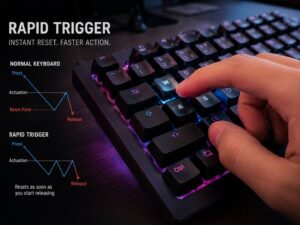
Rapid trigger is a feature found on many Hall effect keyboards. It changes how a key resets after you press it.
On a normal keyboard, the key must rise back past a fixed reset point before it can activate again. Rapid trigger removes much of that delay. The key can reset as soon as you lift it slightly, then activate again as soon as you press it down.
That can help in games where movement control matters. Competitive shooters are the best example. Fast key reset can make strafing and stopping feel sharper.
This does not mean rapid trigger will make you a better player by itself. Aim, timing, map knowledge, and practice still matter more. Still, rapid trigger can make the keyboard feel more responsive once you get used to it.
One issue stands out. Rapid trigger can feel strange at first. If the setting is too sensitive, your movement may feel jumpy. Start with a moderate setting, then adjust it slowly.
Hall Effect Switch vs Mechanical Switch
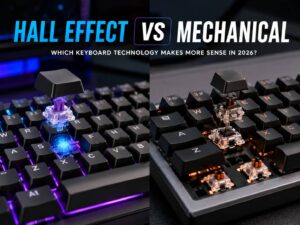
A mechanical switch uses a physical contact point. A Hall effect switch uses magnetic sensing.
That is the main technical difference, but the real difference is how much control you get.
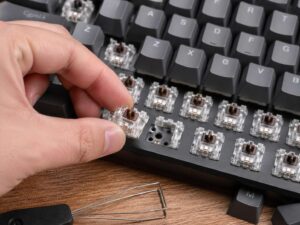
A mechanical switch usually gives you one fixed feel. You choose the switch type before buying or swapping. Linear, tactile, clicky, heavy, light, silent, or loud. Once installed, the actuation behavior stays mostly fixed.
A Hall effect switch gives you software control. You can change actuation points, set rapid trigger, and create different profiles for different games or work tasks.
Mechanical keyboards still have strong advantages. They offer more switch variety, more sound profiles, and more custom keyboard parts. Many typists still prefer a good mechanical board for long writing sessions.
Hall effect keyboards win for speed and tuning. Mechanical keyboards win for variety and feel. Neither one is perfect for everyone.
Are Hall Effect Switches Good for Gaming?
Yes, Hall effect switches are very good for gaming, especially fast games. They make the most sense for competitive players who care about input speed and movement control.
Gamers like them for a few reasons:
- You can set shallow actuation for faster key response
- Rapid trigger can reset keys sooner
- Per-key settings let you tune only the keys you use most
- Some models support analog input
- The switches often feel smooth and stable
The biggest benefit appears in games that reward fast movement changes. This includes shooters, rhythm games, and some action titles.
For casual games, the difference feels smaller. You can still enjoy the smoother feel, but you may not use the advanced features much. That is why it helps to think about how you actually play before buying.
If you want a deeper buying view, this guide on are Hall effect keyboards worth buying in 2026 covers the value side in more detail.
Are Hall Effect Switches Good for Typing?
Hall effect switches can be good for typing, but they are not always better than mechanical switches.
Most magnetic keyboard switches feel smooth and linear. That works well if you like soft, clean key travel. It may feel too flat if you prefer a clear tactile bump.
Typing also depends on the keyboard case, stabilizers, keycaps, mounting style, and sound dampening. The switch is only one part of the experience. A cheap Hall effect keyboard can still sound hollow. A well-built one can feel polished and comfortable.
For daily typing, I prefer medium actuation settings. Very shallow settings cause too many accidental presses. A range around 1.8 mm to 2.5 mm usually feels more natural for writing, emails, and office work.
If you mainly type, do not buy a Hall effect keyboard only for the switch technology. Buy it if you also want gaming features, profile control, and a smooth linear feel.
What Is Analog Input on a Hall Effect Keyboard?
Some Hall effect keyboards can read partial key presses. This is called analog input.
A normal keyboard sees a key as on or off. Pressed or not pressed. Analog input can read the key in stages. For example, a light press may act like slow movement, while a deeper press may act like full movement.
This sounds great, especially for racing games, flight games, and movement-heavy titles. In practice, support depends on the game and the keyboard software. Not every game handles analog keyboard input well.
So, analog input is nice to have, but rapid trigger and adjustable actuation matter more for most users.
Common Problems with Hall Effect Keyboards
Hall effect keyboards are impressive, but they can come with real issues.
The first issue is software. These keyboards rely heavily on software for actuation settings, rapid trigger, profiles, lighting, and analog controls. Good software makes the keyboard feel powerful. Bad software makes it feel frustrating.
The second issue is sensitivity. A very low actuation point can cause accidental key presses. This happens often during typing. It can also happen in games if your fingers rest heavily on the keys.
The third issue is switch compatibility. Some Hall effect keyboards use hot-swappable magnetic switches, but they may not accept regular mechanical switches. You need compatible magnetic switches.
The fourth issue is price. Hall effect keyboards often cost more than basic mechanical keyboards. Budget options exist now, but the best models still sit in a higher price range.
The fifth issue is sound. Some magnetic keyboards sound thin or plasticky out of the box. Better keycaps, foam, and stabilizers help, but not every model gets those details right.
Best Hall Effect Keyboard Settings for Beginners
The best settings depend on your habits, but beginners can start with balanced values.
For FPS gaming:
- Set WASD around 0.8 mm to 1.2 mm
- Turn on rapid trigger for movement keys
- Keep Spacebar around 1.2 mm to 1.8 mm
- Set reload and interact keys around 1.5 mm
- Avoid ultra-low settings on every key
For typing:
- Set letter keys around 1.8 mm to 2.5 mm
- Set Enter and Backspace around 2.0 mm to 3.0 mm
- Keep rapid trigger off for normal typing
- Use a separate typing profile if the software allows it
For mixed use:
- Create one profile for gaming
- Create one profile for work
- Keep sensitive settings only on keys that need them
- Test changes in small steps
Do not copy pro player settings without testing them. Some pro settings feel terrible for normal use. Your keyboard should feel controlled, not nervous.
What to Check Before Buying a Hall Effect Keyboard
Before you buy, check more than the switch type. A good Hall effect keyboard needs good hardware and good software.
Look for these features:
- Adjustable actuation range
- Rapid trigger support
- Per-key settings
- Stable software
- Good stabilizers
- Solid keycaps
- A layout that fits your desk
- Wired low-latency mode
- Clear switch compatibility
- Profile storage
Layout matters too. A 60 percent keyboard saves space, but it removes dedicated arrow keys and the function row. A 75 percent or TKL layout feels easier for most people. Full-size boards make sense if you need a number pad.
Build quality matters too. A fast switch inside a weak case still feels cheap. Check stabilizer noise, case flex, and keycap material before buying.
Who Should Buy a Hall Effect Keyboard?
A Hall effect keyboard makes the most sense for competitive gamers, especially players who enjoy shooters, rhythm games, or fast action games.
It also fits users who like to fine-tune gear. If you enjoy changing settings and testing profiles, you will probably enjoy this type of keyboard.
It makes less sense for people who only type, browse, and do office work. A normal mechanical keyboard can cost less and still feel great.
My honest view is simple. Hall effect switches are worth it if you will use adjustable actuation and rapid trigger. If you plan to leave every setting at default, the upgrade may feel less dramatic.
Final Verdict
A Hall effect switch is a magnetic keyboard switch that tracks key movement with a sensor. It gives you more control than a traditional mechanical switch, especially through adjustable actuation and rapid trigger.
For gaming, this can make the keyboard feel faster and more precise. For typing, it can feel smooth, but it may not beat a good tactile or custom mechanical keyboard.
The best part is flexibility. You can tune the same keyboard for games, writing, and daily use. The worst part is that you need good software and proper settings to get the full benefit.
If you play competitive games often, a Hall effect keyboard is easy to recommend. If you only want a nicer keyboard for typing, focus on layout, comfort, sound, and switch feel first.