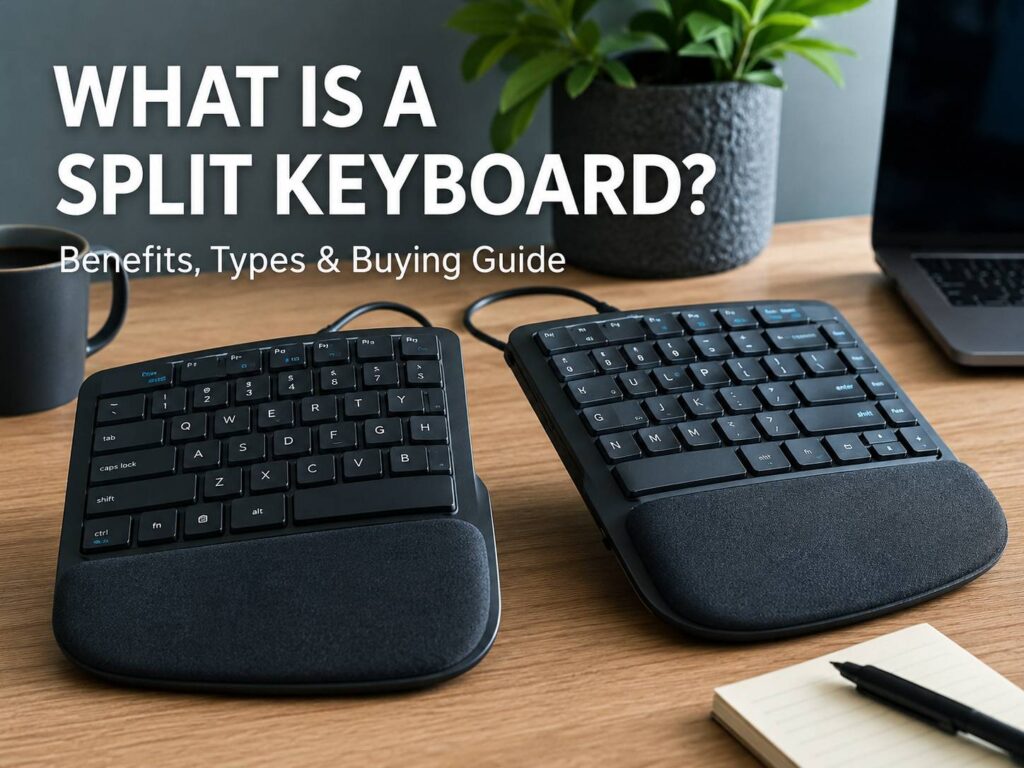
A split keyboard is a keyboard that separates the left and right typing areas. This design helps your hands sit in a more natural position, instead of forcing both wrists toward the middle of one straight board.
A normal keyboard can feel fine at first. After a few hours, though, the wrists, shoulders, neck, or forearms can start to feel tight. A split keyboard tries to solve part of that problem by letting your arms rest wider and straighter.
Some split keyboards look almost like regular keyboards. Others come in two separate halves that you can move around your desk. A few models add tenting, which means the middle side of each half tilts upward. That small change can make typing feel more relaxed, especially during long work sessions.
Still, a split keyboard is not a miracle fix. Desk height, chair position, typing habits, mouse placement, and breaks matter too. The keyboard helps most when the rest of your setup already makes sense.
What Is a Split Keyboard?
A split keyboard divides the keys into two main zones: one for your left hand and one for your right hand. The goal is simple. Your hands should line up better with your wrists and forearms.
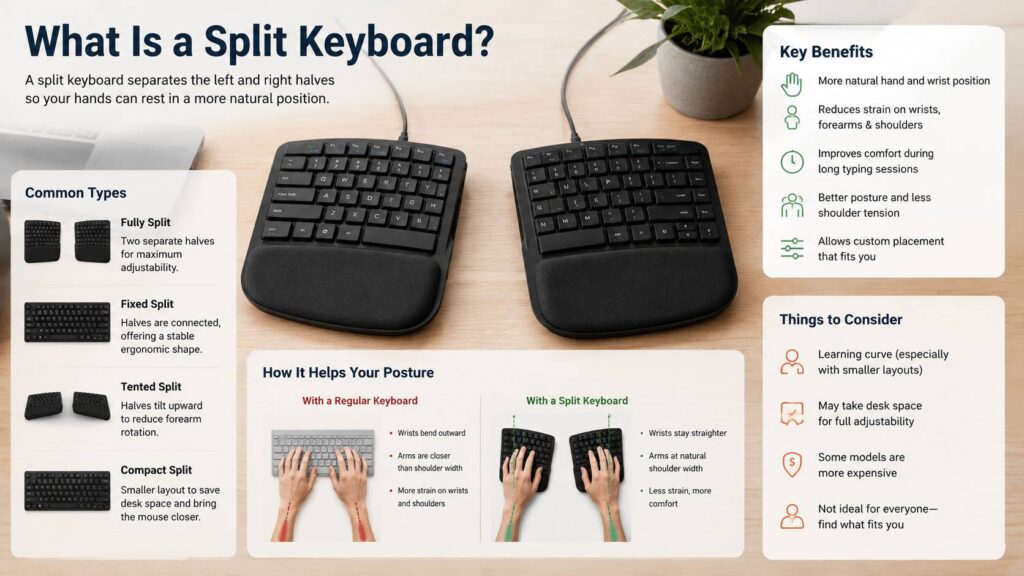
On a standard keyboard, both hands move inward. That can bend your wrists outward, especially if your shoulders are broad or your keyboard sits too close to your body. Over time, that position can feel cramped.
A split keyboard gives each hand more space. Your elbows can sit closer to your sides. Your shoulders can relax a bit more. Your wrists can stay straighter. That is the main reason people buy one.
Split keyboards come in a few common styles:
- Fixed split keyboards
- Fully split keyboards
- Tented split keyboards
- Compact split keyboards
- Mechanical split keyboards
- Alice-style ergonomic keyboards
- Low-profile ergonomic keyboards
Each type feels different. Some keep a familiar layout. Others change the key shape, key rows, thumb keys, or shortcut positions.
How Does a Split Keyboard Work?
A split keyboard works by changing the angle and position of the typing zones. Instead of placing all keys in one straight block, it separates or angles the keys so your hands do not have to twist as much.
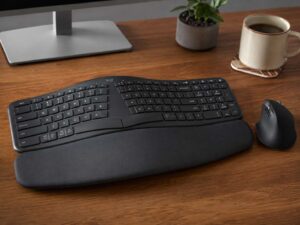
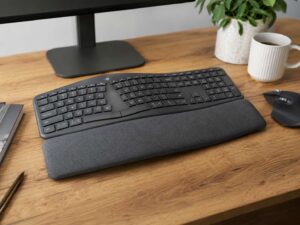
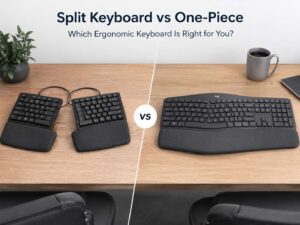
A fixed split keyboard keeps both sides in one body. This type feels easier to learn. It often includes a wrist rest, media keys, arrow keys, and a normal function row. Many office users prefer this style since it does not feel too different.
A fully split keyboard gives you two separate halves. You can move them closer, farther apart, or rotate each side. This gives you more control, but it takes more time to learn.
Some models also include tenting. This raises the inner edge of each half. As a result, your palms do not need to face fully downward. This can feel more comfortable for the forearms.
The best setup usually feels boring in a good way. Your wrists stay straight. Your shoulders do not pull forward. Your elbows rest near your body. The keyboard does not force you into a strange position.
Why Do People Use Split Keyboards?
The main reason to switch to a split keyboard is comfort. Long typing sessions can expose small problems in a desk setup. A keyboard that feels fine for 20 minutes can feel tiring after six hours.
A split keyboard can help with:
- Wrist angle
- Shoulder tension
- Forearm rotation
- Mouse placement
- Desk posture
- Typing comfort
- Long work sessions
A regular full-size keyboard can also push the mouse too far to the right. That reach may strain the shoulder over time. A compact split keyboard can fix this by giving the mouse more room near the body.
This is one reason many ergonomic setups use smaller keyboards. The keyboard is not only about typing. It also affects where your mouse sits.
For a deeper look at whether the switch makes sense for your setup, read this guide on when an ergonomic keyboard is actually worth buying.
Fixed Split Keyboard vs Fully Split Keyboard
A fixed split keyboard is the easiest place to start. It keeps both sides connected, so it feels stable and familiar. You get a more relaxed hand angle without changing your whole typing style.
A fully split keyboard gives more freedom. You can place each half exactly where your arms naturally rest. This is useful if you have broad shoulders, a narrow desk, or a strong preference for custom keyboard placement.
Still, fully split models need more patience. Many use smaller layouts. Some remove the number row, function row, arrow cluster, or number pad. These keys move into layers, which means you press a key combination to access them.
That can feel awkward at first. After a few weeks, it may feel fast and clean. At the start, though, expect mistakes.
Choose a fixed split keyboard if you want comfort with less learning. Pick a fully split keyboard if you want maximum control and do not mind a learning curve.
What Is Tenting on a Split Keyboard?
Tenting means each keyboard half tilts upward toward the center. Imagine the keyboard forming a low hill shape under your hands.
This design reduces the amount of forearm rotation needed to type. On a flat keyboard, your palms face down. That can feel fine, or it can bring tightness in the forearms, wrists, or elbows.
Tenting can help your hands sit at a softer angle. The change does not need to be dramatic. In fact, a low tent angle often feels better than a very steep one.
Start with a small tilt. Type for a few days. Then adjust again only if needed. Too much tenting can make the keyboard feel unstable or strange.
Are Split Keyboards Better Than Regular Keyboards?
Split keyboards can feel better than regular keyboards for long typing sessions, but they are not better for every person.
A regular keyboard still makes sense if you type lightly, share a workstation, need a full number pad, or dislike learning new layouts. If a regular keyboard has never bothered you, there is no need to switch.
A split keyboard becomes more useful if you type all day, feel wrist tension, or notice that your shoulders stay tight at the desk. It can also help if your mouse sits too far away.
The real difference comes from control. A standard keyboard tells your hands where to go. A split keyboard lets you decide where your hands should rest.
For a direct comparison, this guide on ergonomic keyboard vs regular keyboard explains the comfort trade-offs in more detail.
Main Benefits of a Split Keyboard
A split keyboard can improve comfort in several practical ways.
The biggest benefits include:
- More natural hand position
- Straighter wrists
- Better shoulder spacing
- Less crowded desk setup
- Easier mouse placement
- More flexible typing angle
- Better options for tenting
- Less strain during long typing sessions
These changes sound small, but they add up. Your hands make thousands of small movements every day. If each movement starts from a better position, typing can feel less tiring.
Another benefit is awareness. A split keyboard makes you notice your typing habits. If you press keys with the wrong hand or twist your wrists often, the new layout exposes that fast. It can be annoying, but it can also help you clean up poor habits.
Drawbacks of Split Keyboards
Split keyboards have real downsides. They are not plug-and-play perfection for everyone.
The main drawbacks include:
- Slower typing at first
- More mistakes during the first week
- Higher price on many models
- Less familiar shortcut placement
- Extra desk space for fully split models
- More setup time
- Possible issues with games
- Layers on compact models
Gaming can feel strange on a split keyboard, especially if the left side has a non-standard layout. Tuning the keys can help. Another option is a normal keyboard for games and a split keyboard for work.
Shared desks can also become harder. A split keyboard that fits your hands perfectly may feel awkward for someone else.
The learning curve is real, too. Your brain has years of muscle memory from regular keyboards. A split layout interrupts that. You will likely adjust, but the first days can feel clumsy.
Who Should Buy a Split Keyboard?
A split keyboard makes sense for heavy typists, office workers, writers, programmers, editors, and anyone who spends many hours at a desk.
You should consider one if:
- You type for several hours per day
- Your wrists bend outward on a normal keyboard
- Your shoulders feel tight after work
- Your mouse sits too far from your body
- You want better desk posture
- You like custom keyboard layouts
- You want to try tenting
- You use a compact desk setup
A split keyboard may not be the right choice if:
- You type only a little each day
- You need a number pad all the time
- You dislike layout changes
- You share your keyboard often
- You want the cheapest keyboard possible
- You need a familiar setup for fast gaming
A fixed split ergonomic keyboard is the safest first step for most users. It gives comfort benefits without forcing you to relearn everything.
How to Choose the Best Split Keyboard
Start with your actual problem. Do not buy the most complex keyboard just because it looks impressive.
Look at these features before choosing:
Layout size
A full-size split keyboard feels familiar. A compact model saves desk space and brings the mouse closer. A tiny split keyboard needs more layers, so it takes more practice.
Tenting support
Tenting helps if your forearms feel tight on a flat keyboard. Look for stable feet, stands, or adjustable legs.
Palm rest
A soft palm rest can feel good during breaks. It should not force your wrists upward while typing.
Switch type
Mechanical switches feel crisp and are popular with keyboard fans. Low-profile switches feel closer to laptop keys. Membrane or scissor switches usually feel quieter and softer.
Wired or wireless
Wireless looks cleaner on the desk. Wired removes battery worries and can feel simpler for gaming.
Shortcut keys
Check arrow keys, function keys, media keys, and number pad access. Compact boards often hide these behind layers.
Software support
Some split keyboards let you remap every key. That is useful for advanced users, but it adds setup work.
Return policy
Comfort is personal. A keyboard can look perfect online and still feel wrong after a few days.
How to Set Up a Split Keyboard
Good setup matters as much as the keyboard itself.
Place the keyboard close enough so you do not reach forward. Keep your elbows near your sides. Angle each half so your wrists stay straight. If the keyboard is fully split, start with the halves about shoulder width apart.
Keep the keyboard at or slightly below elbow height. Your shoulders should feel relaxed. Your hands should float while typing, not press hard into the desk.
Move the mouse closer to your body. This step often makes a big difference. A compact split keyboard can help here, since it gives the mouse more room.
Use a small tent angle at first. Then adjust slowly. Big changes can feel exciting for one hour and uncomfortable by the end of the day.
Is a Split Keyboard Worth It?
A split keyboard is worth it if you type a lot and want a more natural hand position. It can reduce awkward wrist angles, improve shoulder spacing, and make your desk setup feel less cramped.
Still, it works best as part of a better workstation. A bad chair, high desk, far-away mouse, or poor posture can still cause discomfort.
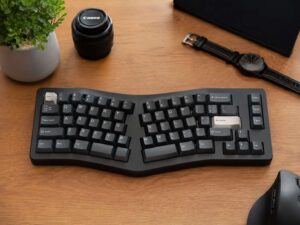
My honest opinion: start simple. Choose a fixed split keyboard if you want an easy switch. Try a fully split mechanical keyboard if you enjoy customization and can accept a learning period. Pick an Alice-style keyboard if you want a mild ergonomic change with a normal-looking desk setup.
The best split keyboard is not always the most expensive one. It is the one that lets you type longer with less tension and fewer forced movements.