
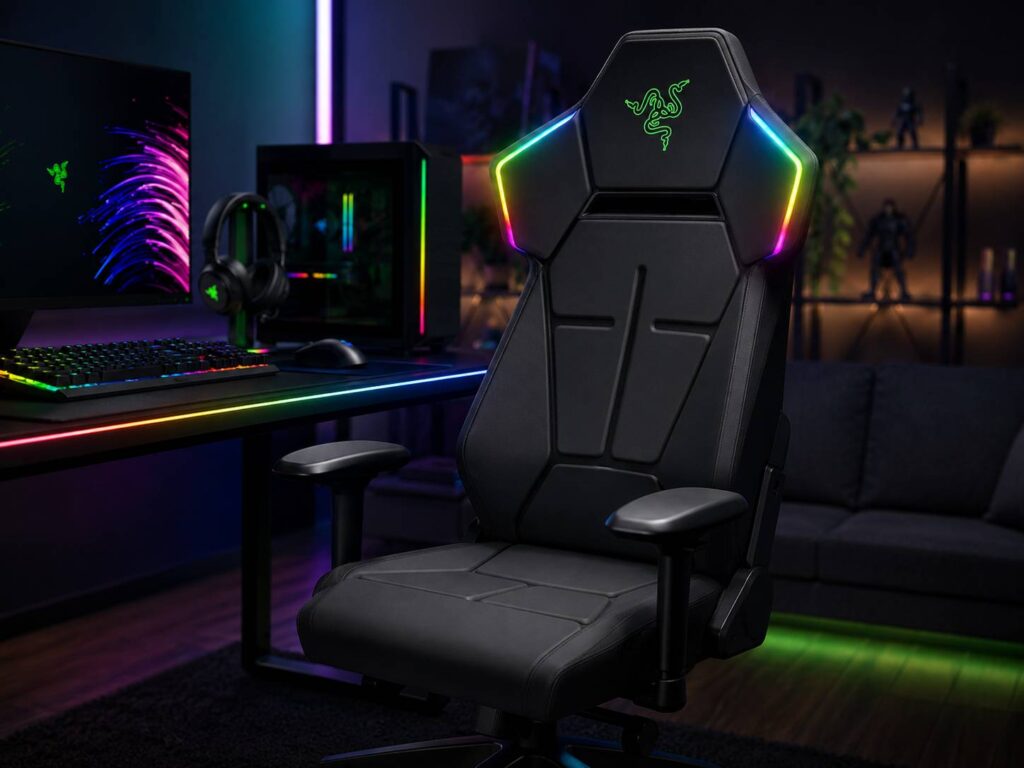
The Razer Soma Chroma brings RGB lighting to a place most gaming setups have not fully covered yet: the chair. For years, gamers have added RGB to keyboards, mice, headsets, speakers, mouse pads, monitors, and PC cases. Now, Razer wants the chair to feel like part of the same setup.
At first, the idea sounds excessive. After all, lights on a chair will not improve aim, reduce input lag, or make a bad desk setup feel better. Still, the concept makes sense for a certain type of gamer. Some players do not just want a gaming PC. They want a full room setup where every device matches.
That is where the Razer Soma Chroma becomes interesting. It takes the familiar gaming chair design and adds reactive lighting through Razer Chroma RGB. For people already using Razer gear, this chair fits naturally into the rest of the setup. For everyone else, it may feel like a luxury extra.
RGB Lighting Moves Beyond the Desk
The main attraction is clearly the RGB lighting. The Razer Soma Chroma supports Razer Chroma RGB, which means users can pick colors, apply lighting effects, and sync the chair with other Razer devices.
This is not just a basic light strip attached to a chair. Razer says the chair supports 16.8 million colors, 10 lighting presets, and reactive effects in supported games. It also works with hundreds of Chroma-integrated titles, so the lights can react to game events rather than just stay static.
For example, a keyboard can flash during an ability trigger, a mouse can shift color during gameplay, and the chair can match the same effect. That creates a more complete RGB setup, especially for streamers or players who like a clean camera background.
At the same time, the person sitting in the chair will not always see the lighting directly. Much of the visual effect is for the room, the camera, or anyone looking at the setup from behind. For that reason, the Soma Chroma feels more like a setup feature than a direct gameplay feature.
The Chair Still Needs to Be Comfortable
A gaming chair can look great and still be a bad buy if it feels uncomfortable after a few hours. Razer seems aware of that, so the Soma Chroma includes several practical chair features beyond lighting.
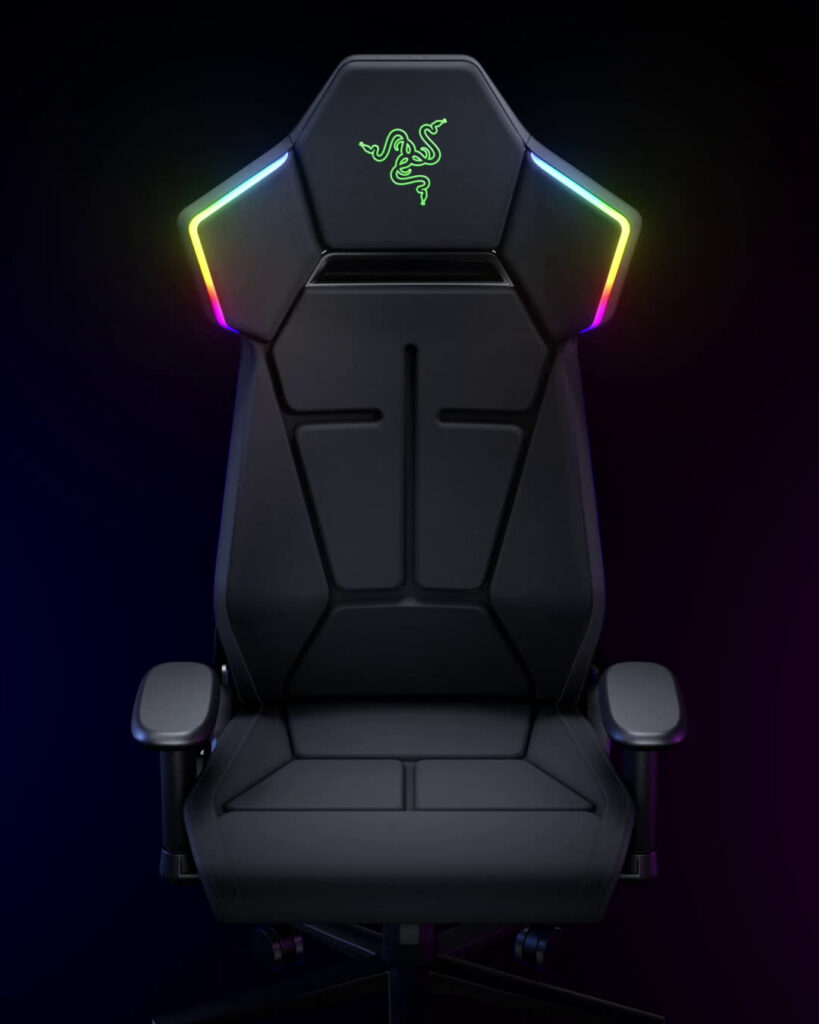
It has a built-in ergonomic lumbar arch, a dual-density cold-cured foam seat cushion, and a reinforced steel frame. The lumbar arch is meant to support the lower back. The foam cushion uses a softer top layer and a firmer base, which should help the seat feel supportive during longer sessions.
The chair supports users from 160 cm to 200 cm tall and has a maximum load rating of 150 kg. It can recline up to 155 degrees, so it is built for gaming, watching videos, or leaning back between matches.
Still, comfort is personal. A fixed lumbar shape can feel great for one person and awkward for another. Adjustable lumbar support often gives users more control, especially during long work or gaming days. So, even with the RGB feature, buyers should still judge the Soma Chroma like a real chair first.
USB-C Power Keeps the Setup Cleaner
One smart detail is the USB-C power system. The Razer Soma Chroma can run from a wall outlet or a standard power bank. The power bank is not included, so buyers should keep that in mind.
The power bank option is the cleaner choice. A gaming chair moves, turns, and reclines, so a cable running across the floor can become annoying fast. With USB-C power, users can keep the chair lit without making the setup look messy.
The chair connects to a PC through a 2.4 GHz wireless dongle. It also supports Bluetooth control through mobile devices. Better yet, it includes a built-in control panel for brightness, effects, and connection switching. That small detail matters. Nobody wants to open software every time they want to dim the lights or change the effect.
A Chair Made for the Razer Chroma Ecosystem
The Soma Chroma fits Razer’s wider product style. Razer has built Chroma lighting into many of its gaming devices, and the chair now extends that idea beyond the desk.
This is where the chair feels both clever and very specific. It is clever since it fills a gap in a full RGB setup. At the same time, it is specific since buyers outside the Razer ecosystem may not care much about the feature.
A gamer using a plain keyboard, a basic mouse, and no RGB lighting will probably see the Soma Chroma as too much. A Razer fan with a Chroma keyboard, mouse, headset, and speakers will see it differently. For that person, the chair completes the theme.
This is also where content creators may pay more attention. A chair with controlled lighting can improve the look of a stream room or gaming background. It will not replace good lighting, but it can add a more polished look behind the player.
Who the Razer Soma Chroma Makes Sense For
The Razer Soma Chroma is best suited for gamers who already care about setup style. It is not the chair to buy if the only goal is value, plain comfort, or a simple home office look.
It makes the most sense for:
- Gamers who already use Razer Chroma devices
- Streamers who want a stronger RGB background
- PC builders who care about matching lighting
- Players who want wireless RGB control from the chair
- Buyers who want a gaming chair with a steel frame and lumbar support
It makes less sense for:
- Users who dislike RGB lighting
- Buyers who want a plain office chair
- People shopping mainly by comfort per dollar
- Users who need fully adjustable lumbar support
- Anyone who does not use Razer Synapse or Chroma gear
So, the Soma Chroma is not a universal recommendation. It is a niche chair, but that niche is easy to understand.
The Price Makes the Details Matter
The Razer Soma Chroma starts at US$499.99, which puts it in premium gaming chair territory. At that price, buyers should expect more than bright lights. The chair needs to feel solid, stay comfortable, and connect reliably with Razer’s software.
The missing power bank also matters. The cleanest setup will likely use a power bank, but that adds another purchase. A wall outlet works, yet a cable-powered RGB chair loses some of its neat look.
That price will feel steep for many buyers. Still, it does not feel unusual for Razer. The company often sells premium gaming gear aimed at users who already value its design, software, and lighting ecosystem.
For buyers who care about visual accuracy in their full setup, the display matters too. A bright RGB chair can look great, but a good monitor still matters more for creators. Our guide to the best color gamut for editing work explains why screen color performance can have a bigger impact than lighting effects.
Real Opinion: Fun, Flashy, and Not for Everyone
The Razer Soma Chroma is a fun idea, but it is not a must-have upgrade for most gamers. A better monitor, better mouse, better headset, or more comfortable chair will matter more for daily use.
Still, that does not make the Soma Chroma pointless. Gaming setups are personal. Some people want raw performance. Others want a room that looks clean, coordinated, and ready for streaming or content creation. For that second group, the Soma Chroma has real appeal.
The best part is not just the RGB lighting. It is the way Razer built the feature into the chair with wireless control, USB-C power, built-in buttons, and Chroma game support. Those details make it feel more finished than a basic chair with lights attached.
Final Thoughts on the Razer Soma Chroma
The Razer Soma Chroma brings RGB lighting to the gaming chair in a way that feels very Razer. It mixes Chroma lighting, USB-C power, wireless control, lumbar support, dual-density foam, and a steel frame into one bold gaming chair.
It will not be the smartest buy for every gamer. Buyers focused only on ergonomics should compare it carefully with other chairs. Buyers who already use Razer Chroma products will understand the appeal much faster.
My honest take is simple: the Razer Soma Chroma is not a practical upgrade for everyone, but it is a logical next step for RGB-heavy gaming setups. The chair was one of the last big parts of the setup without Chroma lighting. Now, even the seat can match the rest of the room.