
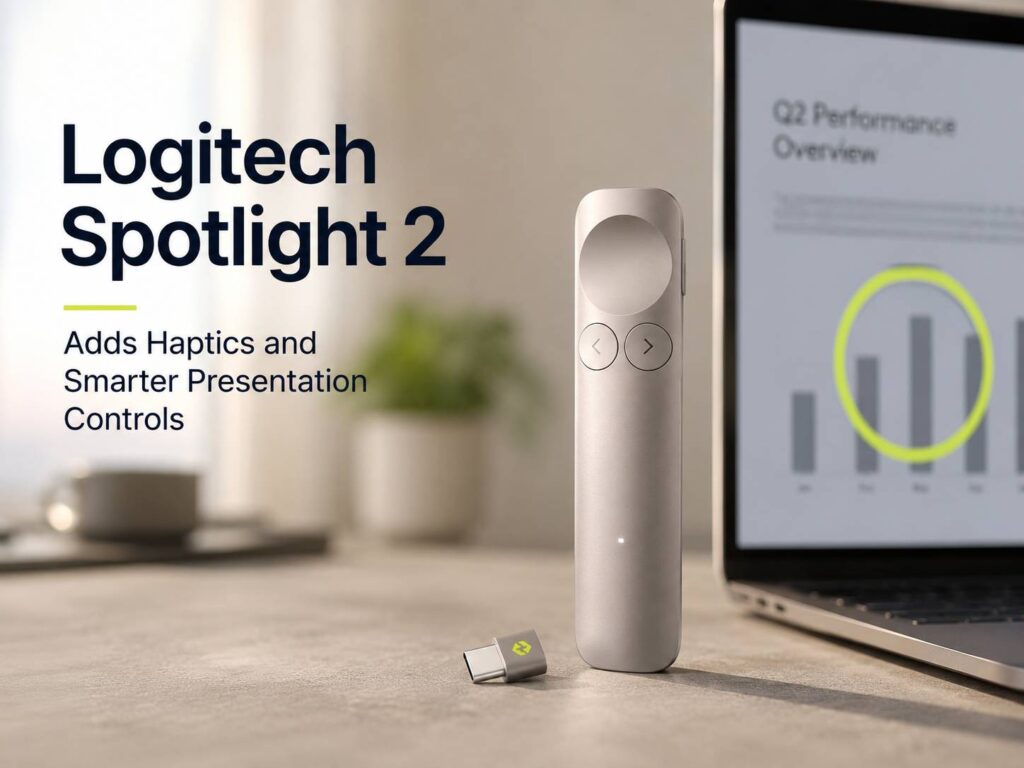
Logitech Spotlight 2 brings a fresh idea to a product many people still treat like a basic clicker. Most presentation remotes move slides forward and back, then add a laser pointer. This one goes further. It adds haptic feedback, digital highlighting, custom controls, and a cleaner design made for real meetings, online calls, classrooms, and stage talks.
That matters more than it sounds. A presenter should not need to stare at a remote during a talk. The device should sit in the hand, react clearly, and keep the speaker focused on the people in the room. Spotlight 2 feels built around that goal.
Logitech announced Spotlight 2 as a premium presentation remote with a US price of $129.99. It is not aimed at people who give one casual slide deck each year. Instead, it makes more sense for teachers, managers, sales teams, trainers, consultants, founders, and anyone who presents often.
A Presentation Remote Built for Modern Work
Most work talks now happen across mixed setups. One meeting uses a conference display. The next one runs through Zoom or Teams. A classroom session needs a large screen. A sales call uses screen sharing. So, a simple red laser pointer no longer fits every situation.
Spotlight 2 adds digital pointer tools that work better across screens. It can highlight a section of a slide, magnify small details, mark content, or point on a shared display. That makes it more useful than a classic laser-only remote.
The device still handles basic slide control, so it does not feel too complex. You can move forward, go back, and guide attention. Then, with the Logi Options+ app, you can set extra actions for your workflow. For example, you can start a presentation, pause it, blank the screen, or mute audio without walking back to your laptop.
That kind of control helps people who present from a distance. It also helps hybrid speakers who need to manage slides and calls at the same time.
Haptic Feedback Makes the Big Difference
The standout feature is haptic feedback. Spotlight 2 gives small vibration cues during use, so the speaker gets a physical response from the remote. That sounds simple, but it solves a real problem.
Many speakers glance down after pressing a button. Did the click register? Did the pointer switch on? Did the slide move? That tiny pause can break eye contact and make the talk feel less smooth.
With haptics, the hand gets confirmation. The presenter can keep looking at the audience and trust the remote. For longer sessions, that comfort matters. A small cue can reduce awkward pauses and make the speaker feel more in control.
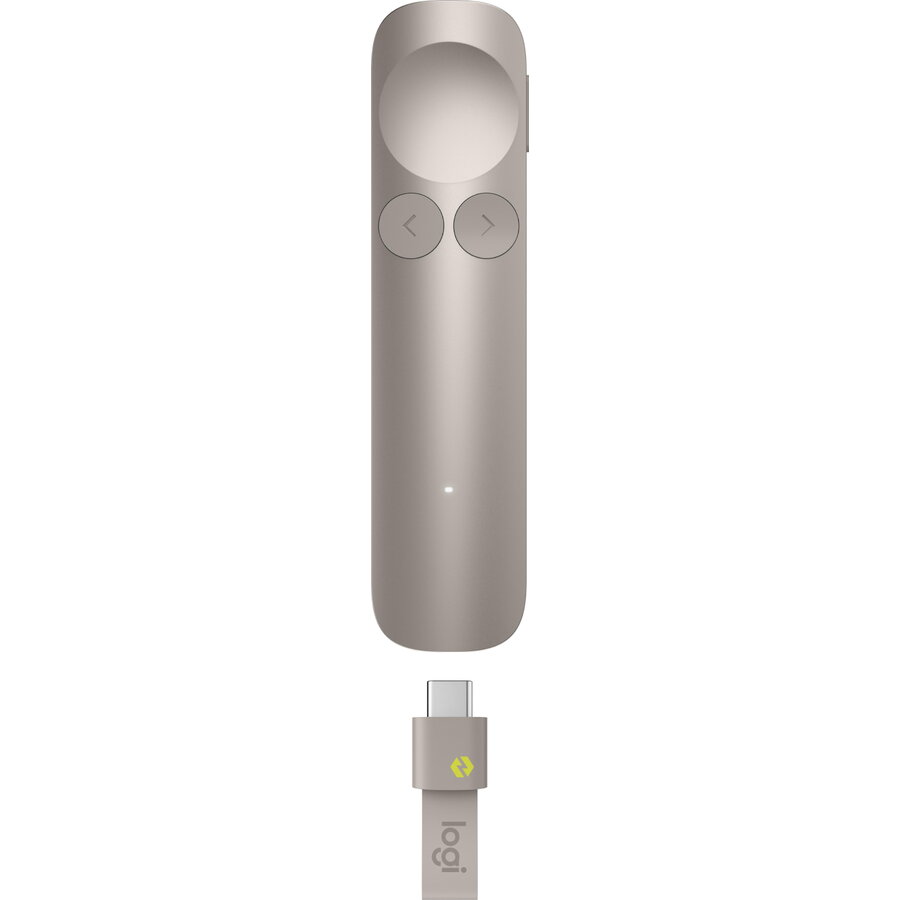
The main highlight button uses a force-sensitive design with a larger concave shape. So, the thumb can find the control without much thought. That detail feels practical. People often hold a presenter remote for 30 minutes or longer, and tiny design choices start to matter.
Smarter Slide Highlighting for Screens and Video Calls
Digital highlighting is another strong reason to care about Spotlight 2. A laser pointer still works in some rooms, but it has limits. It can look weak on bright displays. It can disappear during screen sharing. It can feel messy on large TVs.
Spotlight 2 offers several visual tools: Spotlight, Squarelight, Magnify, Annotate, Digital Pointer, and a Class 1 laser pointer. Each tool fits a different type of talk.
Spotlight mode draws attention to one part of the slide. Magnify helps with charts, screenshots, product details, and fine text. Annotate lets the speaker mark something during the presentation. Squarelight gives a cleaner frame around content blocks.
These tools are useful for people who present data, plans, product demos, and training material. They also help viewers follow along faster. A speaker can guide the eye without adding extra arrows or crowded labels to every slide.
Logi Options+ Adds Better Control
Spotlight 2 works with Logi Options+, and that app gives the remote much of its power. It lets users adjust highlight effects and assign custom actions to the Action Button.
A trainer can use the button to pause a session. A manager can blank the screen during a team discussion. A webinar host can mute fast during a live call. A teacher can move attention away from slides and back to the room.
Those actions sound small, but they save time. Each walk back to the laptop interrupts the talk. Each keyboard touch pulls the speaker out of the moment. Spotlight 2 cuts down those interruptions.
For people building a cleaner home office or hybrid work setup, this remote fits into the same category as a good webcam, keyboard, and mouse. If your desk setup needs an upgrade too, this guide to the best mouse for work from home in 2026 pairs well with that same goal: better control with less friction.
Battery Life, Range, and USB-C Receiver
Logitech rates Spotlight 2 for up to three months of battery life on a full charge. A one-minute charge gives up to three hours of presentation time. That quick-charge feature is useful for people who forget to charge devices before a meeting.
The remote connects through Bluetooth Low Energy or the included Logi Bolt USB-C receiver. The USB-C receiver feels right for newer laptops, since many current models have moved away from older USB-A ports.
Spotlight 2 offers up to 100 feet, or 30 meters, of wireless range. That gives presenters enough room to move around a classroom, meeting space, small event room, or training area. Real range can change with walls, interference, and laptop placement, but the rated distance gives plenty of room for normal use.
The remote weighs 55 grams, so it should feel light in the hand. It also has a slim body that fits well in a laptop bag, desk drawer, or travel kit.
App Support for Popular Presentation Tools
Spotlight 2 supports major presentation apps, including Microsoft PowerPoint, Google Slides, Apple Keynote, and Prezi. That broad support matters for teams that use different platforms.
A presenter may build slides in PowerPoint, share them through Teams, then repeat the same talk later through Google Meet or Zoom. The remote needs to work without turning every meeting into a setup chore.
This is where Spotlight 2 feels practical. It gives speakers a set of controls that can follow them across meeting rooms, laptops, and apps. The device does not replace good slides or strong speaking skills, but it removes small points of friction.
A Better Fit for Hybrid Presentations
Hybrid presentations are harder than they look. The speaker has to watch the room, manage the call, move slides, keep pace, and guide remote viewers at the same time. A regular clicker helps with only one of those tasks.
Spotlight 2 helps more, mainly through digital highlighting and custom actions. A remote viewer can see the pointer effect on screen. A person in the room can follow the same cue on the display. That shared visual guide makes the talk feel more connected.
Audio still matters in these setups too. A clear speaker setup can help small meetings, training rooms, and casual product demos sound better. For portable audio ideas, this piece on the Marshall Stockwell III with 40 hours of playtime and a replaceable battery fits the same kind of mobile work kit.
Design and Colors
Logitech gives Spotlight 2 a slim shape with side-by-side Back and Next buttons. The layout looks simple, which is good. A presentation remote should not need a learning curve.
The remote comes in Graphite and Sand globally, with Light Lilac and Black in select markets. The colors give it a more modern look without making it feel loud or distracting.
Logitech also uses aluminum made with renewable energy and certified post-consumer recycled plastic in the product. The plastic parts include 43% recycled plastic across the listed color versions. The packaging uses FSC-certified paper.
Those material details will not sell the remote on their own, but they do make the product feel more thoughtful. A premium accessory should feel polished in use and in build choices.
Who Should Buy Logitech Spotlight 2
Spotlight 2 makes the most sense for people who present often. A basic clicker is enough for simple slide decks, school projects, or rare office use. This remote has a higher price, so it needs a stronger reason to sit in your bag.
It fits best for:
- Teachers and trainers who work with live groups
- Sales teams that present product demos
- Managers who lead hybrid meetings
- Consultants who speak to clients often
- Founders who pitch ideas or products
- Webinar hosts and online educators
- Speakers who use large displays or screen sharing
- Anyone who wants digital highlighting instead of only a laser pointer
The remote is less useful for people who only need next and back buttons. For frequent presenters, though, the extra control can save time and reduce stress.
Real Opinion: Spotlight 2 Feels Like a Serious Presenter Tool
Logitech Spotlight 2 feels like a smart upgrade, not just a refreshed remote. The haptics are the most useful change. They help speakers confirm actions without looking down, and that can make a talk feel smoother.
The digital pointer tools are just as useful for hybrid work. A laser pointer does not always translate well to shared screens, but digital highlights do. That makes Spotlight 2 better suited for how people present now.
The guided breathing feature is more personal. Some speakers will ignore it. Others will use it before a high-pressure pitch or a stage talk. It is not the main reason to buy the device, but it shows that Logitech thought about the human side of presenting.
The price is high compared with basic remotes. Still, it makes sense for people who present every week. If a remote helps you avoid awkward pauses, missed clicks, weak pointing, and laptop interruptions, the value becomes easier to see.
Final Thoughts
Logitech Spotlight 2 adds haptics, smart slide controls, digital highlighting, USB-C support, and strong app compatibility. It is built for people who need more than a simple clicker.
The best parts are clear: the haptic cues, the digital pointer tools, the custom Action Button, the fast charge feature, and the long wireless range. Together, they make presentations feel easier to control.
Casual users can save money with a simpler presenter. Frequent speakers will get more from Spotlight 2, especially in hybrid rooms, training sessions, classrooms, and client meetings.