
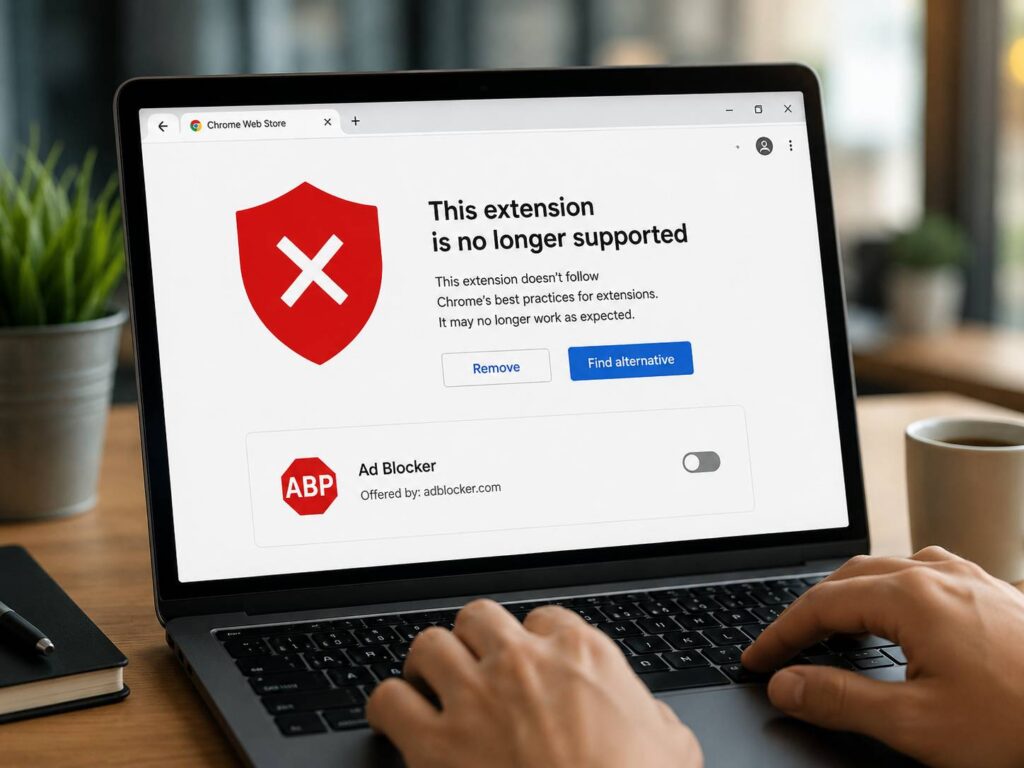
Chrome is changing the way ad blockers work, and many users now feel the change directly. An old extension that blocked ads for years can suddenly show a warning, lose features, or stop working after a browser update.
The main reason is Manifest V3. It is the newer Chrome extension system, and it replaces the older Manifest V2 model. For most users, that sounds like developer talk. Still, the result is easy to understand: Chrome is closing the last workarounds that kept many old ad blockers alive.
That matters for anyone searching for Chrome ad blocker not working, uBlock Origin disabled in Chrome, Manifest V2 ad blocker, Manifest V3 ad blocker, Chrome extension disabled, or best ad blocker for Chrome. These searches point to the same issue. Chrome no longer gives old ad blockers the same room to work.
What changed with Chrome ad blockers?
Chrome extensions run through a manifest file. This file tells Chrome what the extension does, what data it needs, and which browser features it can access. For years, many powerful ad blockers used Manifest V2.
Manifest V2 gave extensions deeper control over web requests. In simple terms, an ad blocker could watch requests as pages loaded, then block ads, trackers, scripts, popups, and other unwanted items before they reached the screen.
Next, Chrome moved toward Manifest V3. This newer system changes how extensions handle requests. Instead of letting most extensions block requests in the old direct way, Chrome now pushes them to a rule-based system called declarativeNetRequest.
That means the ad blocker gives Chrome a list of rules. Then Chrome applies those rules inside the browser. For common ads, this works well enough. For advanced filters, custom rules, and fast changes, the new system can feel more limited.
Why old ad blocker workarounds are ending
For a while, some users still had ways to keep old Manifest V2 blockers running. Chrome warned users first. Then it started disabling some older extensions. After that, some people still saw a switch that let them turn the extension back on.
That path is now closing.
For regular Chrome users, an old Manifest V2 blocker can stop working after an update. Chrome can disable it, show a warning, or point the user toward newer Chrome Web Store extensions. This is not a normal extension bug. It is part of Chrome’s move away from Manifest V2.
For business users, the old system lasted a bit longer. Managed Chrome setups had a policy that gave companies extra time to keep Manifest V2 extensions active. That grace period is ending too. Chrome 139 removes that enterprise policy, so the final official workaround is going away.
My view is simple. Chrome is choosing tighter browser control over extension freedom. That helps Google present the change as safer and cleaner. Still, users who liked old ad blockers lose some control.
What Manifest V3 means in plain English
Manifest V3 is Chrome’s current extension platform. It changes how extensions run in the background, how they handle outside code, and how they block web requests.
The biggest change for ad blockers is request blocking. Older blockers often used a powerful permission that let them stop web requests in real time. Manifest V3 removes that blocking permission for most extensions and points them to declarativeNetRequest instead.
So, the browser now does more of the blocking work. The extension provides rules, and Chrome decides how those rules run.
For simple users, this can still block plenty of ads. For example, a newer blocker can stop many banners, tracker domains, popups, and ad scripts. At the same time, some old features do not carry over in the same form.
That is why people now compare Manifest V3 ad blockers more carefully. A blocker can work in Chrome and still feel different from its older version.
Will ad blockers still work in Chrome?
Yes, ad blockers still work in Chrome. The key detail is Manifest V3 support.
Many popular ad blocker makers now offer Chrome-ready versions. These tools can still clean up pages, reduce tracking, block many ads, and improve browsing comfort. Still, users should not expect every old feature to survive unchanged.
For most people, the best move is practical:
- Open Chrome extensions.
- Check for disabled ad blockers or warnings.
- Remove old Manifest V2 blockers.
- Install a trusted Manifest V3 ad blocker from Chrome Web Store.
- Turn on the filter lists you need.
- Test a few ad-heavy sites.
- Keep one main blocker active.
That last point matters. Several ad blockers running at the same time can break pages. They can also slow down troubleshooting. One good blocker gives cleaner results than three fighting each other.
What this means for uBlock Origin users
uBlock Origin sits at the center of this topic. Many Chrome users relied on the classic version for strong blocking, custom filters, and low clutter. That classic Chrome version was built around the older extension model.
So, users who see uBlock Origin disabled in Chrome are not seeing a random failure. They are seeing the Manifest V2 phaseout.
The Chrome-friendly path is uBlock Origin Lite. It uses Manifest V3. It can still block many ads and trackers, but it is not a perfect copy of the classic extension. Some users will be fine with it. Power users will notice the limits faster.
For people who want the old level of control, browser choice now matters more. Chrome remains fast and popular, but it no longer treats old-style ad blocking as a first-class option. Firefox, Brave, and other browsers deserve a closer look for users who care about stronger content blocking.
Why this change connects to Google’s wider Chrome plans
Chrome’s ad blocker shift does not stand alone. Google is changing several parts of the browser experience at once. Search, AI features, privacy tools, extension rules, and browser safety all sit in the same product direction.
For example, Google is testing search changes that can send more users toward AI-style answers. This connects with the broader question of how much control users keep inside Chrome. You can read more about that shift in this related guide on how Chrome searches may go straight to AI mode.
That connection matters. Chrome is not just a place where users visit websites. It now shapes search results, extension behavior, privacy settings, and page content in a more active way.
What users should avoid
Do not install random ad blockers from popups, file-sharing sites, or unknown download pages. Ad blockers need broad permissions. A fake blocker can read browsing data, inject ads, change search results, or redirect pages.
Next, avoid old registry tricks from random forum posts. Some of those tips worked for older Chrome versions. Many no longer work, and some can create bigger problems on managed devices.
For safer results, use this checklist:
- Pick an ad blocker from Chrome Web Store.
- Check the developer name.
- Read the permission prompt.
- Look for recent updates.
- Use a known filter list.
- Avoid extensions that promise impossible blocking.
- Remove blockers that inject their own ads.
For work laptops, ask the admin team first. Company-managed Chrome installs can block extensions, force certain tools, or remove old blockers after policy changes.
What this means for publishers and regular readers
Publishers will like part of this change. Weak ad blocking can mean more ads get through. At the same time, bad ad layouts still push readers toward stronger blockers or different browsers.
Readers want clean pages. They do not want autoplay ads, fake download buttons, heavy banners, or tracking scripts that follow them across the web. That is not an extreme demand. It is basic comfort.
My opinion is clear: Chrome’s change makes sense from a browser security view, but it takes power away from users who knew how to manage their own setup. Simple users will adapt fast. Advanced users will feel the loss.
Final thoughts
Chrome is not just warning users about old ad blockers anymore. It is closing the final paths that kept many Manifest V2 extensions alive. From now on, Chrome users need Manifest V3 ad blockers or a different browser.
For casual browsing, a trusted Manifest V3 blocker is enough. For stronger filter control, custom rules, and the classic ad-blocking feel, the browser choice matters more than ever.
The best next step is simple. Check your Chrome extensions today. Replace disabled Manifest V2 blockers with trusted Manifest V3 tools. Then test your usual websites and decide if Chrome still gives you the browsing control you want.