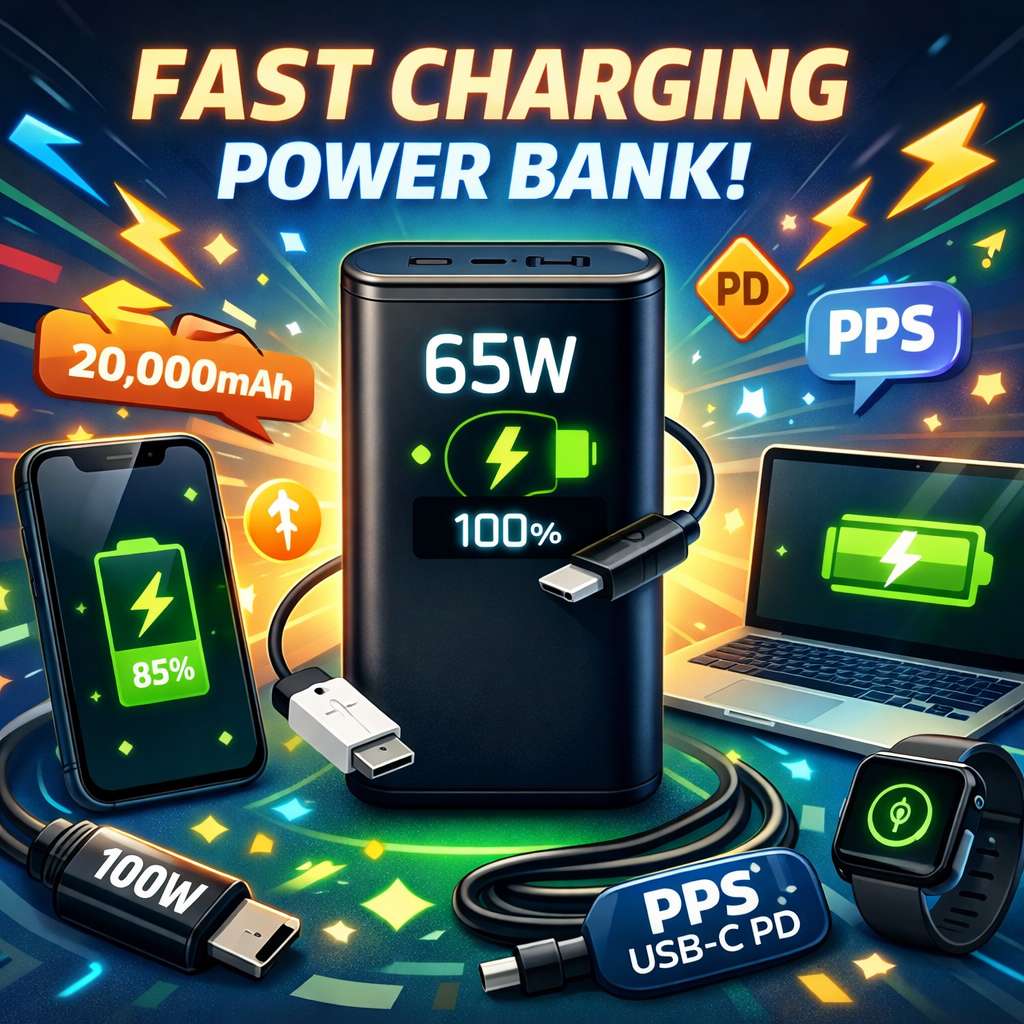
A power bank can look great on the box and still charge your phone at a disappointing speed. That is the trap. A big mAh number suggests fast charging, and you can end up with a battery pack that feels slow in real use.
The truth is simpler. Fast charging depends on four things. Your device matters. The power bank matters. The charging standard matters. The cable matters too. Get those four parts right, and charging feels quick and smooth. Get one part wrong, and the whole setup slows down.
So the smart way to shop is not to chase the biggest battery. Start with charging speed, then check compatibility, then check size. That order saves money and frustration.
Start with your device, not the power bank
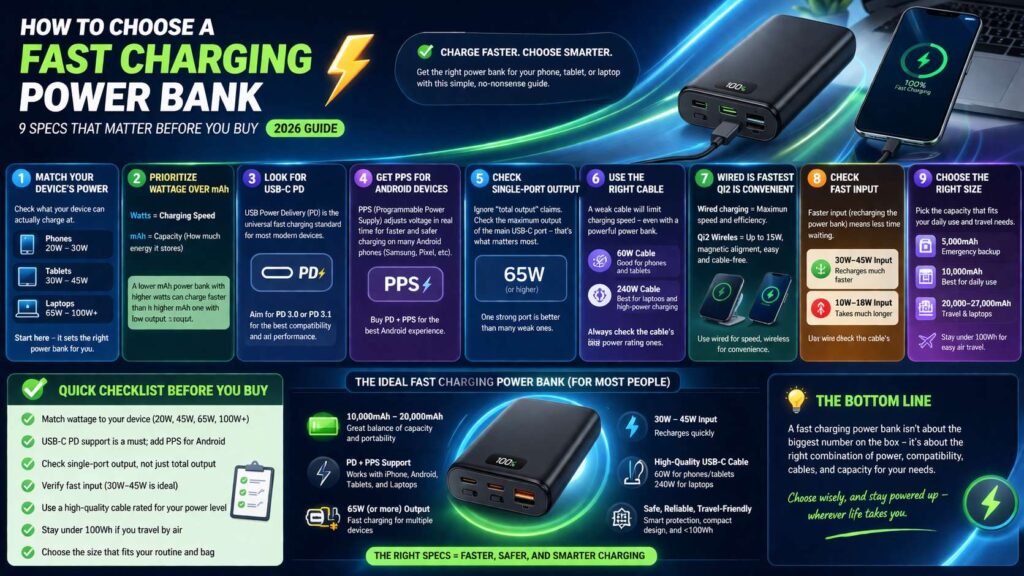
First, check how much power your phone, tablet, or laptop can actually accept. That number sets the real limit.
For example, many iPhones charge fast at around 20W. Many Android phones go higher, but some need PPS support to reach their top speed. Some tablets sit in the middle. Laptops vary a lot. A light laptop may charge fine at 45W or 65W. A larger model may need 100W or more for the best result.
So ask one basic question first. What device do you want to charge most often?
That answer shapes the whole purchase.
A 100W power bank sounds impressive, but it does not help much for a phone that tops out at 20W or 25W. On the other hand, a 20W power bank will feel weak for a laptop or even for a larger tablet. So match the power bank to the device you use every day.
That is the first rule, and it matters more than anything else on the box.
Wattage matters more than mAh at the start
It is tempting to compare 10,000mAh, 20,000mAh, and 30,000mAh, then pick the biggest one you can afford. That sounds logical, but it often leads to the wrong choice.
Wattage tells you charging speed. Capacity tells you how much energy the power bank stores. Those are not the same thing.
A 20,000mAh power bank with weak output can still charge your phone slowly. A 10,000mAh power bank with strong USB-C output can feel much faster and much better in daily use.
So read the watt figure first.
Here is a simple way to think about it:
20W to 30W works well for many phones
30W to 45W suits phones, tablets, and some light laptops
65W is a strong target for many USB-C laptops
100W or more fits heavy laptop use and power users
Next, check the capacity. A small power bank is easier to carry. A larger one lasts longer. Yet speed still comes first. A huge battery with weak output is not a fast charging power bank in any useful sense.
USB-C Power Delivery is the safe default
Most people should buy a USB-C power bank with Power Delivery support. That is the standard that works well across modern phones, tablets, handheld gaming devices, and many laptops.
This matters for one simple reason. USB-C PD gives you broad compatibility. It works across many brands, and it is now the main standard for fast wired charging.
So skip vague labels like fast charge or quick charge ready if the listing does not explain the actual standard. Look for clear wording such as USB-C PD, PD 3.0, PD 3.1, or PPS.
A good product page should show real output figures like these:
5V/3A
9V/3A
15V/3A
20V/3.25A
Those figures tell you far more than a flashy headline.
No real spec table means no clear answer. In that case, move on.
PPS is a big deal for Android buyers
Next, check for PPS support if you use a newer Android phone. This part gets ignored all the time, yet it can make a real difference.
PPS lets the charger adjust power in a more precise way. That helps some phones charge faster and manage heat better. Samsung phones are a common example. Some Pixel models benefit too.
So a power bank can support USB-C PD and still miss the fastest charging mode for certain Android devices. That does not mean it is bad. It just means it may not deliver the top speed your phone can reach.
That is why many Android users should look for two things together. USB-C PD first, then PPS support.
For iPhone users, plain USB-C PD is often enough. For many Android users, PD plus PPS is the better pick.
One strong USB-C port beats a bunch of weak ones
A power bank with three or four ports can look like the better deal. In real life, that is not always true.
What matters most is single-port output. That tells you how much power the main USB-C port can deliver to one device at a time. Then check what happens after you plug in a second device. Many power banks split the output and drop the speed.
So read the port details with care.
A listing may say 100W total output. That sounds great. Yet the main port may only give 65W on its own, or it may drop once another cable goes in. That changes the real experience.
One strong USB-C port matters more than extra ports. A second port is useful. A third or fourth port is only helpful if the power split still makes sense.
So do not count ports first. Count useful watts first.
The cable can ruin the result
Do not pair a strong power bank with an old or cheap cable. That weak link kills charging speed.
So the cable deserves more attention than it gets.
A low-rated cable can cap the power far below what the power bank can deliver. That means your 65W power bank may never reach 65W in real use. The same problem shows up with 45W phone charging and 100W laptop charging.
Check the cable rating. That small detail matters.
A 60W USB-C cable works well for many phones, tablets, and light laptops. A 240W cable gives more headroom and makes more sense for high-power charging setups. Built-in cables can be handy too, but only if their rating is strong enough.
So if fast charging matters to you, do not treat the cable as an afterthought. Treat it as part of the charger.
Wired charging is still faster, but wireless is better than it used to be
Wireless power banks have improved a lot. That is good news for people who want an easy top-up during the day.
Still, wired charging stays ahead for raw speed, lower heat, and better energy use. So if your goal is the fastest possible charge, use a cable.
Wireless charging makes sense for convenience. It works well on a desk, in a café, or during a short trip across town. Magnetic alignment helps too, since it keeps the phone in the right place. That cuts some of the frustration older wireless power banks had.
So which one should you buy?
A wired power bank should be your main choice if speed is the priority. A slim magnetic wireless model works well as a second daily-carry option.
Fast input matters too
Focusing on output makes sense, but it is only half of the story.
Input speed tells you how fast the power bank itself recharges. That matters more than people expect.
A power bank that charges your phone quickly but takes many hours to refill can become annoying fast. You use it all day, then you plug it in at night, and it crawls back to full.
So check the input rating before you buy.
For a 10,000mAh power bank, 20W input is decent. 30W feels better. For a 20,000mAh model, 30W or 45W input makes daily use much easier. Then the power bank spends less time tied to the wall.
This is one of those details that looks small on paper, but it changes the real experience a lot.
Pick the right size for your routine
Now think about how you actually travel and work. Size should match your daily use.
A 5,000mAh power bank is fine for emergency backup. It slips into a pocket, and it can save you late in the day. Still, it is not ideal for long travel days.
A 10,000mAh fast charging power bank is the best all-round size for many people. It balances portability, speed, and useful backup power. It works well for commuting, city trips, and daily phone charging.
A 20,000mAh model fits heavier use. It makes more sense for long days, tablets, handheld gaming devices, and some laptop charging. It is larger, but the extra capacity helps a lot.
Then you have the bigger 25,000mAh to 27,000mAh range. That size suits travel and laptop users who need more runtime. Yet you should still check airline battery rules before flying, since larger battery packs face stricter limits.
So do not buy the biggest pack by default. Buy the size that fits your bag and your routine.
A quick checklist for choosing the right one
Use this shortlist before you pay:
Pick the wattage for your main device first
Choose USB-C PD as the base standard
Pick PPS too if you use a newer Android phone
Check single-port USB-C output
Check multi-port power split
Check input speed for recharging the bank
Buy a cable that matches the power level
Choose the size that fits your routine
Check airline limits if you travel a lot
That checklist keeps the process simple, and it covers the details that matter most.
What a good fast charging power bank looks like in 2026
A good model in 2026 is not the one with the loudest claims. It is the one that matches your device and your daily use.
The sweet spot is easy to describe. A 10,000mAh or 20,000mAh USB-C power bank with PD support, PPS support, strong single-port output, and fast USB-C input is a smart buy. Add a good cable, and the setup works far better.
For phone users, 20W to 30W may be enough. For tablets and mixed use, 30W to 45W feels safer. For laptop users, 65W is a strong baseline, and 100W gives more room.
So the best buying move is simple. Ignore the hype. Read the spec sheet. Match the power bank to the device. Then check the cable too.
Do that, and you will end up with a power bank that really does charge fast.