
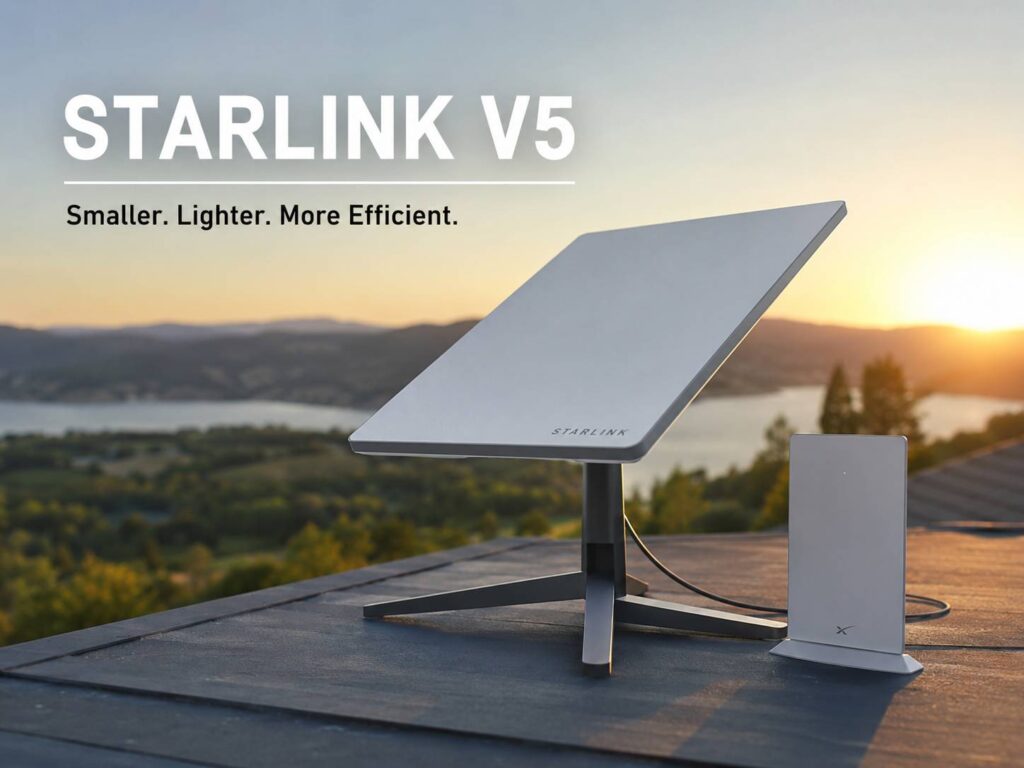
Starlink has introduced a new V5 home dish for residential satellite internet. The update does not chase a dramatic speed jump. Instead, it focuses on the parts people deal with every day, including size, weight, installation, and electricity use.
The Starlink V5 home dish is much smaller than the Standard 4 model. It weighs just 1.1 kg, draws an average of 35 to 50 watts, and comes with a compact Wi-Fi 6 Router Mini. Starlink lists download speeds of up to 375 Mbps for the new kit. For rural homes, cabins, farms, and properties without reliable fibre or cable service, those changes make the hardware easier to live with.
The Starlink V5 dish is much smaller than Standard 4
The V5 antenna measures 384 x 306 x 34 mm. By comparison, the Standard 4 dish measures 594 x 383 x 39.7 mm. The V5 model is shorter, narrower, and slightly thinner.
That size difference looks substantial in real use. A smaller dish takes up less room on a roof, wall, pole, shed, or balcony mount. It is easier to carry through a loft hatch too. Plus, installers gain more freedom around gutters, chimneys, solar panels, and television antennas.
The front surface area drops from 227,502 square millimetres on Standard 4 to 117,504 square millimetres on V5. That works out to a reduction of about 48.4%.
Here is the calculation:
- Standard 4 area: 594 x 383 = 227,502 mm²
- Starlink V5 area: 384 x 306 = 117,504 mm²
- Difference: 109,998 mm²
- Size reduction: about 48.4%
For many buyers, this is not just a cosmetic change. Large satellite dishes can feel awkward on small houses or modern exterior walls. The V5 design should look less intrusive once mounted, yet it keeps the same 110-degree field of view listed for Standard 4.
Weight drops by about 62%
The dish itself weighs 1.1 kg, or 2.4 pounds. Standard 4 weighs 2.9 kg, or 6.4 pounds. So, Starlink has reduced dish weight by about 62%.
The calculation is straightforward:
- Original weight: 2.9 kg
- New weight: 1.1 kg
- Weight removed: 1.8 kg
- Reduction: 1.8 ÷ 2.9 x 100 = about 62%
That change matters during installation. Carrying a lighter antenna up a ladder feels safer and less tiring. A lighter dish places less load on a pole or wall bracket too. The mount still needs solid fixings and a suitable surface, but the antenna puts far less weight on the structure.
The complete V5 kit weighs 3.8 kg. Inside the box, Starlink includes:
- Starlink V5 dish
- Router Mini
- Router Mini stand
- Pipe adapter
- Power supply
- 15-metre Starlink cable
- 2-metre Ethernet cable
- 1.5-metre power cable
- Kickstand
The included pipe adapter is a welcome touch. It reduces the chance that a buyer reaches the installation stage and then discovers that another basic part is needed.
Power use is the biggest V5 improvement
Starlink rates the V5 dish at an average of 35 to 50 watts. Standard 4 uses an average of 75 to 100 watts. So, the new model draws close to half the power across the listed ranges.
Using the midpoint of each range gives a simple estimate:
- Standard 4 midpoint: 87.5 watts
- V5 midpoint: 42.5 watts
- Difference: 45 watts
- Estimated yearly difference: 45 x 24 x 365 ÷ 1,000 = 394.2 kWh
Real electricity use changes with network activity, weather, snow melting, and system behaviour. Still, the calculation shows why the lower power rating matters. A home that runs Starlink all day and all night can use hundreds of kilowatt-hours less electricity each year with V5.
For grid-connected homes, that can trim running costs. For off-grid homes, the effect is even more useful. A smaller load gives batteries more runtime and places less demand on solar panels, inverters, portable power stations, and generators.
From a practical point of view, lower power use is the strongest reason to care about V5. A smaller shell is nice. A lighter dish helps installers. Yet lower energy demand changes the cost and difficulty of running satellite internet every day.
Download speeds reach up to 375 Mbps
Starlink lists V5 speeds of up to 375 Mbps. That is fast enough for normal household use, including 4K streaming, video calls, cloud backups, online gaming, remote work, and large downloads.
Still, “up to” does not mean every home will receive 375 Mbps. Actual performance changes by location, service plan, local network capacity, congestion, weather, and obstructions. Trees remain one of the biggest problems. A branch that crosses part of the dish’s view can cause short interruptions, even when most of the sky looks open.
For that reason, placement matters as much as the hardware. The Starlink app helps users scan for obstructions and orient the dish. The V5 model uses software-assisted manual alignment, so the user positions it rather than relying on a built-in motor.
Latency matters too. A speed test can show a strong download result, yet brief dropouts can still disturb live calls, cloud gaming, and remote desktop sessions. A clear sky view remains the best foundation for stable service.
Router Mini brings Wi-Fi 6 and two Ethernet ports
The V5 kit includes Starlink’s Router Mini. It supports Wi-Fi 6 through a dual-band 2×2 MU-MIMO radio. Starlink lists coverage of up to 204 square metres, or 2,200 square feet, and support for up to 235 connected devices.
The router has two 1Gbps Ethernet ports. That gives users a simple path to wired desktops, network switches, access points, cameras, smart-home hubs, and game consoles.
At the same time, the coverage figure describes ideal conditions. Thick walls, concrete floors, metal insulation, furniture, and nearby Wi-Fi networks can reduce indoor range. Router placement still has a major effect. Our guide to the best router antenna position for stronger Wi-Fi in every room explains how height, room position, and nearby objects affect wireless coverage.
The Router Mini works with several Starlink mesh products. It does not form a Starlink mesh with third-party systems. Starlink recommends a wired connection for other router setups, which is the better choice for homes that need broad or multi-floor coverage.
The router is rated for indoor use. So, place it inside a dry, ventilated space rather than beside the outdoor dish or inside an exposed utility box.
Weather resistance remains strong
The V5 dish carries an IP67 Type 4 environmental rating. Starlink lists an operating range from -30°C to 50°C. It can melt snow at a rate of up to 40 mm per hour.
The mounted wind-speed rating reaches 265 kph, or 165 mph. Still, that figure applies to the dish hardware under the listed conditions. The complete installation only remains stable when the pole, bracket, screws, wall, and roof surface can handle the same forces.
For example, a strong dish cannot protect a weak mount. Loose cables can cause trouble too. Exterior cables need support, smooth bends, sealed entry points, and protection from sharp edges.
Cold-climate users should keep the power figures in context. Snow melting can raise energy use above normal operating levels. So, households planning battery backup should leave extra capacity for winter conditions.
Starlink V5 is not a replacement for Starlink Mini
The V5 dish is smaller than Standard 4, but it serves a different role from Starlink Mini. V5 is a home kit with a separate Router Mini and power supply. Starlink Mini places Wi-Fi hardware inside the dish and focuses more on portability.
For a fixed home installation, V5 gives users a compact dish with stronger home-network options. For backpack travel or frequent movement between temporary locations, Starlink Mini remains the more portable design.
The V5 dish still suits cabins, holiday homes, temporary work sites, and parked caravans where the service plan permits that setup. It is not intended for use in motion. Buyers who need internet on a moving vehicle or boat should choose hardware and a plan approved for that use.
Should existing Standard 4 owners upgrade?
Existing Standard 4 owners do not need to replace working hardware just to get a smaller dish. V5 offers its clearest gains in power use, mounting weight, and physical size.
An upgrade makes the most sense in a few cases:
- The current dish uses too much battery power
- The property relies on solar or generator power
- The existing mount struggles with dish weight
- Roof or wall space is limited
- The owner needs a lighter kit for seasonal installation
- The current hardware needs replacement anyway
For a home connected to the grid, with a stable Standard 4 setup, the savings need to justify the hardware cost. Starlink pricing and availability vary by address, so buyers should compare the current local offer before replacing a working system.
The practical verdict is clear. V5 is a smart home-hardware update, not a speed-focused upgrade. It fixes practical weaknesses in the older design without changing the basic Starlink experience.
What the Starlink V5 changes for home users
The Starlink V5 home dish is smaller, lighter, and less power-hungry than Standard 4. Its surface area is about 48% smaller, and its dish weight drops by about 62%. The power reduction matters most. Average consumption falls from 75 to 100 watts down to 35 to 50 watts.
So, V5 should be easier to install, easier to power, and easier to fit on smaller properties. The included Wi-Fi 6 Router Mini adds two Ethernet ports and broad indoor coverage for a compact kit.
The update will not transform Starlink speeds overnight. Yet it makes the equipment more practical for the homes that rely on it most. For rural households and off-grid users, that is a meaningful improvement.