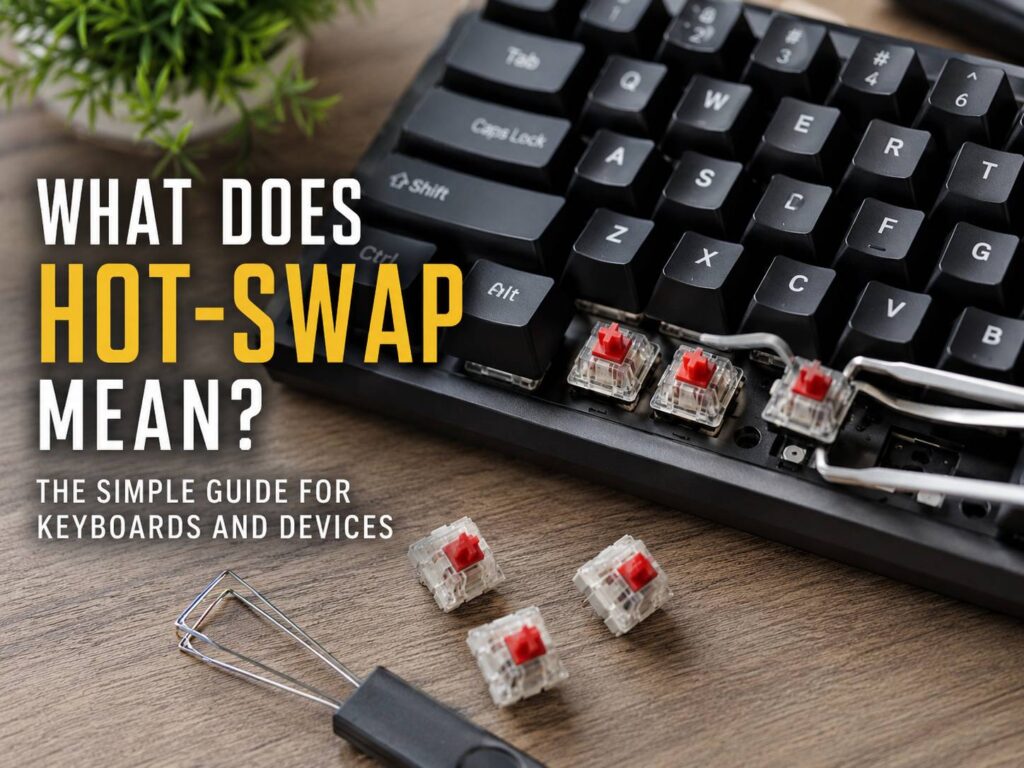
What Does Hot-Swap Mean?
Hot-swap means you can remove or replace a part without turning the whole device off first. The term comes from computer hardware, where servers, storage drives, power supplies, and other parts sometimes need replacement during use. The goal is simple: less downtime, easier repair, and less stress.
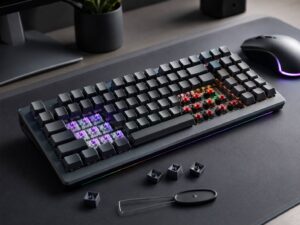
For most everyday buyers, hot-swap now comes up most often with mechanical keyboards. A hot-swappable keyboard lets you pull out the switches and install new ones without soldering. That is the main reason the feature matters so much in keyboard shopping.
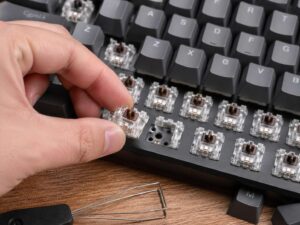
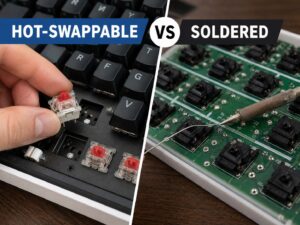
A standard mechanical keyboard has each switch fixed to the circuit board with solder. To change those switches, you need tools, skill, and time. A hot-swappable keyboard uses sockets instead. The switch pins press into those sockets, so you can remove a switch with a switch puller and push in another compatible switch.
At first, that may sound like a small detail. Then you try a few switch types, and the value becomes clear. Linear switches feel smooth and fast. Tactile switches give a small bump. Clicky switches make more noise and give stronger feedback. With hot-swap support, you can test those options without buying a whole new keyboard.
Why Hot-Swap Became So Popular
Hot-swap became popular for one clear reason: people like choice. Mechanical keyboards are no longer just basic typing tools. Sound, feel, key weight, switch style, and long-term repair are now part of the decision.
A hot-swappable keyboard gives you room to change your mind. You may buy a board with loud clicky switches, then later find them too noisy during calls. Your fingers may feel tired after typing on heavy switches all day. One key may start double-typing after months of use. Instead of replacing the full keyboard, you can swap the switches.
That is the part I like most about hot-swap keyboards. They make a keyboard feel less disposable. A single bad switch does not need to ruin the whole board. For a keyboard hobbyist, that is great. For a normal buyer, it still adds real value, even if you only use it once.
The feature also makes mechanical keyboards less intimidating for beginners. Soldering can scare people away, and that is understandable. It takes tools, practice, and a steady hand. Hot-swap removes most of that risk. You still need care, but the job becomes much easier.
Hot-Swap vs Hot-Plug: What Is the Difference?
Hot-swap and hot-plug are related terms, but they do not always mean the same thing.
Hot-plug usually means you can connect a device while the system is already running. A common example is plugging in a USB mouse, keyboard, webcam, or external drive. The computer detects it without needing a restart.
Hot-swap usually goes one step further. It means you can replace a component during operation, not just add it. In server hardware, that can mean replacing a drive or power supply without shutting the machine down. In keyboards, it usually means replacing mechanical switches without soldering.
People often mix the two terms in daily use. That is why the product category matters. For a keyboard, “hot-swappable” almost always points to switch sockets. For a server, it can point to drives, fans, or power supplies. For a laptop or desktop PC, it can mean something different again.
A better question is not only “Is it hot-swap?” A more useful question is: “Which part is hot-swappable?”
What Hot-Swap Means on a Mechanical Keyboard
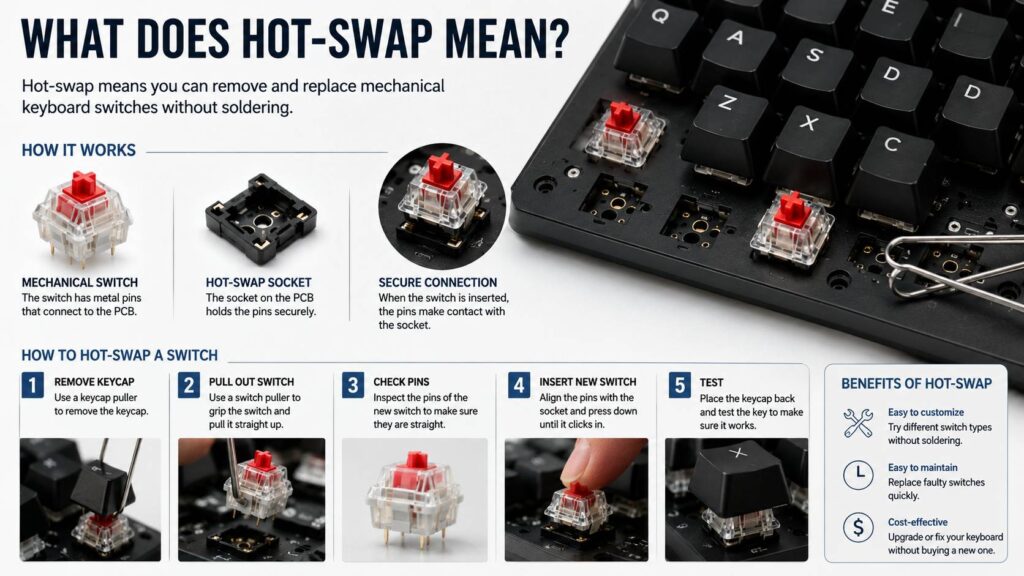
On a mechanical keyboard, hot-swap means the switch can be removed from the top of the keyboard and replaced with another compatible switch. You usually remove the keycap first, then pull the switch out with a switch puller.
The switch sits in the plate and connects to the PCB through metal pins. A hot-swap socket grips those pins. This socket is the part that makes the feature work.
For buyers, this matters for three main reasons:
- You can try different switch feels.
- You can replace a faulty switch.
- You can tune the sound and typing feel without soldering.
Hot-swap does not mean every switch will fit, though. Switch compatibility still matters. Many hot-swappable keyboards use MX-style mechanical switches. These are the most common switch type and include many models from brands such as Cherry, Gateron, Kailh, Akko, TTC, and others.
Optical switches and magnetic Hall effect switches often use different designs. A keyboard made for standard mechanical switches usually will not accept optical switches. A magnetic switch keyboard may only support certain magnetic switches. This detail matters a lot, and product pages do not always explain it clearly.
If you want a deeper comparison before buying, this guide on hot-swappable vs soldered keyboard explains how both designs feel, cost, and age over time.
3-Pin vs 5-Pin Switches Explained
Many hot-swap keyboard listings mention 3-pin and 5-pin switches. This can confuse new buyers, but the difference is simple.
A 3-pin switch has two metal contact pins and one center plastic post. A 5-pin switch has those same parts, plus two extra plastic legs. The extra legs help the switch sit more firmly in the PCB.
Many hot-swappable keyboards support 5-pin switches. In my opinion, that is the better setup. It gives you a wider choice of switches and makes the board more flexible in the long run.
Some keyboards support only 3-pin switches. You can still use many switches, but 5-pin switches need trimming before they fit. That means cutting the two extra plastic legs.
The job is not hard, but it can be annoying. It is also easy to make a rough cut. So, if you are buying your first hot-swappable keyboard, pick one that supports 5-pin MX-style switches. It gives you more room to experiment later.
Does Hot-Swap Mean Tool-Free?
Hot-swap does not mean you need no tools at all. It means you do not need soldering tools.
For a keyboard, you still need:
- A keycap puller
- A switch puller
- Compatible switches
- A clean workspace
- A bit of patience
Many hot-swappable keyboards include basic pullers in the box. They work, but they are not always pleasant to use. Cheap wire keycap pullers are usually fine. Cheap metal switch pullers can feel awkward and may scratch the plate if you rush.
Here is my honest opinion: buy a better switch puller if you plan to change a full board. The small tool in the box works for a few switches, but it gets tiring fast.
What Can Go Wrong With Hot-Swap Keyboards?
Hot-swap is useful, but it is not perfect. Problems can happen, mainly from poor handling, weak sockets, or rushed installation.
Bent switch pins are the most common issue. A switch can look installed, yet one pin may be folded under the switch. Then the key will not work. The fix is simple: remove the switch, straighten the pin, and install it again.
Loose sockets can appear after many switch changes. A socket may start to feel weak or inconsistent. On some boards, a hot-swap socket can detach from the PCB if too much force is used. That is less common, but it is one of the bigger risks.
Poor switch seating can create problems too. If the switch is not pressed in straight, it may sit unevenly. The key may feel strange or fail to register. Press the switch down evenly and check that it clips into the plate.
Do not expect hot-swap to change everything about keyboard sound either. Switches matter, yes, but they are only one part of the sound. Keycaps, case material, plate material, foam, stabilizers, and desk surface all play a role. A new switch can help, but it will not turn a cheap rattly board into a premium one by itself.
Is Hot-Swap Worth It?
For most people buying a mechanical keyboard today, yes, hot-swap is worth having. It gives you flexibility and makes repairs easier. Even if you never plan to become a keyboard hobbyist, the feature can save money later.
It is especially worth it if:
- You are new to mechanical switches.
- You are not sure whether you prefer linear, tactile, or clicky switches.
- You want a quieter keyboard later.
- You type a lot and care about feel.
- You want to replace bad switches without replacing the full board.
- You dislike soldering.
It is less useful if you already know exactly what you want and never plan to change switches. Some soldered keyboards feel great and can be very reliable. A soldered board is not bad just for being soldered. Still, hot-swap gives more freedom for most buyers.
My practical advice is simple. If two keyboards are close in price and one has hot-swap sockets, pick the hot-swappable one. Just check switch compatibility first.
Hot-Swap in Other Devices
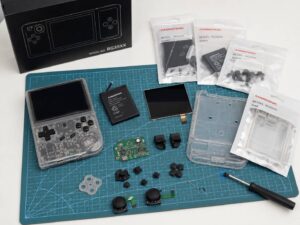
Hot-swap does not only apply to keyboards. You may see the term in many other product categories.
Common examples include:
- Server hard drives
- NAS drives
- Enterprise SSDs
- Redundant power supplies
- Server fans
- Some PCIe hardware
- USB devices
- Certain battery systems
In a server or NAS, hot-swap is more serious than it is on a keyboard. It can keep data services running during repairs. For example, a failed drive in a supported storage system can often be replaced without shutting the machine down. That saves time and keeps users connected.
Still, hot-swap does not mean you can pull any part at any time with zero risk. Storage systems may need RAID support, correct drive trays, safe removal steps, and proper rebuild time. Power supplies may need redundancy. Some parts are only hot-swappable under certain conditions.
That is why the manual matters. The word “hot-swap” is useful, but the exact process comes from the device design.
Hot-Swap Does Not Always Mean Live Swapping
This is a small but important point. A keyboard switch may be hot-swappable in the sense that it does not require soldering. That does not mean you should swap switches with the keyboard plugged in.
Unplug the keyboard before changing switches. That is the safer habit. It avoids accidental input, shorting risk, and strange detection issues. For keyboards, there is rarely a good reason to leave the board connected during a switch change.
So, in keyboard shopping, read hot-swap as “no soldering needed,” not “change switches during active typing.”
How to Check if a Keyboard Is Really Hot-Swappable
Product pages can use confusing wording, so look for clear signs.
A good listing should mention:
- Hot-swappable switches
- Hot-swap PCB
- 3-pin or 5-pin switch support
- MX-style switch support
- Switch puller included
- Compatibility with brands such as Cherry, Gateron, or Kailh
Be careful with vague phrases like “customizable keyboard” or “mechanical feel.” Those do not prove hot-swap support. Some keyboards let you change keycaps only. Keycaps and switches are not the same thing.
You should also check the switch type. Standard mechanical, optical, low-profile, and magnetic switches are not always interchangeable. Low-profile keyboards are a common trap here. They may be hot-swappable, but only with a small set of low-profile switches.
For a beginner-friendly breakdown of switch sockets, switch types, and real buying mistakes, this guide on hot-swappable keyboards explained is a useful next read.
How to Swap Keyboard Switches Safely
The process is simple, but slow work gives better results.
Start by unplugging the keyboard. Remove the keycap with a keycap puller. Place the switch puller around the switch, grip the top and bottom tabs, and pull straight up. Do not twist too much.
Next, check the new switch pins. They should be straight. Line up the switch with the socket and press down evenly. If you feel strong resistance, stop. Remove the switch and check the pins again.
After installation, test the key. You can use a keyboard testing tool or a blank text document. Press the key several times. If it does not register, the pin may be bent, or the switch may not be fully seated.
For a full keyboard swap, work in small sections. Test every row as you go. It is much easier to fix one bad switch right away than to troubleshoot 20 keys at the end.
Common Hot-Swap Buying Mistakes
The first mistake is assuming every hot-swap keyboard uses the same switches. It does not. Always check the switch style.
Another mistake is buying switches without checking pin count. A 5-pin switch can fit a 3-pin PCB only after trimming the extra plastic legs. A 3-pin switch fits a 5-pin PCB, but it may feel a bit less stable on some plate designs.
Sound clips can mislead buyers too. Keyboard sound videos are helpful, but microphones, desks, rooms, and recording settings change the result. The same switch can sound different in another board.
Avoid swapping switches too often on a cheap board. Hot-swap sockets are useful, but they are still physical parts. Treat them gently.
Large keys need extra attention as well. Space, Enter, Shift, and Backspace use stabilizers. A switch swap will not fix bad stabilizer rattle by itself.
Who Should Buy a Hot-Swappable Keyboard?
A hot-swappable keyboard is a smart choice for most beginners, gamers, writers, programmers, students, and office users who want more control over typing feel.
Gamers may prefer lighter linear switches for faster key presses. Writers may like tactile switches for feedback. Office users may want quieter switches for shared spaces. Hot-swap support lets each user tune the board without buying another keyboard.
It is also a good choice for anyone who hates waste. If one switch fails, you can replace one switch. That feels better than throwing away a full keyboard over one bad key.
For serious hobbyists, hot-swap is almost expected now. It makes testing switches much easier. For casual users, it is simply a nice safety net.
Final Verdict: What Does Hot-Swap Mean for You?
Hot-swap means easier replacement without a full shutdown or a permanent soldered connection. In mechanical keyboards, it means you can change switches without soldering. That gives you more freedom, easier repairs, and a better chance of finding the typing feel you actually like.
The feature is worth paying for in many cases, but it needs the right expectations. Hot-swap does not mean every switch fits. It does not mean the keyboard is impossible to damage. It does not mean switch changes will fix every sound or feel issue.
Still, hot-swap is one of the most useful features in modern mechanical keyboards. If you are buying a keyboard and care about long-term value, comfort, or customization, a hot-swappable model is usually the safer pick.